




 here!
here!
I’m your shopping assistant for PC builds, upgrades, and everything tech.
Got questions? Ask away!
Start a conversation
here!
I’m your shopping assistant for PC builds, upgrades, and everything tech.
Got questions? Ask away!
Start a conversation

Joined on 04/25/08
BIG
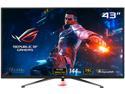
Pros: - It's huge - Very crisp - Nice aesthetics
Cons: - Severe ghosting in dark environments - Not ultrawide
Overall Review: Would buy again. I don't know why they didn't build this thing in an ultrawide format. At this price point, they certainly should have. The ghosting is annoying at first but you sort of get used to it. Again, for the price tag I would have expected a panel that doesn't have this issue. That being said, I can never go back to 1080p after gaming in 4k. Very nice monitor that should be better.
Not As Advertised
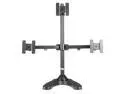
Pros: Heavy base. Seems sturdy. Articulates in most directions.
Cons: WILL NOT fit two 27" monitors side by side, as advertised.
Overall Review: I do not recommend this product.
Crashes Frequently
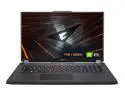
Pros: - Nice hardware for the price. - Appears to be sturdy and aesthetically pleasing. - Minimal bloatware.
Cons: - Crashes about once every 45-90 minutes. - Only two USB ports.
Overall Review: It crashes constantly while gaming. Just locks up with no warning, frequently blasts ear piercing white noise at high volume when it happens. I've been trying to troubleshoot it with no success so far.
Very Pretty
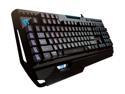
Pros: - Nice looking RBG - Good build quality - Very quiet for mechanical switches.
Cons: - Not ergonomic. Like almost every other "gaming" keyboard on the market, they put pretty lights and mechanical key switches on it and bill it as a product for gamers. A true gaming keyboard would have keys arranged ergonomically in an easy to reach placement, and textured and contoured to be recognizable by touch. A true gaming keyboard would have more available keybinds than a standard keyboard. This has none of the above. - The G keys have to be bound to normal keys. They are not a separate and unique key, so in actuality you only get the number of keys that a plain vanilla keyboard has. - The G keys are not arrayed in an area that is easy or comfortable to reach.
Overall Review: It works. It's built well. It's not actually a gaming keyboard. It's a pretty, flashy bit of consumer bait that has little more function than a standard keyboard.
Ok, I guess.
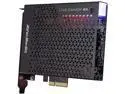
Pros: - Seems to work as advertised, more or less. See audio and recording quality issues below.
Cons: - No setup instructions. Not intuitive to use. Not plug and play. Does not include the necessary software to make it work. Doesn't even tell you what software you need. If you've never had a capture card before, get ready to go a lot of googling and watch a lot of YouTube videos. - I still haven't figured out how to make it capture sound. - The included HDMI cable is not long enough unless your desk is the size of a postage stamp. - Recording quality does not look like 4k to me. - They put a decent looking housing on it, but it's on the bottom. Unless your PCIe slots are near the top of your case, you're going to be looking at the bare circuit board side.
Overall Review: Would buy again, assuming that I can get the audio to work. I assume it's something I'm missing due to a complete and utter lack of instructions and documentation, and not an actual defect.
Not Bad But Would Not Recommend
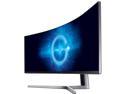
Pros: - Stupid wide. In games that support it, the field of view is very nice. - 1ms and 144Hz. - Nice picture; sufficiently bright and colors are vibrant. - Easy to assemble and has integrated cable management. - Three easily accessible backlight preset buttons allow you to switch screen brightness on the fly. Useful for night cycle in games.
Cons: - After less than 6 months of use, there are several dead pixels. - The screen isn't tall enough. It's about 4 feet wide but only about 14 inches tall. Not a natural field of view. - The stand legs are fairly large and obtrusive. - The extreme width of the resolution means it's only supported in some games. In others, you'll be playing with black bars on the sides of your screen. In the games that are supported, you get a sort of fish eye effect on the edges. The image stretches and objects seem closer than they actually are. In some games, like PUBG and WoW it's almost imperceptible, but it's there.
Overall Review: If this monitor were about 3 inches taller and didn't have dead pixels, I'd buy it again. As it stands, my next monitor will be something with a more common resolution.


