

Your Browsing History


Robert W.
Joined on 02/27/05
0
0
product reviews
- 10
Works fine so far
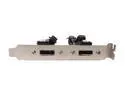
APEVIA eSATA15DP 1.25 ft. 2 x SATA to eSATA x 2 Ports w/ Bracket
Pros: Cheap, simple, long cables.
Cons: None so far.
Overall Review: Chose this over other products because it has two ports (I have two spare SATA ports in my PC and no more drive bays) and because of the 15-inch cables. Cable length allowed me to route them around existing circuit boards for a cleaner install, no fear of pinching them. (My PC is a Dell Dimension 8400). Have used for only two days, but copy speed to my external drive is now at least twice as fast as with USB (my PC has 1.5Gb/s SATA). Cables seat in SATA sockets as well as the ones on my internal drives. eSATA cable (Kingwin) seating is also good. Thanks to Newegg for the new, Egg Saver 4-7 day shipping option. Paying $8 to ship this and a $5 cable would have been silly, but $3 made sense. Got it in 4 days.
6/7/2009See more detail
Buyer Beware
Symantec NORTON 360 Version 4.0 1User/3PC
Pros: None that I know of.
Cons: Widely panned by existing users.
Overall Review: Please look up this product on Cnet Reviews before you buy. It scored an average of 1.5 out of 5 from nearly 500 actual users over a period of 3 years. (The editors thought it was great - go figure). There are so many better-rated choices, including free. I have used and been satisfied with both AVG Free and ESET NOD32 - no complaints about either of them.
8/9/2010See more detail
Works fine
KINGWIN ESAC-01 3.28 ft. (1m) eSATA to eSATA Cable
Pros: It does what it is designed to do.
Cons: None so far.
Overall Review: Am using it to connect Fantom external hard drive to Apevia 2-port eSATA bracket. Have used for 2 days, copied about 50 GB in Windows file copies with no problems. Seats OK in both drive and bracket. Copy of 30GB folder (7300 files) to external drive via eSATA took approx. same time as to internal SATA drive.(15/14 mins.)
6/7/2009See more detail
Still works just fine
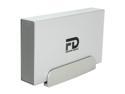
Fantom Drives G-Force 500GB USB 2.0 / eSATA 3.5" External Hard Drive GF500EU
Pros: Compact, reliable, comes up quickly when turned on (USB). Both USB and eSATA work just fine.
Cons: None (I have come to like the blue light - can easily see it flashing when disk is active).
Overall Review: Have now been using for 9 months as second backup (not offsite but secured from fire/water) in USB mode with no problems at all. As of last 2 days have been using via eSATA. Windows copies are at least twice as fast on eSATA as on USB (my SATA is only 1.5Gb/s), and essentially the same speed as copies to my internal backup disk (by chance the same model as in the Fantom).
6/7/2009See more detail
Works Just Fine
Fantom Drives G-Force 500GB USB 2.0 / eSATA 3.5" External Hard Drive GF500EU
Pros: Compact, convenient, reliable (so far). Comes up very quickly when I turn it on. Fantom paid the rebate.
Cons: The blue light is a bit bright.
Overall Review: Bought this to be a second backup and sandbox for playing with Acronis True Image (don't ask). Now use it mostly as second backup, keep it in fire/water-proof box in case my house burns down. Easy to disconnect/reconnect and compact to store. Have had no errors in 6 weeks of use. Newegg did their usual magic - I received the drive 48 hours and 26 minutes after I ordered it.
10/27/2008See more detail
Some Problems, but Good Support
Acronis True Image Home V11 Backup Utilities
Pros: Full functionality, good user interface.
Cons: Had problems after initial use.
Overall Review: Initial use, to create image backup of system disk, worked fine. Then had problems creating another backup, and with other functions (Mount image, etc.). Even when it worked properly, it was very slow. Contacted Acronis support, who ultimately resolved the issues by providing new version, then upgrade, of SnapAPI. This took several weeks and many emails (some of the delay was my fault), but Acronis support was persistent and never abandoned me. Haven't yet tried all functions, but if they all work as documented, I would raise rating to a 5. Key for me is to be able to make both a bootable clone and image backups of the system disk so I can recover from a system disk failure quickly, without professional help, and without having to restore each of my apps individually. Recently had such a failure and it cost me $350 for Geek Squad to diagnose, install new disk, install MS Windows and Office. Then it took almost two weeks for me to restore other apps and Windows/Office settings.
9/18/2008See more detail