

Your Browsing History


Alexander S.
Joined on 03/13/04
0
0
product reviews
- 18
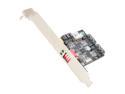
SYBA SY-PEX40045 SATA II (3.0Gb/s) 1:2 (2x1) Internal Port Multiplier
Pros: Cheap solution to RAID. Very simple and fast to install Works for 3 months without single hickup
Cons: Power connector is cheaply made and power supply connector wasn't plugging in, so I pushed harder and whole 4 pins went 90 degrees up. I almost thought that board was done for, but I was able to bent connector pins back in place VERY SLOWLY and CAREFULLY.
Overall Review: It provided me with solution that AsRock engineers couldn't on their Z68 MB. I used this for RAID 0 physical disks array for my programs while I was using my SSD in AHCI to boot windows.The problem was that main SATA controller could only work in RAID or AHCI but not combination of both and secondary controller was supporting only IDE or AHCI but not RAID (and manual advised not to use it for boot drive), so finally I found this as solution. Installed it connected 2 drives to it and cable to motherboard booted up and formatted the drives into one volume DONE!!! On ATTO benchmarking I got twice read/write that on single HD until it went past 16KB's file sizes by 512KB its data read/write performance became close to one drive but it might be as well limitation of the SATA II interface that it uses and the fact that they were mechanical drives (SATA II, 7200RPM with 32MB Cache each).I got 215MB/sec as highest read/write.
4/5/2012See more detail
Not the good choice
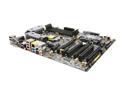
ASRock Z68 EXTREME4 GEN3 LGA 1155 Intel Z68 HDMI USB 3.0 ATX Intel Motherboard
Pros: Works for the most part (for now) Could be worse problems I guess Gave me worst system build experience Looks kind of nice Mmm...... that's all I got
Cons: One of the worst new system experiences (out of 30+ builts). First problem: I tried 2 different USB mouse and both had problems navigating UEFI BIOS (worked fine on another new built based on A**S Z68 motherboard) with Logi***ch one it was just jumping upward vertically like it had seizure). After installing Windows 7 on M4 SSD and updating all drivers, files, etc. MB switched mode to IDE for some reason after one of the boots, going back to AHCI in BIOS left me with unbootable system, had to waste another 3 hours to repeat all of the processes, good thing installing system took like 10 minutes and then endless restarts to install rest of the stuff. The XFast software (both USB AND especially LAN) is so HORRIBLE I can't find words bad enough to describe it, good thing on second OS reinstall I was smart to avoid installing it.
Overall Review: After paying almost $200 i would expect better quality and YET I got better from A**s with almost half the price. After searching online I found that it has problems with USB hardware working in UEFI BIOS and at boot and even though ASRock lists that 1.3 BIOS "FIXES" USB Function problems and it did nothing for me. I was also dazzled as to why they didn't include RAID for Marvell Controller which would make sense for 2 ports that it hadles. Instead they offer raid on 4+2 Intel Controller which can work in AHCI OR raid ONLY and since I have too many drives that need AHCI or can't run in raid, I can't set up raid 0 with my other 2 sata drives since there's no raid on separate controller and with using intel one I loose 4 additional ports. I mean it would make sense to set up 2 ports controller for raid since it requires two drives minimum and that's how many people usually use but NO...Also they recommend not to use Marvell for boot drives, so to me it's almost worthless.
1/30/2012See more detail
Do not last
PNY CL4111 2.5" 240GB SATA III MLC Internal Solid State Drive (SSD) SSD7CL4111-240-RB
Pros: Price at the time of purchase. Worked for about 8 months
Cons: Drive stopped booting properly, gave BSOD with "inaccessible boot device" error In device manager with fresh Win10 installation shows up as "Unknown device" if any of the chipset or IntelRST driver installed windows fails to boot completely. I was able to recover some of the data but the time spent troubleshooting and now for hopefully getting a different replacement leaves very bad aftertaste. P.S. Well next day drive was completely dead and unrecognized by multiple systems through sata or usb enclosures
Overall Review: Would not recommend this version, the CS1311 one I have in two other systems runs flawlessly so far so hopefully I can get that one as a replacement. P.S. My experience with RMA wasn't horrible, I had to spend ONLY 1/5 of what I paid for it, to ship it to them, BUT what got me angry was that I received exactly same model as a replacement, so in few months it will die again (loss of important data,frustration of reinstalling whole system and drivers back) and I will have to pay for shipping it back so in less than warranty term is, I will spend more than I paid for it originally to be able to own this piece of junk. Good bye PNY, this is the last product I bought from you, with proof of not caring for your customers and instead of improving your service to make up for junk product, you supply another junk in it's place...THANK YOU!!! (*sarcasm) Next time it fails it goes straight into the trash bin and I won't be using it for any important data of course in the meantime.
9/20/2016See more detail
Nice upgrade
G.SKILL Ripjaws Series 16GB (2 x 8GB) 204-Pin DDR3 SO-DIMM DDR3L 1600 (PC3L 12800) Laptop Memory Model F3-1600C9D-16GRSL
Pros: Excellent.Just install and enjoy. Maxed out capacity on my AIO envy 23 and got 9-9-10-28 @1600 timings (board is designed to handle up to 1866 speeds though). Now to fast SSD and dedicated video card in MXM slot and I should be set for the next couple years.
Cons: I guess I wish stickers were made out of thin copper or aluminum to help with even heat dissipation (especially in slim laptops, where space is very limited) but with lower voltages in newer systems I guess it shouldn't be that much of a problem.
Overall Review: Works as it should in system that feeds 1.5V to it. For now at least;)
7/14/2015See more detail

GIGABYTE M6900 Metal Black 7 Buttons Tilt Wheel USB Wired Optical Gaming Mouse
Pros: Works, cheap, good ergonomics (for larger hands).
Cons: Cheaply made plastic and buttons when clicked have decent play.No weights and mouse feels too light without them but for the price range I guess it's too much to include $1 worth of metal.
4/5/2012See more detail
Good deal
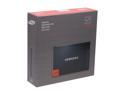
SAMSUNG 830 Series MZ-7PC064D/AM 2.5" 64GB SATA III MLC Internal Solid State Drive (SSD) Desktop Upgrade Kit
Pros: Fast as most SSD's in its class. Comes with more than just drive unlike most of other brands give you.
Cons: I hope it will be reliable for years to come.
Overall Review: Reading reviews I noticed that nacho2k3 was concerned with 6GB maxing out PCI-E interface, well it's not GB its Gbits per second which roughly equals to 600MB/sec for real life performance (8 bits in byte should give 750MB but thats max bandwith of that interface not real speed it gives) so it's nowhere close to max it out and with sata III you get roughly twice performance of sata II at least with SSD's IF they support that speed. So it's definately worth getting MB with or add on SATA III card IF you're looking to get the most performance out of this or any SATA III SSD.
2/17/2012See more detail