




 here!
here!
I’m your shopping assistant for PC builds, upgrades, and everything tech.
Got questions? Ask away!
Start a conversation
here!
I’m your shopping assistant for PC builds, upgrades, and everything tech.
Got questions? Ask away!
Start a conversation

Joined on 05/07/18
Works with Ryzen 3000 Series
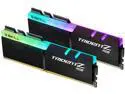
Pros: XMP set and forget Samsung B-Die Quad Rank performance in a 2 channel Slot configuration. Over Clocking? Heck Yeah.
Cons: Price of course But it's cheaper than NEO branded kit.
Overall Review: I purchased these as the Neo 2x16 kit was out of stock. I wasn't sure if these would work or not, as they are not on the QVL of my motherboard. I had to wait over a month to for my motherboard to arrive to test it out. XMP profile worked flawlessly. (and i saved myself a few bucks over the Neo's) I'm running a Asus Rog Strix 570-i (1407 bios) / 3900x in a Mini-itx case. Only put together yesterday (june 29, 2020) so I haven't had time to try and over clock the memory just yet. However I'm confident i can either get a bit more speed 3733 or 3800 with same or tighter Timings... It's been running Handbrake with multiple instances at about 90% cpu load for about 24 hours now, and not a single hiccup. AMD's stock boost is holding steady at 4.1 across all cores. (No real point OC'ing the CPU, but heck yes OC'ing the Dram is worthwhile.) As it is it's running running 3600 16-16-16-36 1T out of the box. OC'ing the Ram is my goal this weekend.
Got a get em.
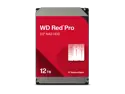
Pros: Fast Rebuild. Reliable. 5 Year Warranty. Peace of Mind.
Cons: A little more Pricey. (But worth it).
Overall Review: Purchased two 12tb Red Pro's to replace two of the five 6tb Red Pro's in my SHR-1 NAS as I needed more capacity. The Original 6tb Red Pro's were purchased in 2015, and have a total of 0 Bad sector's between them. I was expecting the rebuild time to take approximately 2 days for each new HDD. However, I was delightfully surprised to find it only took approximately 9 hours per 12tb drive. The performance and longevity of these drives are why I bought them. Once I fully outfit my existing NAS with 12tb units. I'll have 5 spare perfectly capable 6tb units, which I'll slide into a 5 bay expansion unit and migrate to SHR-2 while I'm at it. I've noticed that the 2 new 12tb drives are running considerably cooler then my 6tb units. By about 3-5 Degree's. I'm not sure if this is a result of new technology, or the fact the other unit's are simply older. Or perhaps I just need to cleanout the enclosure better? Either way it's great. Great Drives!


