

Your Browsing History


Peter S.
Joined on 06/28/05
0
0
100%
product reviews
- 88
A mix of better and worse than expected
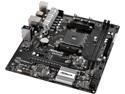
ASRock AB350M AM4 AMD Promontory B350 USB 3.1 Micro ATX AMD Motherboard
Pros: * With a BIOS update, two of the USB 3.0 ports function as 3.1 (Gen2). Not too often is a product better than advertised. * Overall good layout and easy to set up. * For a cheap board, the BIOS/EFI is very in-depth * I haven't tried overclocking, but the 8-pin CPU connector, VRM heatsink, and sufficient OC options make this board a good option for those who want to overclock on a budget. However, I wouldn't expect people to breach 3.8GHz. * The BIOS has a built-in network update tool, which is convenient (especially for something as young as Ryzen). But, you have to use Ethernet and you'll want to use the European servers - as of writing, the US one doesn't work. * BIOS has QR codes to reference an online manual which is a fancy idea, but...
Cons: * ... the manual doesn't contain all of the features. There are a handful of new things I've never seen before with no documentation as to what they do. * BIOS menu layout has room for improvement. It's not bad, but can be a little cumbersome or confusing. * BIOS also has some typos in it. * Only two of the 3 fan connectors have variable speed, of which are strictly limited to PWM (4-pin) fans. If you have a 3-pin fan, it will run at full speed and there's nothing you can do to slow it down; programs SpeedFan don't work anyway. This isn't the first time I've had this issue with ASRock boards, so this problem didn't surprise me, but it's still annoying.
Overall Review: * It's plain - there are no cheesy themes, it's not flashy, it's not in-your-face. It's very neutral. Sometimes I feel awkward building a PC for an older couple when the computer greets them with flashy logos acting like it's some classified military weapon or a turbocharged car. * There was PLENTY of room to fit jacks for the rear, side, and center/sub analog channels, yet they didn't include those. It's awkwardly blank below the audio jacks. * I don't know why ASRock didn't make this a DTX board. Swap the PCIe slots, chop off the last inch or so of the board, maybe solder some components to the back, and this would've fit in many ITX/DTX cases. Seems like a major loss in potential sales. Despite this board being a very good value and working great, I was very close to docking an egg because so much about this seems very rushed. It feels as though this board is just a functional prototype.
4/20/2017See more detail
Poor quality control
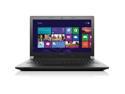
Lenovo B40-80 80LS0018US 14" Notebook - Intel Core i3 i3-4005U Dual-core (2 Core) 1.70 GHz, 4 GB DDR3L SDRAM RAM, 500 GB HDD, Intel HD Graphics
Pros: * With Linux, it performs great and all hardware works out-of-the-box (though wifi needs some modprobe tweaks for a stable connection). * Most (not all) of the structure is very sturdy, though pretty thick too. * Very easy to work with the hardware; decent expandability. * Cooling fan is very quiet and effective (when running Linux - it was loud with Windows). * Speakers are on top. (I don't like bottom-mounted speakers).
Cons: * Windows was a COMPLETE disaster. Before I even reached the desktop, the trackpad was badly glitching out and made a 3-minute profile setup process take 10 minutes. Once I reached the desktop, I plugged in an external hard drive, which kept connecting and disconnecting non-stop. For whatever reason, closing Explorer seemed to make it stay connected. I was also chronically greeted with error prompts. * The keyboard is really "spongey" and wasn't installed properly. I had to take it out and sandwich some paperboard between it to prevent it from sinking in so much. This helped enough, though not as much as I'd like. * The battery pack was disappointingly small. I replaced the HDD with an SSD, and with regular use I could get around 2.75 hours of use. If I turned off wifi and bluetooth I'm sure I could get 3 hours. Thankfully, the battery pack is replaceable. * The trackpad buttons have a lot of wobble to them. You have to press them in the center to make them click. I have a feeling they're not going to age well.
Overall Review: * The BIOS has a feature where the Fn key is considered always pressed that is on my default. This could get confusing, as you're trying to press F2 to get into BIOS but you're really just controlling the volume. * It came with software for hardware the laptop didn't come with, primarily DVD or fingerprint reader related. * The length and width of this could easily be reduced by at least 1x1 inches without making any sacrifices. * The trackpad is slightly on the small side, but if the 1x1 reduction were done, it would've been a good fit. * The arrow keys are a little awkwardly placed, but just takes some getting used to. * It's a little on the heavy side but that comes with sturdy construction. * The speakers are just "ok", but this is a business-class laptop so you shouldn't expect much anyway. I have encountered computers overrun with malware that were more usable than the Windows setup this came with. If I intended to stick with Windows and didn't have a way to replace it, I would have returned this and given it 2 stars. If the Windows setup this came with wasn't a dysfunctional mess, I'd have given this 4 stars. Even though I'm not using Windows, it was still part of the product, and I'm rating this product the way it was intended to be used.
12/7/2015See more detail
Great for the price

ASRock B650 LiveMixer AM5 ATX Motherboard , 4 slots DDR5, 3 PCIE 4.0 x16, 3 M.2 slots, 2.5Gb Lan, 7.1 Nahimic Audio , Rear USB3.2 Gen2X2 Type_C , 14+2+1 Power Phase, bios flash back, Amd Crossfire
Pros: Honestly, not much to complain about. This board does everything it advertises, where it's very feature-rich for a low-cost B650 board. In fact, it was actually kind of overkill for my needs, but all other cheaper boards either weren't from brands I trusted or lacked things I needed. This is implied but you'll absolutely need to do a BIOS update - what the board comes with is horribly outdated and has broken features. The cool thing is if you have a modern CPU that isn't compatible, there's actually a specific USB port you can put a BIOS image on to flash the board, even if it otherwise can't boot. Not sure if any competitors have this but I found it to be a neat idea. Speaking of USB ports, I appreciate that this board has a function to turn on the PC from a keyboard. My PC is located in another room so it's kind of tedious to have to either route a power button or to walk over there to turn it on, but this keyboard power-on function spares me from both. I've had other boards that advertise the feature but it never worked. Note that, at least from my experience, the USB port you use does matter, and, the feature seems to require you to power on the PC normally at least once. In other words, if the computer has been unplugged or you encountered a power outage, you might have to press the power button after power has been restored before the keyboard function works.
Cons: I have a few small gripes but nothing that collectively would dock an egg: 1. Due to the background image, sometimes the selected-item text in the EFI is hard to read. Interestingly, you can configure the font color but ironically, not for the selected item. 2. Linux functionality for fan control/monitoring doesn't appear to work. I haven't tested the LED controls since I don't use them, though I believe they're USB based which ought to make them a little easier to tap into. 3. The VRM heatsinks are rather tall and pretty close to the CPU socket, making it difficult to install certain heatsinks. 4. The EFI is a little clunky to navigate. Seems like some of it was copy-pasted from Intel boards, and makes me wonder if such functions even work. 5. The USB-C port (and perhaps others) seem to have weak power delivery. I have a hub attached to a 10ft USB-C cable and it glitches out if anything too power hungry is connected. It otherwise works fine. I did not have this problem with my previous board.
Overall Review: I assume this board was so cheap because the styling is rather polarizing, and limits what kinds of builds you can put it in. I actually think it's kinda cool but you really have to commit to the look. Or in my case, the computer is sitting in a basement with no clear side panels, so the appearance is irrelevant. I haven't done anything with the audio or the ostensibly filtered USB ports, since I use HDMI audio and I don't do anything with recording, though it is a cool feature.
10/22/2024See more detail
Works as expected
Silicon Power DDR5 32GB (2x16GB) Zenith 6000MHz (PC5-48000) 288-pin CL30 1.35V UDIMM Desktop Memory Module RAM SU032GXLWU60AFDGSW White
Overall Review: Like with others, this works as advertised. Seems to run pretty cool, no hitches. At least for AMD platforms, make sure you have the latest AGESA update. My memory downclocked to 4800 until I did that.
10/16/2024See more detail
Pretty solid receiver
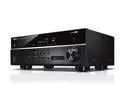
YAMAHA RX-V385 5.1-Channel 4K Bluetooth AV Receiver - Black
Pros: - Audio processing is honestly quite good - Supports many great modern features - Pretty easy to use, once you know what everything is - Sound quality is excellent - Gets plenty loud enough for most home systems, even on eco mode - Plenty of inputs - Use of ARC is great
Cons: Each con individually isn't that bad, but collectively, they docked an egg. - The only thing I actively dislike about this receiver is that, for whatever reason, any time you swap to HDMI (or even swap between HDMI inputs), it ALWAYS resets the DSP to "Sci-Fi". Not only is it annoying that it doesn't remember my last-used program (whether it remembers per-input or across all inputs) but it defaults to one of the only ones that I'd regard as nearly useless. If it's not going to remember the program, couldn't it at least default to "Standard" or "Straight"? Luckily, I don't change the inputs often. - This isn't entirely the receiver's fault, but you have to make very sure your HDMI cable quality is very good. If I connect a cable directly to my TV, I can do 4K 60Hz and no interruptions. When connecting the cable to the receiver, it occasionally cuts out the audio once in a while, regardless of how many channels are in use (though oddly, it's more stable with 6 channels than 2). It's possible there's just a tiny blip of an interruption but that's enough for the receiver to glitch out for nearly 2 seconds. Buying a better cable is the solution for this, but it's a little annoying that my TV can handle the load better. It'd be nice if it would just repeat the last known-good sample up to maybe 100ms; any longer than that I think is fair to deem as a broken signal. - There's very little documentation explaining any of the features that aren't universal standards or blatantly obvious. Yamaha's online manual explains some things further but often still not enough, so I have to dig deeper into other forum posts. - Having a 6-channel analog input would've been nice. I'd rather that than an AM tuner or a pair of RCAs (which apparently includes video too).
Overall Review: This was an upgrade to an aging and slowly dying '90s 5.1 receiver. In my near-future PC upgrade, I didn't want to be depending on analog outputs anymore. I'm not an audiophile, so this seemed like a fair price for a competent modern system that checks all my boxes. I know it seems like I have a lot of gripes but if it weren't for the default DSP, I'd rank this 5/5, as the rest of my issues are ignorable or have workarounds.
7/16/2024See more detail
Very good, but not great

LOGITECH 910-004554 LOGITECH M510 WIRELESS LASER MOUSE-RED
Overall Review: For the most part, it works well and feels well-built for the price. When running Linux, the program called Solaar can help you easily manage all your Logitech devices. I dropped an egg for 2 reasons: First, the ergonomics can feel awkward on the right side of the hand, due to that concave curve. It doesn't hurt and at least for me it doesn't make my hands feel cramped, but it doesn't feel comfortable either. Just kind of odd since it isn't an ambidextrous mouse, yet it's designed as if it was. The other problem is the connection isn't super stable. Granted, it's not the worst I've used, but there have been times when the mouse just simply isn't moving, for no clear reason. I have less 2.4GHz background noise than the average person, particularly in the room I use this mouse in, so it's not clear to me why I get connectivity issues. I use this mouse for a gaming PC, so the intermittent disconnections are more frustrating than if I were just casually browsing the internet.
3/28/2024See more detail