
Your Browsing History


Ronald B.
Joined on 08/08/03
0
0
100%
product reviews
- 85
Pretty Good Card
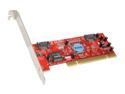
Rosewill RC-201 PCI SATA Silicon Image, RAID 0/1, Normal and Low Profile Host Controller Card
Pros: Easy to install and set up. Fast data transfers. Reasonable price.
Cons: Uses a little extra CPU(about 6%)
Overall Review: I'm using it to make a RAID 0 with two Seagate 320G drives for Adobe Scratch discs and video capture.
12/28/2007See more detail
RMA Bad Drive>>Another Bad Drive
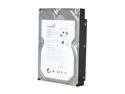
Seagate BarraCuda 7200.12 ST31000528AS 1TB 7200 RPM 32MB Cache SATA 3.0Gb/s 3.5" Internal Hard Drive Bare Drive
Pros: None
Cons: This drive is an RMA exchange for bad drive; this one is bad too; fails Long Drive Self Test with Seagate Seatools. Another $9 for return to newegg. Wonder how much of a hassle it will be this time. Seagate just lost a longtime customer.
Overall Review: Wondering why I have to test Seagate products for newegg. This $99 drive actually has cost $117(so far). Looking at the newegg rating system; this drive has 20% one egg, 59% five eggs. The WD 1TB Black has 77% five eggs, 7% one egg but both drives overall rating is four eggs. Wondering about the math there........
1/20/2010See more detail
Follow Up Review
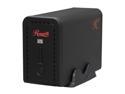
Rosewill R2-JBOD - Aluminum 3.5" SATA I / II USB 2.0 Dual-Bay External Enclosure
Pros: Reliable, easy to install drives.
Cons: Slow. Large file transfers are about 20 MB/sec.
Overall Review: Have two of these enclosures for more than a year now. Currently running two 1TB WD Green drives in the BIG configuration, basically a poor man's RAID 0. Everything works fine. Only complaint is that the USB 2.0 transfer speed is really slow, 25 MB/sec would be about the max.
2/24/2013See more detail
Good NAS Drives
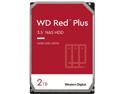
WD Red Plus 2TB NAS Hard Disk Drive - 5400 RPM Class SATA 6Gb/s, CMR, 64MB Cache, 3.5 Inch - WD20EFRX
Pros: 3 year warranty, WD quality
Cons: Price
Overall Review: Bought two of these for a Synology DS 212j NAS running as individual volumes. So far, so good. They were packaged well, no problems getting started and are running fine so far. As with most of the 2+ TB drives, reliability is the major issue. WD drives have been good for me so far, so I'm hoping for the best. At least they have a three year warranty. The price of these drives from different vendors can vary as much as $20-30, so shop around.
12/4/2012See more detail
Detailed Review
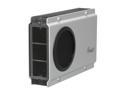
Rosewill RX-358 V2 SLV - Silver, 3.5" SATA to USB & eSATA External Enclosure with Internal 80 mm Fan
Pros: Inexpensive, cool, easy to install drive, can use 3TB hard drives
Cons: "Power saver" feature causes hard drive to spin down after about five minutes. Operation system will freeze when accessing hibernating drive/enclosure for a couple minutes.
Overall Review: I have a few of these enclosures and a few other R2 Rosewell enclosures as well. They can accept 3TB hard drives and run very cool. These RX-358 v2 enclosures would be the best single drive enclosures I have, save for one issue; the well documented "power saving" feature that causes the drive to spin down after five minutes or so. When the hibernating drive in the enclosure is accessed again, the operating system will freeze for a couple minutes until the external drive becomes active again. You can get programs that write to the drive/enclosure to keep it from spinning down - NoSleepHD, KeepAliveHD - but that's kind of a "band aid" solution. Rosewell should step up and provide updated firmware to get rid of this power saving feature. They provided updated firmware for the R2 enclosure, they should do the same here. If they did, this would be a five star enclosure for sure.
12/4/2012See more detail
Yep, It's A Cable
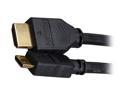
Link Depot MHHSN-6 6 ft. Mini HDMI Male to Male High Speed Networking Cable Male to Male
Pros: Inexpensive, it works
Cons: None
Overall Review: It's a cheap HDMI cable that works. Should have got a longer one, but that's my problem.
10/20/2012See more detail