
Your Browsing History


Joseph H.
Joined on 12/03/01
0
0
product reviews
- 12
Better than any legacy Hard Drive
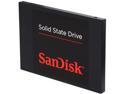
SanDisk 2.5" 128GB SATA III Internal Solid State Drive (SSD) SDSSDP-128G-G25
Pros: Decent performance, but in the low range as far as SSD drives go. ATTO Benchmark shows 269-321 mb/sec transfer rate for WRITES and 327-374 mb/sec for READS. I purchased a Toshiba pro 128gb SSD at the same time and that is in the 400 mb/sec range for reads. I also have a pair of ADATA sp900 in a Raid0 array that easily reach 1000mb/sec+ speeds for WRITES and approx 550mb/sec speeds for write as a single SSD. I paid approximately the same for all drives, on sale, the Sandisk was about $10 less than the Adata, the Toshiba about $10 more than the Adata, so my best value for speed was the Adata, but this is a decent drive, we'll see how it holds up over time.
Cons: No bracket for 3.5" installation, but for the price I wouldn't expect it (Adata sp900 included it).
Overall Review: This should be a great upgrade for an older laptop with SATA.
12/5/2013See more detail
Great sound card - NOT for Vista and my Laptop
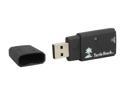
Turtle Beach Audio Advantage Micro Virtual 5.1 Surround Channels USB Interface Sound Card
Pros: Great price. Great sound using the optical or analog out but ONLY with Vista drivers that come from Microsoft when you plug in card - no support for SPDIF though although optical out works with MS driver. Card performed flawlessly with MS driver, even using other usb ext. hdd, Aero enabled, multiple apps open.
Cons: I had horrible results with this card and my laptop, which has an ATI Radeon Xpress 200m chipset, 1gb DDR, AMD Turion-64 MT-32 - I don't know if it's just underpowered or the driver but using the Vista driver from Turtle beach I had garbled sound occuring after about 5 minutes of audio or video playback - made watching a movie or listening to audio unbearable - this happened with analog or optical out if using the TB driver. Emailed back & forth with TB tech support and we couldn't come to a solution. I even installed Vista on a new HDD to be sure of no conflicts but didn't help much, except if not using any other USB devices there is less garbled stuttering but not ideal. Maybe if card was usb 2.0 it would have more bandwidth to do the job or just needs a better driver for the optical spdif. I have read elsewhere that Vista seems to have a lot of problems with 5.1 optical/spdif connections.
Overall Review: I either will RMA or reinstall XP MCE instead of Vista Home Premium... Or maybe give up on optical out and use the onboard 2 ch sound... I really like the sound for the 1st 4 minutes! ;-) I'm guessing a driver issue since MS driver works well (the optical out does work natively with the MS driver - just no support for DTS and DD 5.1)
3/8/2008See more detail
Works great with my Oculus Link
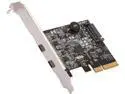
Rosewill RC-20003 PCIe 2 Ports (2 Type-C) USB 3.2 Gen 2 Host Adapter
Pros: Easy plug and play with windows 10. Works well once I got Oculus link software configured correctly with the correct GPU driver. Adds life to an older motherboard.
Overall Review: Yes, I'd recommend, good value.
1/9/2021See more detail
Still going strong!
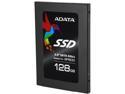
ADATA Premier Pro SP900 2.5" 128GB SATA III MLC Internal Solid State Drive (SSD) ASP900S3-128GM-C
Pros: Bought a pair of these on sale in Sept. 2012 and have been running in Raid0 ever since on my Win7Pro64 system. Love the Acronis software, it is excellent and faithfully backs up the SSD raid image every week on schedule to an external drive, so if this RAID0 combo should ever fail I have a full backup. In ATTO benchmark tests I consistently get write speeds of over 1000 mb/sec (2048 to 8192kb transfer sizes) and this is after 14 months of use, I haven't reinstalled windows. I am definitely a power user and getting full use of my I7-3770k system. I have 22 icons in my system tray loaded, running apps, 16gb RAM, Chrome open with 12+ tabs usually and the system does not slow down unless I'm being hacked by Russians (true story, constantly trying to access my Remote Desktop port). That is another story. I am hoping for long life with these drives. So far, so good.
Cons: Never enough space, never cheap enough lol. But seriously, I have no cons I can think of, I've been totally satisfied.
Overall Review: A new firmware came out after I had installed the OS and Raid0 array, so updating the firmware was a little tricky because you have to update each SSD individually. I imaged the array using the included Acronis software and then took the drives out, one at a time and then used a Windows 7 laptop with an external esata port and then initialized and formatted each drive and applied the update. I did have to change the storage driver to Standard AHCI before the firmware updater would recognize the drive as I have Intel RST on the laptop as well. Then I had to re-create the Raid 0 array and then re-image the array using the CD for Acronis, selecting the option to RESTORE DISK SIGNATURE and the process went pretty quickly and luckily uneventful. OS was back up and running without having to reinstall anything.
12/2/2013See more detail
Works on Imac Mini
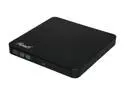
Rosewill USB 2.0 Slim8x DVD Writer External Optical Drive for PC Model ROD-EX003 Gloss Black
Pros: Works on an Imac Mini using a powered USB hub, I then needed only one of the USB connectors hooked up. To eject, needed to go to Finder and eject it from there, it would not eject using the button on the front of the DVD-RW.
Cons: Wouldn't open using button, Software is not Mac based, so no player. Didn't try playing a DVD yet, but it would read data CDs and DVDs.
Overall Review: Haven't used for long, just wanted to note that it does work for Imac Mini even though it only lists PC and Linux.
2/23/2013See more detail
Compatibility Problem?
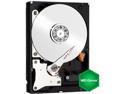
WD Green WD30EZRX 3TB IntelliPower 64MB Cache SATA 6.0Gb/s 3.5" Internal Hard Drive Bare Drive
Pros: Lots of Storage but...
Cons: When hooked up to my Asrock Z77 Extreme4 Asmedia Sata III port with latest drivers, I am having issues when transcoding media. CPU usage will drop down to very low usage (1-3%) after a few minutes to 1/2 an hour. With other drives I will get full 100% cpu usage during transcoding. (Mp4 to MPG using Movavi Video Converter). Using Intel Sata 3 ports it works, but has some sporadic cpu drops, but mostly stays 99-100%. Other drive (seagate 3tb) works fine, no drops at all and keeps cpu pegged at 100% constantly during transcoding.
Overall Review: WD support chastised me for using it in an external enclosure saying they don't support that use. I had a big problem with the drive using it in a new VANTEC NST-380SU3-BK enclosure. Using the drive with my Asus G51JX-A1 Laptop in the eSata port when I tried to read files off the drive they sometimes work and other times would not open. Using the USB 3.0 (to usb 2.0 on laptop) the same files would open fine. I also tried the drive hooked directly to the eSata port on the laptop without the enclosure using a esata to sata cable and a power adapter and the same corrupted files would occur.
2/3/2013See more detail