




 here!
here!
I’m your shopping assistant for PC builds, upgrades, and everything tech.
Got questions? Ask away!
Start a conversation
here!
I’m your shopping assistant for PC builds, upgrades, and everything tech.
Got questions? Ask away!
Start a conversation

Joined on 11/16/06
Super happy with this monitor
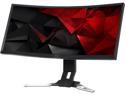
Pros: size is great the curve is nice playing games in ultrawide is a game changer. its hard playing anything that doesnt support it. love that the height can be adjusted just by pushing it down or sliding it up.
Cons: im not a fan of the ports on the back/bottom. the monitor is pretty heavy and kind of hard to move in order to connect cables to the ports. it would be nice if it could swivel left and right, but thats no big deal.
Overall Review: this is my first monitor that has a refresh rate higher than 60. in order to take advantage of that you need a displayport cable(which it comes with but was too short). so i has having the issue where just a displayport cable i was getting a no connection error. it would only be noticed if i had both an hdmi and dp cable plugged in at the same time from my computer to monitor. i went as far as chatting with Acer customer support, but they were clueless and wanted to send someone out to service it. i knew it wasn't that big of deal and asked on reddit. there weren't really any notifications that i had to change the input settings on the monitor itself. went into the input, changed it from hdmi to displayport and boom, beautiful color and 144hz refresh rate. there just needs to be better instructions on how to take advantage of that.
a few things come up short
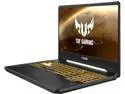
Pros: it works.
Cons: BATTERY LIFE. when running on a battery I barely get 2 hours doing just basic stuff. My bios is up to date, and i've read there have been changes that can be done to help the battery life, but just basic computing, i get abysmal battery life. when the fans kick on, they.are.loud. if you want games to run optimally, you have to be plugged in, so turbo mode can kick on
Overall Review: i mostly grabbed this laptop up to run some older emulators, but the fact that i cant run them sped up and for more than an hour running on battery is a bummer. theres probably better out there for the price.
glad I bought 2!
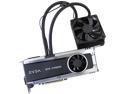
Pros: These cards are awesome. I didn't need 2. But I wanted 2. I could never afford the best in high school, so almost 10 years after high school I wanted the best of the best (at the time when I bought in February 2016) They run super quiet. More power than what I needed. But like I said, I wanted to spoil myself.
Cons: 3 months after I bought them the 1080s came out. Price has dropped 200 bucks since then.
Overall Review: So 2 days before 4th of July, where I live had a bad storm. The storm shorted out my TV, my PS4 and 1 of my cards, because they were all connected to my TV (in a surge protector). All the products turned on.. Didn't quite fry them, but shorted out anything connected via HDMI. $500 TV , $150 to service the PS4, and then a $680 video card. Took out the fried card that was connected to my TV, and put the 2nd one in its spot and it booted up. Also put the fried card in the second spot and the bios didn't notice it. Thankfully EVGA has me situated to RMA it and I'll be sending it out this week and hopefully get a new on in about 2 weeks time after all said and done. So took the opportunity to get a new 4K TV and tried some games out in 4K. Notice a difference with just 1 card. So can't wait to get my other one back.
great.
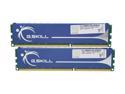
Pros: Rated a 7.5 out of 7.9 on Windows 7. It's my highest rated piece of hardware on my computer.
Cons: I wish I had 2 more to put in my system.
Thumbs up
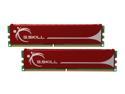
Pros: Works. Price.
Cons: None.
Overall Review: That's it really.
To the people complaining about the 8pin mobo connector!
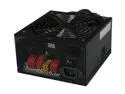
Pros: I still really like it.
Cons: As I've stated before... none.
Overall Review: The 8 pin connector snaps into two pieces for for a 4pin motherboard connection. I thought I had this problem too but the connector snaps in half if you need it to. Don't worry it's supposed to snap in half.


