


Your Browsing History


WILLIAM C.
Joined on 03/18/04
0
0
product reviews
- 15
It may be for gaming, but it's also excellent for touch typing!

MasterKeys MK750 Mechanical Gaming Keyboard with Cherry MX Brown, RGB Per-Key lighting, and Removable Wrist Rest by Cooler Master
Pros: Does not require software to change lighting configuration or record macros. Great for those of us using Linux, BSD or OSX. Aural feedback is not too much, not too little. If you are a touch typist, you soon learn that keys don't need to travel all the way to the bottom of the stroke to register.
Cons: If you are coming from an ergonomic keyboard, the spacing will seem a little cramped until you adapt. This keyboard has the normal layout, so if you are used to wider spacing between your hands, this will seem awkward at first. I switched from a Microsoft Ergonomic 4000 keyboard. It has taken a couple of weeks for the lack of space between my hands to feel correct and to automatically place my hands correctly on the home keys.
Overall Review: USB 3.0 or USB 2.0 port would have been nice for mouse or trackpad, but that's just a personal preference.
3/25/2018See more detail
Bad module pair

gigaram mach1000 series 2GB (2 x 1GB) DDR 400 (PC 3200) Dual Channel Kit System Memory Model GR1DD8T-K2GB/400/2.0
Pros: Fast booting. Good price.
Cons: Could not pass Memtest86Plus test #5 (block moves). This wasn't a single error. 10432 errors were reported from the beginning of memory to around 1956M. The error is in the same bit on each location.
Overall Review: I've already shipped this back to NewEgg for replacement. I'll re-rate the modules after I receive the new pair.
12/30/2005See more detail
Yep, it's the Microsoft Office Suite

Microsoft 365 Personal | 12-Month Subscription, 1 person | Word, Excel, PowerPoint | 1TB OneDrive cloud storage | PC/Mac Instant Download
Pros: Always up-to-date All the Microsoft Office Apps I wanted, and some that I may play with, but don't use. Comes with OneDrive cloud storage included.
Cons: It appears that functions are not installed into your computer until the first use. That is my perception, anyway. I haven't actually disconnected from the Internet to see if everything works and to use some function that I haven't already used. I just notice a HUGE pause the first time I use uncommon functions. For instance, the first time I used TIMEVALUE() in Excel, there was about a 30 second delay after I had typed in "TIMEVALUE(" before I was allowed to choose the field to convert and enter the closing ")" . On subsequent use, this did not happen.
Overall Review: I am on the fence regarding whether this will be good enough to pay an annual fee to use. I've been using LibreOffice and purchased this for compatibility with my work environment, specifically Outlook. To me, Outlook is the next best thing to Mozilla Thunderbird, but Thunderbird isn't appropriate for my work environment. So far, I don't see any particular advantage or disadvantage relative to LibreOffice, at least for my uses.
3/25/2018See more detail
Works natively with Window 10 and also with Linux using exFAT tools
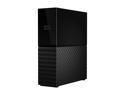
WD My Book 4TB Desktop External Hard Drive for Windows/Mac/Laptop, USB 3.0 Black (WDBBGB0040HBK-NESN)
Pros: The exFAT-formatted space is 3.8G. Natively accessible from Windows 10. Read/Write accessible from Linux using exFAT utilities. Box isn't tool large. Box doesn't get warm, at all! Box does not have lights...outstanding!
Cons: Power brick plugs directly into power outlet ... a waste of an outlet if plugged into a power strip or UPS. I can easily purchase a short cable to alleviate this, but why spend more money when WD could have spent a very tiny bit more and separated the plug from the actual brick? I am guessing the box utilizes a USB-to-SATA chip to handle drive-to-PC communications. If you are plugging the box directly into a computer's USB 3 port, expect very good performance in Windows, but mediocre performance in Linux. The fault lies in the Linux kernel UAS (USB Attached SATA) driver. Its performance is not nearly as robust at the UAS driver in Windows 10.
Overall Review: This drive is connected to the household TP-Link Archer C5400 router. It provides a place to backup the household computers, tablets & phones to storage separate from the individual devices being backed up.
2/23/2018See more detail
Look, but don't listen
TomTom 5.0" GPS with Lifetime Traffic and Map updates
Pros: Big screen. Loud speaker - good volume range. Good backlight intensity range. Mounting ring is very stable, and suction cup works very well on a CLEAN windshield. Touch screen is sensitive enough that a light touch is registered, which is good when it is mounted to the window. Lifetime traffic works well, so far. 8GB flash memory. Ability to correct them map, add points of interest, change speeds.
Cons: (1) Abysmal vocal directions. Here in Houston, TX, the vocal directions are frequently wrong. For instance, saying "exit right, then keep right" when the correct directions are "exit right, then keep left". When there is a left, center & right choice, vocal directions are ALWAYS wrong if the correct answer is to stay in the center lane. (2) Re-routing around traffic congestion sometimes takes one right back to the point of congestion. (3) Although map updates seem to come out quarterly, I can't tell that they are really updated. There are entrance/exit ramp changes from 2 years ago that still have not been corrected on the map. Maybe this is my punishment for paying for lifetime map updates. (4) Changes one makes to the map are lost when the map is updated. (5) Routing is sometimes strange. But, I've figured that out. Aside from the Interstate highways and US highways, TomTom has hit-or-miss speed limit data, so how can it route you correctly? (6) Processor is s-l-o-w.
Overall Review: My first TomTom experience was software loaded to my Windows smart phone. That was 5 years ago, I think. The software was great, and had relatively accurate maps. What a shock this has been. TomTom: If you cannot have at least relatively recent maps, get out of the US market!
2/4/2011See more detail
Great Memory
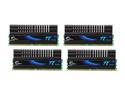
G.SKILL 8GB (4 x 2GB) DDR2 1100 (PC2 8800) Quad Kit Desktop Memory Model F2-8800CL5Q-8GBPI
Pros: Gigabyte GA-MX790 motherboard recognized DIMMs at 1066MHz memory with no intervention on my part. Any combination of pairs or DIMMs tests fine using MemTest 86+ and the Win7 memory diagnostic.
Cons: Due to the limitation of the on-chip memory controllers of the Phenom II 985, 4 DIMMs cannot be used at 1066MHz. I knew this before I ordered the 8G kit, but had read "somewhere" on the internet that the 985 was capable of driving 4 DIMMs in 1066MHz mode. This is apparently not true. The system drops back to 800MHz with all 4 DIMMs installed. **THIS IS NOT A PROBLEM WITH THE MEMORY**
Overall Review: I am a bit surprised that G.Skill did not include an EPP for 800MHz on DIMMs that clearly work well at 1066 MHz. This 8G kit was to replace a dual set of pi-series F2-6400CL4D-4GBPI-B DIMMs. I reinstalled the older DIMMs, looked into the BIOS timings screen for memory and recorded all of the EPP settings from the SPD. While I was able to manually set the memory timings and voltage to match the older memory, I could not achieve error-free operation. That's okay. . .I'll split this 8G set between two systems, and revert to the older DIMMs when I actually need 8G system memory.
8/6/2010See more detail