

Your Browsing History


Joshua V.
Joined on 02/23/06
0
0
product reviews
- 10
Truly awesome
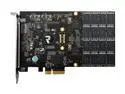
OCZ RevoDrive PCI-E x4 240GB PCI Express MLC Internal Solid State Drive (SSD) OCZSSDPX-1RVD0240
Pros: Speed. Easy to install, and bootable.
Cons: None so far.
Overall Review: Many people are saying you have to completely rebuild your system. I did not. I was able to successfully image my HD over to the new SSD with no problems. To do this I: - Loaded the OCZ drivers into my existing windows environment and initialized the SSD drive in the "Computer Management | Disk Management" console. Do NOT format the drive, do NOT give it a drive letter. - Ran Norton Ghost in "Copy" mode, selecting the "Bootable" and "MBR" options, and again not selecting a drive letter for the target. C:\ was the source, and the unallocated SSD drive appeared as a target without a drive letter. Doing the copy this way ensured that the copied environment had the drivers for the drive it was hosted on. - Then I shutdown, and disconnected the boot HD. In the BIOS I then set the SSD as the boot drive. Saved and rebooted, and suddenly Windows was booting from my SSD. Everything works just fine.
12/3/2010See more detail
Didn't work out of the box
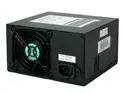
PC Power and Cooling Silencer 470 ATX 470 W ATX12V Ver 2.2 Active PFC Power Supply
Pros: None
Cons: Didn't work out of the box. The documentation in the box said something about the MB having to draw a certain amount of current in order for the power supply to work, so either this power supply was bad, or my MB didn't meet the requirements. Replaced with an older power supply from another machine I own, and the MB worked fine.
4/8/2008See more detail
Well designed and capable
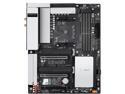
GIGABYTE B550 VISION D AM4 AMD B550 ATX Motherboard with Dual M.2, SATA 6Gb/s, USB 3.2 Type-C with Thunderbolt 3, WIFI 6, Dual Intel GbE LAN, PCIe 4.0
Pros: Definitely liked the two m.2 slots and the overall layout. The WiFi performance is amazing, even though I don't have a WiFi 6 router. SSD performance is stellar.
Cons: Only 4 SATA ports. This turned out to be enough for us, but only just enough.
Overall Review: I would definitely recommend this board to others as a simple, basic AM4 board.
2/26/2021See more detail
Ok so far
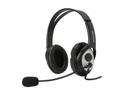
Microsoft LifeChat LX-3000 USB Connector Circumaural Stereo Headset
Pros: Audio quality is clear as a bell.
Cons: Make my ears hurt after about a half an hour of wearing it.
10/6/2012See more detail
It's a cable, it works
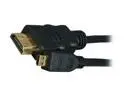
BYTECC HM-MICRO10K 10 ft. Black HDMI Male to HDMI micro Male HDMI Male to HDMI micro Male High Speed Cable with Ethernet Male to Male
Pros: Does what an HDMI cable should do.
Cons: Doesn't make my TV bigger.
10/6/2012See more detail
Works well
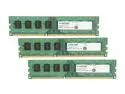
Crucial 12GB (3 x 4GB) DDR3 1333 (PC3 10600) Desktop Memory Model CT3KIT51264BA1339
Pros: Works well with my MB. Bought 2 kits for a total of 24GB. If you do the same, make sure you have the Professional or Ultimate version of Windows, otherwise you'll only be able to see 16GB. I had to do an anytime upgrade.
Cons: I used my shop vac to blow the dust out of my computer when I changed the memory sticks, and a large chunk of dust got caught in my video cards cooling fins. It died about half an hour after I put the memory in. C'est la vie.
10/6/2012See more detail