




 here!
here!
I’m your shopping assistant for PC builds, upgrades, and everything tech.
Got questions? Ask away!
Start a conversation
here!
I’m your shopping assistant for PC builds, upgrades, and everything tech.
Got questions? Ask away!
Start a conversation

Joined on 04/07/14
Wife loves it
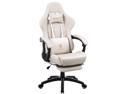
Pros: -Comfy -Great quality -Easy to put together (nice instructions) - Looks great, son calls it a Ferrari seat
Cons: - Bought this for my wife, it's a nicer chair then the one I use so it makes me mad. Now I have to purchase one of these for myself
Overall Review: Amazing Price for such a great product
Great card!
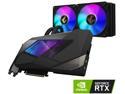
Pros: -Temps around 50c while gaming in 2k ultra - Runs stock at 2,045mhz boost - Crushes everything I throw at it game wise - Sweet little Aorus action figure guy in the box(son loved it)
Cons: It's a watercooled 3080, ummmm nothing
Overall Review: Was lucky enough to get this in a Newegg shuffle and its been a Rockstar. So much so that yesterday I stood in line at some unnamed store for 7hrs and was able to get a FE 3080ti. But decided to throw the 3080ti in my wife's PC and keep this Aorus 3080 in my build ;)
Turned out okay
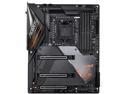
Pros: -Feels High quality, weighs a ton -m.2 heatsinks are a nice touch with thermal pads pre installed -Easy overclock of RAM and CPU -Plenty of xtra nice to have features like cpu temp warnings, easy fan curve adjustments, wifi 6 and more.
Cons: -Bios was a slight pain -Complains if I have to many USB3.2 lanes being used
Overall Review: I got this motherboard as part of a shuffle bundle and decided to build a PC around it with a i9-10850k, 32GB 3,600 ram, 2tb M.2 stick and a 3080 I read the reviews regarding the bios issue and decided to give it a shot anyways instead of trying to sell it. Using the Q-flash plus button I was able to load the F20 bios update but with some issues along the way. I followed the instructions that were written in the manual for bios update using Qflash plus button. So first off I used a 32gb USB3.1 drive with the F20 BIOS loaded and a file name changed(everything can be found in manual). The USB stick would only let me format it to exFat or NTFS. So I said well lets try "exfat" even though manual says a "FAT32" is required, close to the same thing right? Pushed the Q flash button with nothing installed on the mobo besides the two power plugs. NOTHING happened, nothing at all, trying over and over again it wouldn't attempt a bios update. Then I did a little research and read somewhere that maybe the issue might be related to my usb stick being to new or to large and not allowing it to work. So I went and found a old 4gb USB2.0 stick in a drawer and it allowed me to format the drive to FAT32 before installing the F20 bios update. BAMMMM after like 5-10 minutes of the Qflash button blinking like it should I now have a perfect working motherboard.
Pretty nice
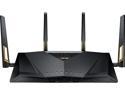
Overall Review: Fast, allows great speeds on our wifi6 devices. We have 1gig internet and wr get around 400-600mbps around house on wifi. Made virtual desktop on our Oculus Quest 2 run like a breezy with really low latency. Only negative is signal distance, its not horrible but not amazing. Have a wood framed 3,000sqft 2 story house and near the edge rooms the signal drops to 50% strength with router located in the middle of the house.
Love it
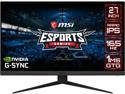
Overall Review: Great monitor, refresh rate tested as advertised of 165z nice and smooth. Did a pixel test and found no dead pixels. Back settings toggle switch is nice and responsive with good adjustability. G-SYNC connected flawless with GeForce Experience software.


