




 here!
here!
I’m your shopping assistant for PC builds, upgrades, and everything tech.
Got questions? Ask away!
Start a conversation
here!
I’m your shopping assistant for PC builds, upgrades, and everything tech.
Got questions? Ask away!
Start a conversation

Joined on 03/11/01
The only headset to own, period.
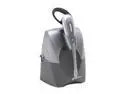
Pros: Quality of voice with this unit is by far the best. Even better than some phone's regular handset. Has a lot of ways to wear it, so finding a comfortable way is super easy. Long range so you can walk around quite a bit. Long battery life, lasts all day long.
Cons: Not really a con, but there are a lot of combinations for settings on the device to match many phones. It takes some time and testing to get the right setting. Find someone who doesn't mind you doing the "can you hear me now" routine a hundred times. I do wish the settings were all in one place rather than scattered around the side and base of the unit.
Overall Review: I've used these guys for years. Absolutely love them. For those who find the "uncomfortable", try the over-the-head wire to hold it in place. I use that because if I have it clipped to my ear with the behind the ear clip it does get very uncomfortable to me. But the over-the-head clip is extremely comformable and actually keep the ear piece floating away from my ear just a touch. That way I can wear it all day long with no problems.
Disgusted at support!!!!!!!!!
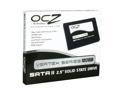
Pros: Fast drive, very fast.
Cons: 1. Forum moderator for OCZ has a superiority complex. Total idiot. 2. Required firmware update to use 3. Bleeding edge, requiring a lot of support, which is painful to get!
Overall Review: I've been a "good customer" and read everything I could on the OCZ forum. Then I went there today, and saw that the forum manager REQUIRES 10 posts in order to ask for a key to unlock software needed for this drive! What?!?! Yes! They are forcing you to post garbage to their forum in order to get software for the drive. What kind of bull is that???!!!??? OCZ has hit rock bottom. I'll never buy another product from them, if this is the support I get!
Amazingly quiet. And not-quite perfect printing
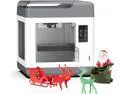
Pros: Wow, this 3D printer is quiet. If noise is a concern, this should be high on your list of printers to look at.
Cons: Bed leveling is bad. Single pass, and always starts from zero when re-leveling, also resets all other printer settings when you level. I haven't tried upgrading the firmware yet, but hopefully, they fix this. You should be able to go to each point multiple times before you are done leveling to ensure proper levels. Each corner you level can make the previous corners move too. Also, the software is horrendously bad. Easy enough, but no control over many details needed for quality printing.
Overall Review: After a long rest from 3D printing, I decided to jump back in. The Ender series was my first consideration, but when I was Creality had this enclosed printer that was super quiet, I thought I'd give it a shot. Out of the box the first print was perfect. Next one, and ever subsequent print got progressively worse. After attempting most of what I remembered from past years, I just about gave up. Finally found that the PLA provided with the printer was really bad. I do like the controls on the touch LCD while printing, that helped me solve a few issues. But the bad bed leveling, some heating issues, and bad PLA filiment were hard to get around. I only took away one egg on this, as I'm sure someone with more experience might not have the same issues I did. Overall, this is not a beginner printers as Creality has advertized. EDIT: OK, I figured out 1/2 my problem. I was doing all my startup test prints with the PLA that was provided with the printer. Throw that filament away, and get some quality stuff. Finally got a shipment of my favorite Hatchbox, and the printing quality improved 1000% Lots of good Filament out there, just don't use what came in the box. Now, if I could fix the levelling issues...
Power Button Problem
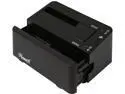
Pros: Fast and easy to use
Cons: Power button placement is bad
Overall Review: Will someone explain to me why they keep putting the power buttons for these on the back of the unit? Makes it so much more difficult to swap hard drives, where you should turn off the unit each time you do this. I own one similar device with the power on the top of the unit, but would like to purchase more. But can't find any with the power button in a more usable location. Very frustrating.
Power Button on back...
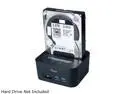
Pros: None
Cons: When will these guys get a clue and put the power button on the front of the unit???
Power button in back
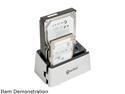
Pros: None
Cons: Power button in back
Overall Review: Will someone explain to me why they put the most important switch for these devices on the back??? It needs to be on top in front!


