

Your Browsing History


Razorwire C.
Joined on 02/29/12
0
0
product reviews
- 7
Good mat
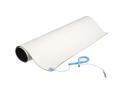
StarTech.com M3013 24x27.5in Beige Desktop Anti-Static Mat
Pros: Provides a nice clean surface to lay out your components. Clip this to your case as well as an anti-static bracelet, lay your components on the mat before you touch them directly, and you have a three-part system (you, your case, and anything touching the mat) that is internally electrically neutral.
Cons: Came rolled up REALLY tightly, had to flatten it out with some heavy books on the corners overnight. Not worth deducting an egg, though.
Overall Review: My computer posted first try, and is still working a few weeks later with no noticeable problems. If you're spending $200-300 on a CPU or video card, why not pick this up?
3/20/2012See more detail
Good For The Price
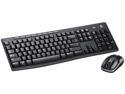
Logitech Wireless Combo MK260 920-002950 Black 8 Hot Keys USB RF Wireless Standard Keyboard and Mouse
Pros: Rock bottom price Wireless Only uses one USB port Works on Linux Mint 13
Cons: Occasionally drops signal
Overall Review: It's a great price for what you get. Occasionally I have to lift the keyboard off my leg to unfreeze it, but that might be due to my receiver placement, not sure.
3/20/2012See more detail
They Will Rip Your Jaw Open
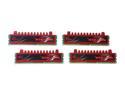
G.SKILL Ripjaws Series 16GB (4 x 4GB) DDR3 1600 (PC3 12800) Desktop Memory Model F3-12800CL9Q-16GBRL
Pros: Very pretty Decently low profile Reasonable timings and frequency Overclockable
Cons: I can't put more of them in my rig
Overall Review: I paid $89.99, and in exchange received 16GB of world-class RAM. That works for me. I also liked how they weren't overly difficult to install.
3/20/2012See more detail
The Best PSU Is One You Don't Notice
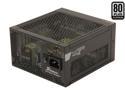
SeaSonic Platinum Series SS-400FL2 Active PFC F3 400W ATX12V Fanless 80 PLUS Platinum Certified Modular Active PFC Power Supply New 4th Gen CPU Certified Haswell Ready
Pros: Fanless, but puts out 400W (at least) Tons of power on the 12V rail Comes in a velvet bag
Cons: Comes in a velvet bag :P
Overall Review: Like the title of my review says, I put it in there, and it does its job. No complaints. There are several good reviews available online for this thing, check them out.
3/20/2012See more detail
Dandy
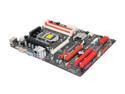
BIOSTAR TZ68A+RCH LGA 1155 Intel Z68 HDMI USB 3.0 ATX Intel Motherboard
Pros: Way more features than it should have for this price point (PCIe 3.0, overclocking, onboard graphics, USB 3.0, Ivy Bridge compatibility, Virtu GPU virtualization, 5.1 HD audio...) Remote control works well (see Other Thoughts)
Cons: Lacking in USB ports
Overall Review: First off, if you want more USB ports, spend a couple bucks and get an expansion card. Boom, problem solved. Yes, they should have put more in, but the sheer amount of features you get on this mobo for the price is astonishing. Disclaimer: I'm on Linux Mint 13. The remote works well for what I use it for, which is namely powering the computer on from my couch (worth the cash right there imo) and pausing/playing video (required a remap of the media key to replicate the spacebar). There are a TON of good reviews out there for this mobo, I encourage you to go read them (search "Biostar TZ68A+ review")
3/20/2012See more detail
Awesome
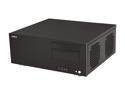
LIAN LI Black Aluminum PC-C60B ATX Media Center / HTPC Case
Pros: 100% aluminum - light as you'll find anywhere Highly modifiable Comes with standoffs pre-installed Very, very pretty (have received compliments)
Cons: No IR port Some thought required at times during construction (see Other Thoughts) Power button LED didn't work, but I also didn't try to fix it. Probably a loose connection on my part. I like dark anyway.
Overall Review: Will probably outlast every single other component in my current build. No matter what you're building, you can put it in here. You might just need to think it out. I'm currently running without any of the HDD bays or the centre brace. Maybe I did it wrong, but it seems like the SATA cables for an SSD mounted on top of the ODD bay are guaranteed to always conflict with the centre brace. That said, the aluminum is so light that since I don't have anything but the SSD resting on it, I can get away with not having the centre brace. There's a miniscule clearance between two plates at the back where the lid goes on that I was able to run my IR cable through, so that works. With my mobo (Biostar TZ68A+) the power cable juuust clears the ODD bay (less than an inch). But hey, if it fits, it fits. I'm obsessive, so I also ordered some port covers for the eSATA, USB, and audio ports on the front.
3/20/2012See more detail