




 here!
here!
I’m your shopping assistant for PC builds, upgrades, and everything tech.
Got questions? Ask away!
Start a conversation
here!
I’m your shopping assistant for PC builds, upgrades, and everything tech.
Got questions? Ask away!
Start a conversation

Joined on 05/18/05
Wicked fast
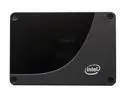
Pros: Say goodbye to disk-related bottlenecks. We have two in RAID 0 on a Server 2008 machine as the OS drive and a "scratchpad" partition for commercial OCR and related digital imaging applications. The time to create a typical 2 GB OCR batch is now 30-40% of what it used to be with a RAID 0 array of "regular" mechanical drives. Tiny, quiet, and less heat output and energy consumption than regular drives too.
Cons: They're expensive. Keep an eye on Newegg's combo deals though -- we got ours with free Kingston 4 GB SD cards for $50 cheaper than what they were selling the drive for by itself. Also, 2 x 64 GB isn't a ton of space, but more than enough for the above scenario. Rumor has it that Intel will be releasing a 128 GB version in Q4 2009.
Overall Review: If you have to ask why someone would pay $800 for one of these, this drive probably isn't for you. However, if your work is limited by slow disk I/O, where time is money, then don't hesitate -- as someone else said, these drives are the single biggest performance gain I've ever seen in all my years around computers and software. Don't forget to get yourself the ICY DOCK 2.5" to 3.5" adapter for mounting in regular drive bays . . . it works great and is very well built. These drives is the future -- in a few years, mechanical drives will have gone the way of the CRT.
DO NOT buy for a Dell Poweredge SC1430
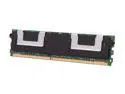
Pros: I'm sure it works just great . . . just not in the above machine.
Cons: Does not work in a Dell Poweredge SC1430, which requires single-or dual-ranked DIMMs. These are quad-ranked DIMMs (doesn't say it here . . . had to check the manufacturer's data sheet to see what was going on).
Overall Review: You can find the dual-ranked version of these DIMMs here: http://www.newegg.com/Product/Product.aspx?Item=N82E16820134875 They work great in a Dell Poweredge SC1430.
Drop-in replacement for ASUS G53SW
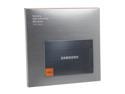
Pros: I had previously had terrible problems trying to get an OCZ Vertex 3 120G drive to work in this specific laptop (and I've found the Vertex 3 to be an otherwise excellent drive). This works in my G53SW without the freezes, rebooting, and failed Windows installs suffered thru with the Vertex 3 -- pop it in, install Windows 7 fresh, and up it comes the first time with absolutely no issues. It's been in there almost two months now and has been working flawlessly.
Cons: None
Overall Review: If you're looking to put an SSD in your G53 series ASUS laptop, I'd start here.
Great board

Pros: Used this board to build a monster image workstation, which processes thousands of huge uncompressed TIFFs per day. Loaded it with 16 GB (2x2x4 GB) of DDR3 1600 RAM, which was recognized and posted immediately but auto-selected 1333. Manually selected 1600 and no problem. Using i7-2600 -- no overclocking. 14 TB of working storage and a pair of Intel X-25E 64 GB SSDs RAIDed together as the OS drive -- using all 8 SATA ports. Windows 7 x64 rated the memory a 7.8, the CPU a 7.7, and the disk a 7.9. Fastest machine in our shop by far.
Cons: No P67 RAID support for drives over 2 TB (yet). This is a documented limitation of the OROM used by the Intel controller. If you put the chipset's controller in RAID mode, it won't recognize 3 TB drives at all. However, the Marvell recognizes them no problem. So we run our RAIDed drives on the P67's SATA ports in RAID mode and the 3 TB drives individually on the Marvell's ports (the Marvell doesn't do RAID). Another gripe is that the SATA ports face horizontally out from the board instead of straight up, which can make plugging them in a bit challenging. Plan ahead.
Overall Review: * Intel Core i7-2600 Sandy Bridge 3.4GHz (3.8GHz Turbo Boost) LGA 1155 95W * 2 x A-DATA XPG Gaming Series 8GB (2 x 4GB) 240-Pin DDR3 SDRAM DDR3 1600 (PC3 12800) Desktop Memory Model AX3U1600GC4G9-2G (these are on the QVL at this quantity / speed, and they work) * 2 x Intel X-25E 64 GB SATA II SSD * 2 x HITACHI Deskstar H3IK30003272SW (0S03208) 3TB 7200 RPM SATA 6.0Gb/s * 4 x HITACHI Deskstar 5K3000 HDS5C3020ALA632 (0F12117) 2TB SATA 6.0Gb/s * Antec TruePower New TP-750 750W Continuous Power * XIGMATEK LOKI SD963 92mm HYPRO Bearing CPU Cooler bracket * MSI R4350-MD512H/D3 Radeon HD 4350 512MB 64-bit DDR3 PCI Express 2.0 x16
Drop-in card for Dell PowerEdge SC1430

Pros: I needed a video card with digital outs for a Dell PowerEdge SC1430 server and this fits the bill perfectly. Drops in with no mods or physical config and has both DVI and HDMI out. Uses standard ATI / Catalyst drivers. I used ATI's Vista 64-bit installer under Server 2008 and everything runs perfectly.
Cons: Pricey for what it is, but they don't sell too many of these. It's mostly for weird niche applications, like people who want to install a video card in their server.
Overall Review: Has nothing specific to do with this card, but watch out for the quirkiness of ATI's software. It was set to underscan by default, giving me black borders around the edges of the desktop. The underscan setting is buried several levels deep inside the Catalyst Control Panel and is hard to find unless you already know where it is.
Stay far, far away
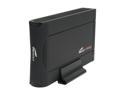
Pros: None.
Cons: Bought two. One arrived DOA and the other died a week later, after it had already been shipped to a customer. Spend an extra ten bucks and get something that actually works.


