

Your Browsing History


Tyler B.
Joined on 04/15/07
0
0
product reviews
- 13
Decent signal, works in linux
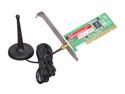
EDIMAX EW-7128G Wireless Card IEEE 802.11b/g PCI Up to 54Mbps Wireless Data Rates
Pros: It gets a solid signal, it's easy to move the little antenna around for adjustment. Biggest plus: works out of the box in Ubuntu.
Cons: Drivers are cr*p in windows, at least the ones that come on the CD.
9/28/2009See more detail
Functional, but bumpy setup
Seagate BarraCuda Green ST1000DL002 1TB 5900 RPM 32MB Cache SATA 3.0Gb/s 3.5" Internal Bare Drive Bare Drive
Pros: Well, it's cheap and spacious. I haven't had it very long, but I wanted to get the setup information up here right away.
Cons: As some people have noted, this drive will often be detected by the BIOS, but not Windows. Since it doesn't come formatted, you'd expect that. Unfortunately, the Windows disk management utility doesn't detect it either. However, GParted does detect it and format it in NTFS format, which will then enable you to use it in Windows. If you're not familiar with GParted, it's more or less the standard disk formatting utility for Linux, and it comes bundled on most live CDs/USBs. If you have a CD burner or a USB thumb drive, google "Ubuntu Live Disk". Then you'll want to get the desktop version, and there should be an option along the lines of "Try Ubuntu without installing". Choose that, and after it boots, do a system search for "GParted" and run that. From there, it's pretty self-explanatory. :)
9/8/2012See more detail
Fast, buggy drivers
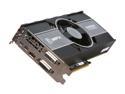
XFX Radeon HD 6950 1GB GDDR5 PCI Express 2.1 x16 CrossFireX Support Graphics Card HD-695X-ZNFC
Pros: Overall, it's a good video card. Fast. Overclocks decently. Yadda yadda.
Cons: With the most recent drivers, I can't mine bitcoins and watch videos of any sort at the same time. Basically, the card can't multitask very well. Also, it is LOUD. Not a huge con, but..woah. Loudest video card I've ever had; and I had a lot of cards that people claimed were loud that didn't bother me. This one...ohhh boy.
Overall Review: Didn't try the whole 'flash bios and get a 6970' trick.
6/22/2011See more detail
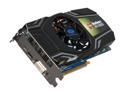
SAPPHIRE Radeon HD 5830 1GB GDDR5 PCI Express 2.1 x16 CrossFireX Support Graphics Card 100297L
Pros: With no voltage mods or BIOS flashing, managed to pull 875mhz core clock -- nearly a 10% overclock. Stable at a very safe (in that it won't die in the next 5 years) 73-74c with a single 120mm case fan. I do have the fan speed manually maxed out, and it is a bit louder than what I'm used to...but not particularly bad. Excellent performance, DX11 features, decent stock heatsink...and AMAZING price. It came with 2x 8-to-6 pin power adapters -- helpful for those of us who realize a high efficiency 400w PSU can run almost anything, even if it doesn't come with all of the 6 pin connectors we need. Also, came with a DVI to VGA adapter, which was convenient -- I didn't have to go scrounging for a DVI cable. Runs basically everything maxed at 1080p.
Cons: Hmm...If I wanted to overclock more than 10% I'd have to use something other than Catalyst Control Center?
5/21/2011See more detail
Decent, lacks a few features
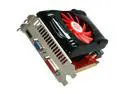
BIOSTAR Radeon HD 5770 1GB DDR5 PCI Express 2.0 x16 CrossFireX Support Graphics Card VA5775NHG1
Pros: Runs well, had great bang/buck when I purchased it, safe temps, etc. I can run pretty much any game at 1080p (with a few rare exceptions) on maxed settings. Mines bitcoins like a boss.
Cons: Overclocking is a bit limited -- anything about 885mhz core clock runs up against a hard wall caused by voltage limitations. MSI Afterburner and ATI Tray Tools can't modify the voltage, and bios flashing doesn't seem to help (I may be doing it wrong, however).
Overall Review: In summary, it's a pretty darned good card, and for the right price definitely worth having. At stock, it idles in the mid-low 70s for me -- which is VERY safe, despite what others may tell you.
5/18/2011See more detail
Superior to 802.11b, cruder 802.11g
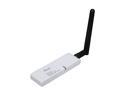
Rosewill RNX-G1W Wireless White Dongle with External 2dBi SMA Antenna IEEE 802.11b/g USB 2.0 Up to 54Mbps Wireless Data Rates
Pros: Picks up and can connect to 4-5 APs where there was only 1 (unconnectable) AP on my laptop with an 802.11b adapter. The antenna is pretty good with 2dB of gain. Comes with a nice utility for monitoring your networking. Furthermore, the antenna is disconnectable; you can attach a coax cable to the usb dongle for a remote antenna if that's what you're looking for.
Cons: Gets a bit hot when lots of transfers are going on, but I'm not sure it actually hurts performance/lifespan.
Overall Review: Good, cheap device which can be used for a USB cantenna, if that's what you're looking for.
7/5/2009See more detail