

Your Browsing History


Mike H.
Joined on 06/01/03
0
0
product reviews
- 6
Works well
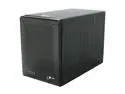
SANS DIGITAL TowerRAID TR4M-BNC JBOD (Hard drives are accessed individually) 4 3.5" Drive Bays eSATA (via Port Multiplier) Port Multiplier supported eSATA port required 4 Bay eSATA Port Multiplier JBOD Tower (no eSATA Card Bundle) (Black)
Pros: Hooked 2 of these up to my mac pro (using 2 SoNNeT Tempo eSATA PCIe Cards). I'm running an old copy of Apple's ZFS on Snow Leopard and needed more drive bays to mirror my data (hence 2 PCI cards). Its fast and works well.
Cons: Two minor things: 1) It has a ridiculously bright blue light on the fan that shines out the back. I wish there was a way to disable this. Just seems kinda childish. 2) I find it odd that there's a door on the front. You have to screw the drives into the enclosure from the side -- which requires taking off the top/sides. I just don't understand why I'd want to open the door unless I opened the whole thing up. You really do want to screw the drives down. They vibrated a little when I tested not doing this. Just an design choice, but it made me think that I could just slide them in and lock them into place from the front only -- which would be nice.
Overall Review: The product clearly says it requires a port multiplier card. Macs have very few of these so I'm glad it didn't come with one (the brand they use isn't Mac compatible).
2/19/2011See more detail
Works well
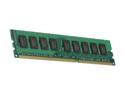
Kingston 2GB DDR3 1066 (PC3 8500) ECC Memory For Apple Model KTA-MP1066/2G
Pros: Plugged it into my 2009 Mac Pro. It works. Not much else to say.
Cons: None.
2/19/2011See more detail
Works well
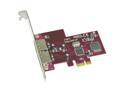
SoNNeT Tempo E2P PCIe SATA Card with 2 Extended eSATA Ports Model TSATAII-E2P
Pros: Works with my mac pro running snow leopard. I got two of these to connect to some external JBOD enclosures (SANS DIGITAL TowerRAID TR4M-BNC -- I put a review there as well). Plugged it in, installed the driver. Done.
Cons: None
2/19/2011See more detail
Works for me
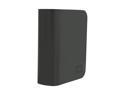
WD My Book Essential 1TB USB 2.0 3.5" External Hard Drive WDH1U10000N
Pros: Works with a Macs. Plugged it in and everything worked fine as expected.
Cons: A 1 Terabyte drive is really only 930 GB. But you should already accept that. :) The only odd thing was that unlike the other My Books I own, this one gave an error when I tried to change it's format from Fat to OS X's Journaled format. I had to "partition" it rather than erase it.
Overall Review: I own 3 other My Book products and have had no problems with them over the last 2+ years.
11/17/2007See more detail
Works Great
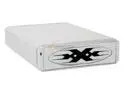
BYTECC ME-525U2FW Aluminum 5.25" / 3.5" IDE USB2.0 & 1394 External Enclosure
Pros: Works as advertised. The enclosure is very sturdy feeling. I got this so I could hook up an additional DVD burner to my iMac. No problems.
Cons: The fan is a tad on the loud side. Probably not a problem for many computers, but next to a dead-silent Mac it's very noticible. I only turn it on when needed.
5/12/2007See more detail
Works well
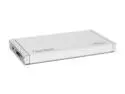
BYTECC BT-280SATA COMBO(S) Aluminum 2.5" SATA USB & eSATA External Enclosure
Pros: It does what it advertises. Pretty simple. I had no problems with the screw holes lining up with my drive (stock 60 GB taken from a MacBook). The holes seemed to be enlarged to allow for a little play here (so maybe they've addressed the problem). I also notice no rattling. Everything is very secure. The case is very small and light.
Cons: Screw holes to close the case are not pre-threaded making the first attempt at closing it awkward. The screws are self-taping so you have to be very careful.
Overall Review: On an iMac and a MacBook you don't need to use both 'heads' of the USB cord to power it up, however, oddly, only my Linksys self-powered USB hub, I did. The manufactures site (at least for a while) mentioned this supported FireWire. It does not.
10/20/2006See more detail