
Your Browsing History


THEOFILO F.
Joined on 02/05/09
0
0


product reviews
- 33
Fast and easy storage solution!
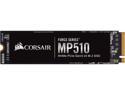
Corsair Force MP510 M.2 2280 240GB PCI-Express 3.0 x4, NVMe 1.3 3D TLC Internal Solid State Drive (SSD) CSSD-F240GBMP510
Pros: + Easy installation + Fast Speeds + Black PCB to match my dark color scheme
Cons: - None so far
Overall Review: Installation was a breeze. You just need to use the supplied screws (and mounting screws) provided with your motherboard/system to install this drive. Windows installer detected the blank drive and was able to install without problems. The black PCB and Corsair product label matched my system’s dark/black color scheme very well and blended in nicely. This drive replaced my SATA3 SSD as an operating system drive and the speed is noticeable especially when loading programs. Productivity programs such as Word, Excel and others loaded noticeably faster compared to the previous drive. Boot times were also extremely fast when compared to previous drive but only by a second or two. When benchmarking the drive with CRYSTALMARK it met max sequential read and write speeds that were documented on the product page. It wasn't listed in any provided documentation with this drive but when considering purchasing this drive please keep in mind that to take advantage of the speed of this drive make sure your motherboard/system can support the 4x that it can use. My ASUS STRIX Z270E board required me to go into bios turn change it from default 2X to 4X. This will disable specific SATA ports so please read your motherboard manual. I highly recommend this drive for any normal consumer use.
10/30/2018See more detail
Good Productivity Laptop, Bad ASUS software.
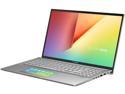
ASUS VivoBook S15 S532 Thin & Light 15.6" FHD, Intel Core i7-8565U CPU, 8 GB DDR4 RAM, PCIe NVMe 512 GB SSD, Windows 10 Home, S532FA-SB77, Transparent Silver
Pros: + Lightweight and Thin. + Fast and responsive when booting windows and starting apps. + Decent screen quality for videos.
Cons: - ASUS software is terrible. - Disappointing audio quality. - ScreenPad 2.0 and trackpad randomly switching became annoying.
Overall Review: Would I recommend this laptop? This is a fantastic laptop for anyone looking for a light, thin and productivity friendly machine. If your only purpose is to use it for workflow and productivity it’s a decent laptop even with its shortcomings. The hardware configuration is solid and the battery while not being the best does what it can for it’s capacity. I wouldn’t recommend this to anyone with entertainment or gaming in mind. If you’re interested in more details read on. The SSD made Windows 10 boot up very quickly and launched applications extremely fast. I opened up the laptop to see if I could expand storage and found out you can install an additional M.2 SSD if the initial 512 GB wasn’t enough. The 4 core 8 thread CPU is strong enough to run my office/productivity software without a hiccup, unfortunately I didn’t have any heavy CPU usage software onhand to challenge it. I also didn’t have any applications that required more than 8 GB usage of ram but from opening the laptop before I could replace the current ram stick with a larger capacity stick. The webcam was terrible as every laptop camera is so don’t expect anything amazing. While watching videos (example: Youtube, Xfinity Stream) the screen did an OK job for a midrange priced laptop displaying decent colors only when brightness is turned up to maximum. The audio leaves much to be desired. The speakers didn’t really do so well as expected so I hoped that plugging in headphones would be a different experience with my Sennheiser HD598. The audio with headphones wasn't any better with the lack of mid to high range, disappointing. Gaming on this computer was a slideshow (5-15 frames per second) for the fast paced games I usually play. **I WOULD NOT PURCHASE THIS LAPTOP FOR ENTERTAINMENT OR GAMING PURPOSES** The myASUS software will check if your currently installed drivers need to be updated but won’t install any missing software or drivers. The drivers & bios tab is disappointing because you have to download the software manually to your hard drive through the myASUS app and then unzip and THEN install the drivers using administrator level command prompt or power shell with unique inputs. **THERE ARE NO SETUP EXECUTABLE FILES WHICH WILL CAUSE ANYONE WHO ISN'T KNOWLEDGEABLE TO HAVE A DIFFICULT TIME DOWNLOADING AND INSTALLING DRIVERS** I had a very poor experience with the ScreenPad 2.0 and Trackpad since both would switch out unexpectedly during use causing a lot of false inputs while moving the cursor. To switch between the two you need to tape the pad with three fingers. I could see it being very useful for anyone looking to switch between desktop applications very quickly but the fact that the ScreenPad 2.0 and Trackpad had trouble figuring out who would be in use was extremely frustrating. You can lock it to either of them in the ScreenPad 2.0 settings but that defeats the purpose of having a three finger tap gesture feature to switch between the two on the fly. The apps all launch applications fairly quickly but I haven’t found a use for the handwriting app and the number key app seems a little redundant when you have a number pad on the keyboard.
4/1/2020See more detail
Solid Crucial Drive
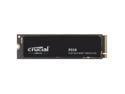
Crucial P310 M.2 2280 1TB PCI-Express 4.0 x4 NVMe 3D NAND Internal Solid State Drive Speed Up to 7100 MBps (SSD) CT1000P310SSD8
Pros: Fast little SSD drive!
Cons: Optional Crucial software needs much improvement
Overall Review: The computer I installed this into was a ASUS ROG CROSSHAIR X870E HERO motherboard with a AMD Ryzen 7 9800X3D CPU on latest drivers and BIOS. There are several other NVME drives installed on this system including faster PCIe 5.0 drives than the reviewed 1TB P310 2280 so there are no bottlenecks or problems I could think of that could affect my testing. Using CrystalDiskMark benchmarks to test this drive on first use, the WRITE speeds hit the rated ~6000 MB/s but the most important part which was the READ speed that hit short of the 7100 MB/s rated speeds on the technical specs at ~6955 MB/s. Dont get me wrong, this is a very fast PCIe 4.0 drive regardless as seen in the testing later on in this review.. In a real work situation I transferred files from one drive to this drive where I could test the WRITE speed of the P310. Transferring 19GB worth of files from my faster PCIe 5.0 T705 drive to this PCIEe 4.0 drive was very fast, taking only seconds to actually get done. Of course the speed changed depending on the varied sizes of files being transferred but it was extremely quick to write to this drive regardless. Installed several games on this drive such as Dragon Age: Veilgaurd and Cyberpunk 2077 to try to get some real world READ results when it came to loading times and it performed about the same as my other PCIe 4.0 drive Crucial P5 Plus.. The only thing that performed faster was my Crucial T705 and T700 which are PCIe 5.0 but the difference is literally 2-4 seconds which is basically nothing when you consider how things load in under 8 seconds depending on the game. The only real downside I experienced during the use of this drive was when using Crucial Storage Executive software which would take several minutes to launch, even longer for it to check and find any firmware updates. Would I recommend this drive to others? Yes if youre looking for a very standard PCIe 4.0.
1/4/2025See more detail
A lot of power in such a little box!
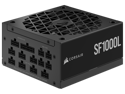
CORSAIR SF1000L Fully Modular Low-Noise SFX Power Supply - ATX 3.0 & PCIe 5.0 Compliant - Quiet 120mm PWM Fan - 80 PLUS Gold Efficiency - Zero RPM Mode - 105°C-Rated Capacitors
Pros: 1.Very compact compared to my regular large wattage PSU. 2. Fully modular, has all the cables needed for a high-spec system. 3. 12VHPWR cable saves a lot of room for cable management.
Cons: Cables are short for LARGE PC cases.
Overall Review: I would highly recommend this power supply to other people who require a small unit to power high end parts unless you have a large case since the cables are very short and intended for small factor cases. I couldnt get my EPS/CPU cables to reach the bottom mounting PSU case since it was short. The 12VHPWR cable was extremely nice because it saved a lot of cable management compared to using traditional 2x PCIe to 12VHPWR adapters. I used this power supply for my Intel i9 13900K and NVIDIA RTX 4090. I was initially worried this wouldnt be able to power my computer under a heavy gaming load but it did pretty well while remaining quiet and reasonably cool. Compared to my previous power supply it does the same job to power all the high end parts, RGB and nine case fans without any difference in performance. The power supply fan was basically quiet or very silent the whole time I used it and I hardly noticed it. My only complaint is that the power supply unit uses micro-fit cable connections which might make it hard to find custom cables if youre looking for an aesthetic look.
5/31/2023See more detail
Great performing budget 32GB kit.
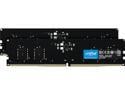
Crucial 32GB (2 x 16GB) 288-Pin PC RAM DDR5 4800 (PC5 38400) Desktop Memory Model CT2K16G48C40U5
Pros: + Performs perfectly fine on a Z690 motherboard and i9-12900K + Worked perfectly with applications and gaming.
Cons: NONE
Overall Review: Visually, these are very blank and boring black DIMMS, perfect for workstations where you dont need anything flashy. Installed it just fine on my MSI Z690 CARBON WIFI motherboard paired with an Intel Core i9-12900K. The XMP profile (DDR5 4800MHz 40-39-39-77 1.1V) is set just fine and very easily in bios (version 1.8). During general use and gaming it ran perfectly fine without any hiccups. Tested stability with TM5 anta5 extreme profile and passed. All voltages and temperature readings were normal and safe. Performance wise it runs just as fast as any other DDR5-4800 CL40 kit on the market for an affordable price when comparing read and write speeds in an AIDA64 Extreme benchmark. Applications ran flawlessly during use and I didn't find any huge difference between this Crucial DDR5-4800 CL 40 kit and my performance G.Skill Trident Z5 DDR5-6000 CL36 when it came to general PC desktop usage and gaming. This DDR5-4800 CL40 kit performed only about 1 to 10 frames per second less than my G.Skill Trident Z5 DDR5-6000 CL36 kit in certain games and situations, but then again that doesn't make much of a difference when you're pushing OVER 170 frames per second in games at 1440p resolution. I would highly recommend this Crucial DDR5-4800 CL 40 kit to anyone who just casually uses their computer for everyday use and casual gaming. There is no real difference in gaming on high end machines with this kit compared to a high end kit unless youre looking for the lowest latency possible for competitive shooting games. Compared to previous generations high end DDR4, this Crucial DDR5-4800 CL40 kit performs just as well or better.
10/9/2022See more detail
Fast! (as long as you have USB 3.2 Gen2 source)
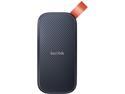
SanDisk 1TB Portable SSD - Up to 520MB/s, USB-C, USB 3.2 Gen 2 - External Solid State Drive SDSSDE30-1T00-G25
Pros: Fast transfer speeds (with USB 3.2 Gen2 port and storage source) Light and portable Sturdy casing
Cons: Questionable rubber hook durability USB cable is too short
Overall Review: Overall the drive performed well in real world applications as long as you can connect this USB 3.2 Gen2 portable SSD to a PC with USB 3.2 Gen2 or better port. You will get below advertised transfer speeds if you were to connect to anything older than USB 3.2 Gen2 OR use a USB cable that cannot do high data transfer speeds. The USB cable provided with the drive provided great speed and it should be noted that not all USB cables are created the same since the 3rd party cables I used had very low transfer speeds when connected to the drive. The provided USB cable does have its flaw as it's very short and will dangle/hang from the USB port of desktop computers. This portable SSD surprised me with its small size and very light weight. The orange loop felt really cheap to me and would feel like it would tear if you ended up pulling hard enough. I ended up using the orange hook loop to keep the supplied USB cable together with the drive. I plugged it into my computer in two ways to test the overall speeds, my desktop front panel port (USB 3.0) and the motherboard rear port (USB 3.2 Gen2). The portable SSD drive in synthetic storage benchmarks connected to the computer case (USB 3.0) achieved about 460 MB/s Reads and 453 MB/s Writes, this was a little under the advertised 520 MB/s. What surprised me the most was the synthetic benchmark when connected directly to the motherboard (USB 3.2 Gen2) where it reached 892 MB/s Read and 796 MB/s Write speeds, way past the advertised speeds. I then decided to use it in real world use where I transfer files on the daily basis between my many 7200 RPM HDD and PCIe 4.0 NVME SSDs. The write speeds from HDD to the portable SSD averaged about 160 MB/s no matter which version USB port I used. The transfer speeds from the NVME SSD to the portable drive had a noticeable difference at 360 MB/s for the front port (USB 3.0) and 579 MB/s on the rear port (USB 3.2 Gen2).
8/12/2022See more detail
seller reviews
- 1
Quick processing and delivery
This seller creates a ton of electronic components and my SSD was one of them. The ordered processed and shipped very quickly and came a few days earlier than planned from USPS by Free Shipping. If you order the ADATA XPG SX8100 note that it's called ADATA SX8100NP in hardware settings.
On-time
Delivery
Product
Accuracy
Customer Service
Satisfactory
11/18/2019See more detail