


 All CategoriesAll CategoriesAll Categories
Shipped by Newegg


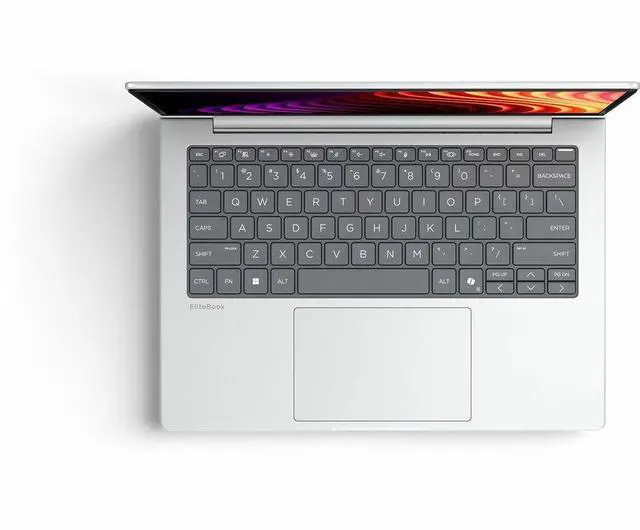
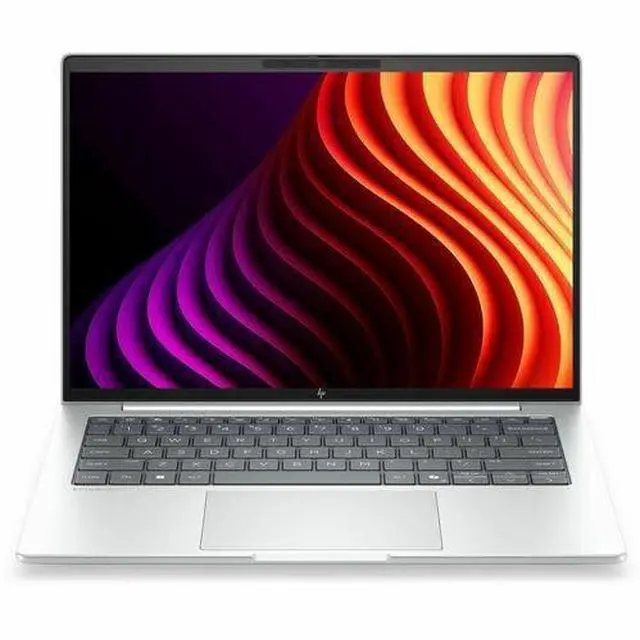


Warranty Notice:
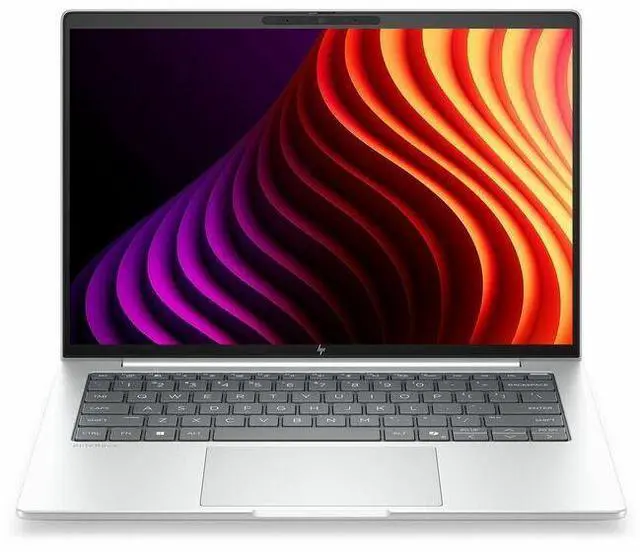
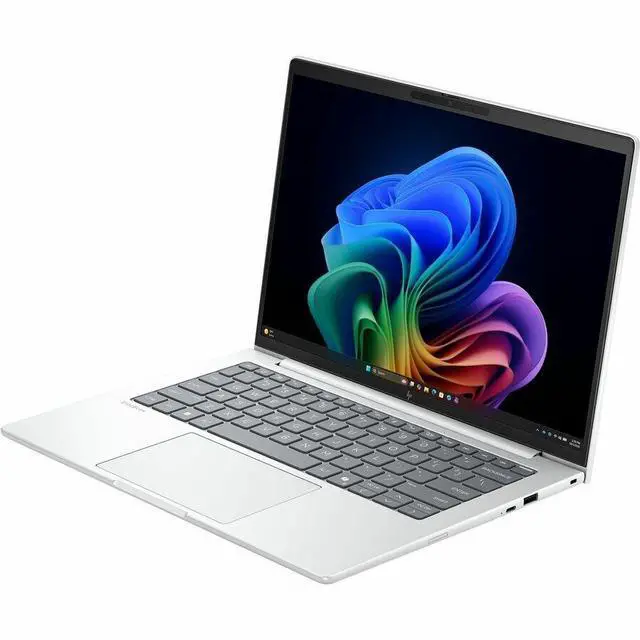
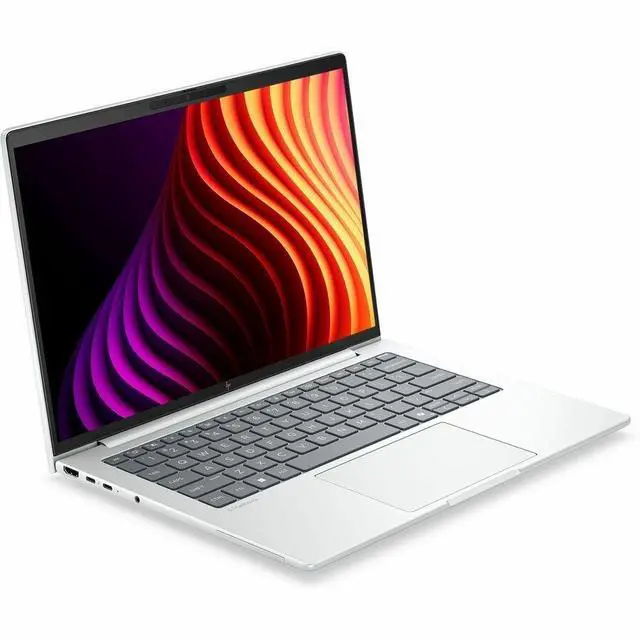
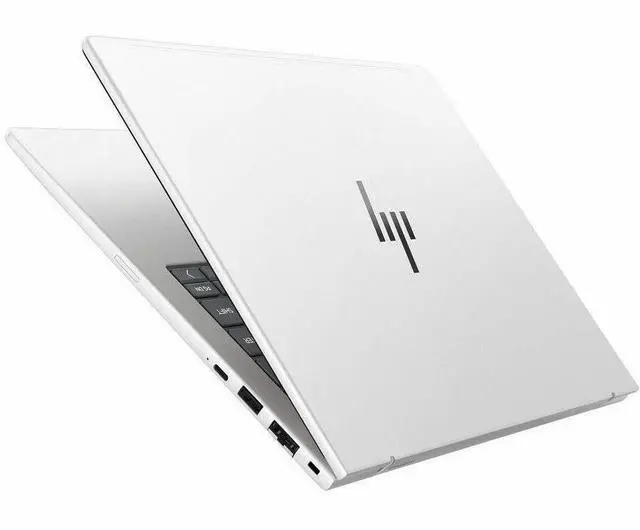
This product does not include manufacturer warranty when purchased or used outside of its designated sales region. By purchasing internationally, you acknowledge that warranty support from the manufacturer will not be available.The HP EliteBook 8 G2i is a 14-inch Copilot+ business laptop with an Intel Core Ultra 7 365, 32GB RAM, 512GB SSD, Wi‑Fi 7, and 5G, making it a strong fit for professionals who want portable productivity, modern AI features, and reliable connectivity on the go.
| Attribute | Value |
|---|---|
| Best For | Business and student users who want a 14-inch productivity notebook with on-device Copilot+ AI, 5G and Wi‑Fi 7 connectivity, and lightweight portability |
| Processor And Core Count | Intel Core Ultra 7 365 (Series 3) — 8 cores, up to 4.8 GHz turbo, 12 MB L3 cache |
| GPU And VRAM | Integrated Intel Graphics using shared system memory |
| Display Spec | 14.0-inch WUXGA (1920 x 1200) IPS non-touch display with anti-glare and low-blue-light treatment; maximum brightness 300 nits |
| Memory Configuration | 32 GB LPDDR5X RAM installed |
| Storage And Expansion | 512 GB M.2 solid-state drive (SSD) |
| High Speed I O | Two Thunderbolt 4 (USB-C) ports and a separate USB Type-C (10 Gbps) port supporting USB Power Delivery and DisplayPort 1.4, plus an HDMI port and additional USB connectivity (total USB ports listed as 2) |
| External Display And Docking Fit | Supports external displays via HDMI or Thunderbolt 4 (DisplayPort 1.4 over USB-C); Thunderbolt ports also supply USB Power Delivery for docking |
| Battery And Power | Built-in lithium‑polymer battery (single unit) — 3 cells, 4000 mAh; battery weight listed as 300 grams; batteries included and installed |
| Wired And Wireless Networking | Wi‑Fi 7 (802.11be) and Bluetooth plus 5G cellular connectivity |
| Webcam And Privacy | Front-facing webcam and biometric fingerprint recognition for sign-in |
| Portability | 3.06 lb and dimensions 12.4 x 8.7 x 0.61 inches (listed size variants included) in Glacier Silver color |
| AI And Security Features | Copilot+ PC with on-device AI boost (NPU: AI Boost) plus fingerprint biometric sign-in |
| Model Identifiers | HP EliteBook 8 G2i — Part Number D81W4UT#ABA; Edition/Model Name EliteBook 8 G2i; Model Year 2026; made by Hewlett Packard |
Q: Should I buy the HP EliteBook 8 G2i or a Lenovo ThinkPad T14 Gen 6 for business work?
A: Choose the HP EliteBook 8 G2i if you want a more connectivity-focused configuration out of the box, especially with optional 5G, Wi‑Fi 7, Thunderbolt 4, and a 32GB/512GB setup aimed at mobile professional use. Choose the ThinkPad T14 Gen 6 if your priority is a more established review track record for keyboard-first office use and battery-focused Intel Lunar Lake configurations. In short: the EliteBook 8 G2i fits buyers who value modern enterprise features and always-connected mobility, while the T14 Gen 6 is the safer pick if you want a widely reviewed corporate baseline with proven day-to-day efficiency.
Q: Is the HP EliteBook 8 G2i worth getting over a lower-tier Core Ultra 5 EliteBook configuration?
A: Yes, if you plan to keep many apps and browser tabs open, run heavier office workloads, or want more headroom for a longer ownership cycle. This EliteBook 8 G2i uses Core Ultra 7 365 with 32GB RAM, which is a more capable fit than common Ultra 5 business-laptop configurations that start with less memory or lower-tier CPUs. The trade-off is cost: a Core Ultra 5 model is usually the more efficient buy for standard email, web, meetings, and document work, while this Ultra 7 model makes more sense for multitasking-heavy users who want fewer compromises over time.
Q: Should I choose this HP EliteBook 8 G2i or move up to a higher-performance HP model like the ZBook 8 G2i?
A: Choose the EliteBook 8 G2i if your work is centered on productivity, collaboration, travel, and enterprise management features. Move up to the ZBook 8 G2i if your workload includes sustained creation, heavier parallel workloads, or software that benefits from higher-end Intel Core Ultra X/H-class chips and workstation positioning. The EliteBook is the better fit for a lighter, business-first setup; the ZBook is the better fit when performance matters more than portability and battery-focused office use.
Q: Is the HP EliteBook 8 G2i a meaningful upgrade over the previous HP EliteBook 840 G11?
A: For many business buyers, yes. The EliteBook 8 G2i brings HP's newer naming generation, Copilot+ positioning, newer Intel Core Ultra Series 3 options, Wi‑Fi 7 availability, and optional 5G in a familiar 14-inch business format. The EliteBook 840 G11 is still a practical choice if price matters most and your workload is standard office use, but the G2i is the better upgrade if you want newer platform features and a more current long-term enterprise spec.
Q: Is the HP EliteBook 8 G2i better for portability or should I pick a more performance-first laptop?
A: Pick the EliteBook 8 G2i if you want a balanced business laptop that stays relatively light at about 3.06 lb while still offering enterprise ports, 5G availability, and 32GB memory. Pick a performance-first laptop if your workflow includes frequent rendering, advanced local AI, code compilation, or heavier graphics use, because this model uses integrated Intel Graphics and is positioned more for professional mobility than workstation-class throughput. The main trade-off is simple: the EliteBook 8 G2i favors business mobility and connectivity, while performance-first laptops favor higher sustained output.
Q: Is this a good laptop for travel, remote work, and office use?
A: Yes. This configuration fits mobile business work well because it combines a 14-inch 1920x1200 display, low 3.06 lb weight, Windows 11 Pro, 32GB RAM, 512GB SSD, Wi-Fi 7, and built-in 5G. That makes it a strong fit for frequent travelers, meetings, document work, browser-heavy multitasking, and working away from Wi-Fi. The main trade-off is price and graphics: it is better suited to productivity and connectivity than to gaming or GPU-heavy creative workloads.
Q: Is it good for note-taking, meetings, and everyday business apps?
A: Yes. For Microsoft 365, email, web apps, video meetings, note-taking, presentations, and spreadsheet work, this laptop is comfortably above the usual business baseline. The 32GB memory is especially useful if you keep many browser tabs, documents, and communication apps open at once. The included webcam, Windows 11 Pro, and integrated Intel graphics point to a business-first setup rather than a creator or gaming machine.
Q: Who is this laptop most suitable for?
A: It is most suitable for business users who want a premium 14-inch Windows laptop for productivity, travel, and secure professional use. Good fits include consultants, sales teams, managers, hybrid workers, and users who need cellular connectivity on the go. It is less suitable for buyers who want a budget laptop, a touchscreen for handwriting, or stronger graphics for editing, 3D work, or gaming.
Q: Is it better than a similar thin-and-light alternative like a ThinkPad X1 Carbon?
A: It can be the better choice if you value built-in 5G, Wi-Fi 7, 32GB RAM out of the box, and HP's business-focused EliteBook positioning. A comparable ThinkPad X1 Carbon may be lighter and may offer a more premium portability-first design, but some configs trade off cellular support, memory capacity, or port mix depending on model. The practical decision is this: choose the HP if always-connected business travel and higher standard memory matter more; choose the thinner alternative if minimum carry weight matters more.
Q: What are the main trade-offs before buying this model?
A: The main trade-offs are clear. This model gives you strong business specs, modern wireless, 5G, and useful ports including two Thunderbolt 4 ports, but it is not a touchscreen model and it uses integrated Intel graphics. That means it is a better fit for productivity and meetings than for pen input, high-end gaming, or heavier visual workloads. Buyers should also consider whether 512GB storage is enough for their files and whether they are paying for mobile connectivity they will actually use.
Q: Is the HP EliteBook 8 G2i 14 a good fit for office work, web apps, and AI-assisted workflows?
A: Yes for mainstream professional use. This configuration has a Core Ultra 7 365, 32GB RAM, and a 512GB SSD, which is well suited to heavy multitasking such as Office, many browser tabs, video calls, and cloud-based AI tools. It is a better fit for productivity and mobility than for graphics-heavy or locally accelerated AI workloads.
Q: Who is the HP EliteBook 8 G2i 14 best suited for?
A: It is best suited for business users who want a portable 14-inch Windows laptop with enterprise-oriented features such as Windows 11 Pro, vPro, Wi-Fi 7, Thunderbolt 4, and optional mobile connectivity. It makes the most sense for professionals who prioritize work features, conferencing, travel convenience, and IT-friendly configuration over gaming or creator-class graphics.
Q: What are the main trade-offs of choosing the HP EliteBook 8 G2i 14?
A: The main trade-off is that it is a business-first laptop with integrated Intel graphics, so it is not the strongest choice for gaming, 3D work, or other GPU-heavy tasks. You are paying more for enterprise features, connectivity, manageability, and portability rather than for top graphics performance or large local storage.
Q: Is the HP EliteBook 8 G2i 14 worth buying over a consumer laptop?
A: It is worth buying if you specifically want a premium business laptop. Compared with many consumer models, its value comes from business features like Windows 11 Pro, vPro, Thunderbolt 4, Wi-Fi 7, 5G availability, and a lighter 14-inch form factor. If those features are not important, a consumer laptop may offer similar everyday speed for less money.