


 All Categories




AOKO specializes in producing and selling high-quality computer peripherals, such as hard drive docking stations and HDD/SSD clones. AOKO always takes products as the foundation and technological innovation as the driving force, providing customers with reliable products and services
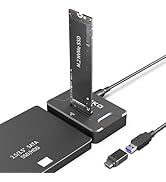
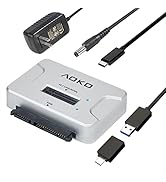
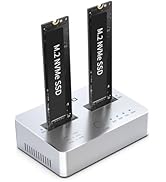
SSD/HDD Reader
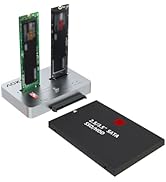
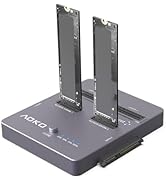
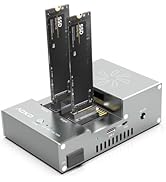
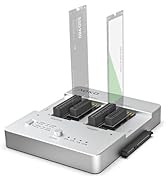
HDD/SSD Hard Drive Cloner
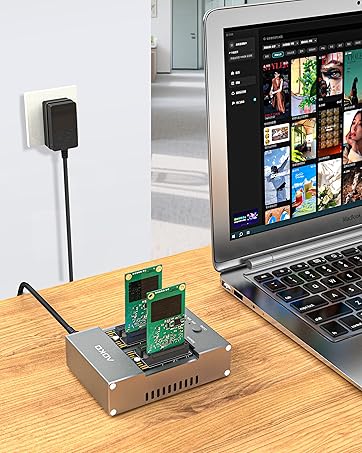
M.2/mSATA Cloner
You can use it to clone between two SSDs, or connect to a computer to transfer data
All in one Hard Drive Cloner
With it, you can clone any two hard drives between M.2/mSATA/SATA
Why choose AOKO?
Simple appearance and unique design, compatible with multiple interfaces, provide more convenient services for your storage work.
Are we of superior quality?
AOKO is committed to providing high-quality storage products for every customer, with stable product quality,

Universal Hard Drive Reader Adapter

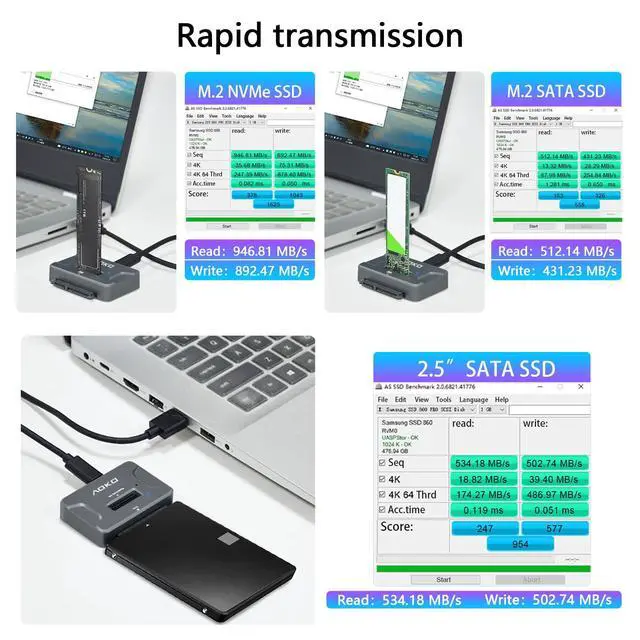
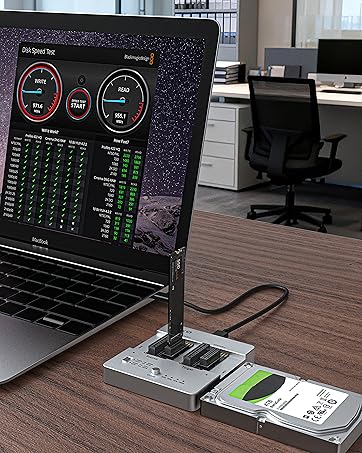
High-Speed Transmission


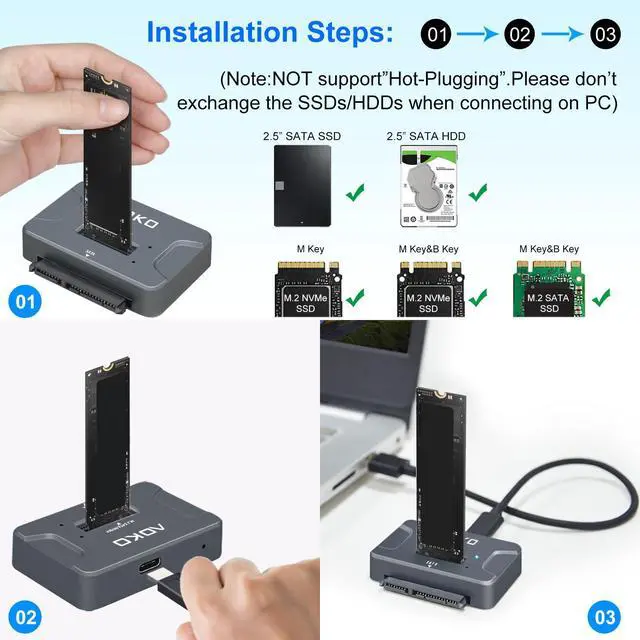
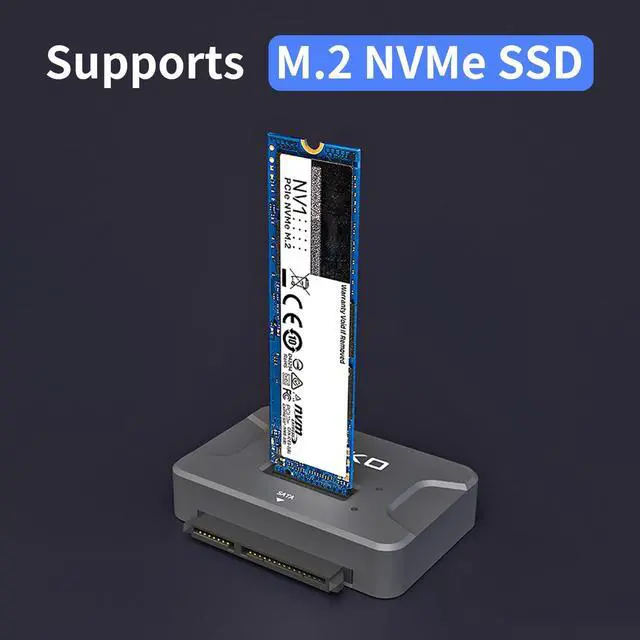
1. Insert M.2 SSD or 2.5'' SATA SSD/HDD into Slot.(Note: Does not support 3.5-inch SATA hard drives!)
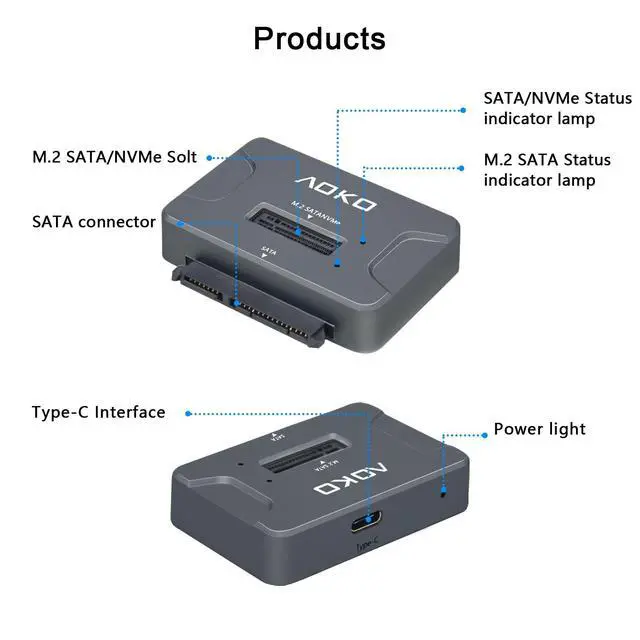
2.Connect the USB cable to the computer and recognize it, the LED lights up to indicate that it can be read.
Compatible With Multiple Mystems

Product Features
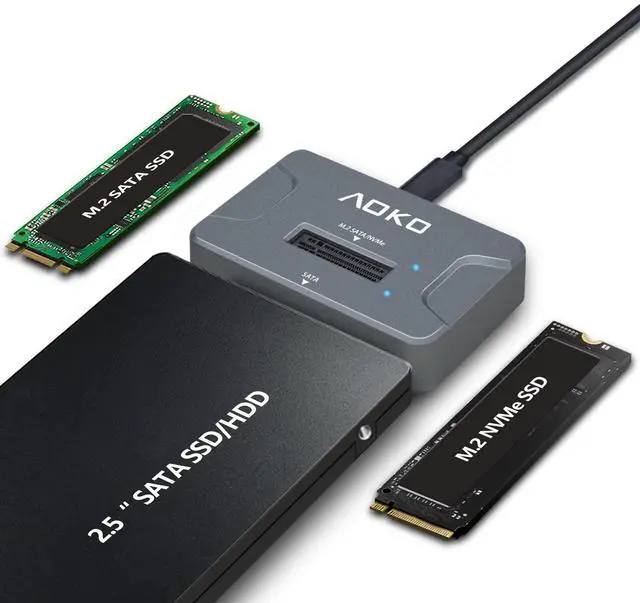
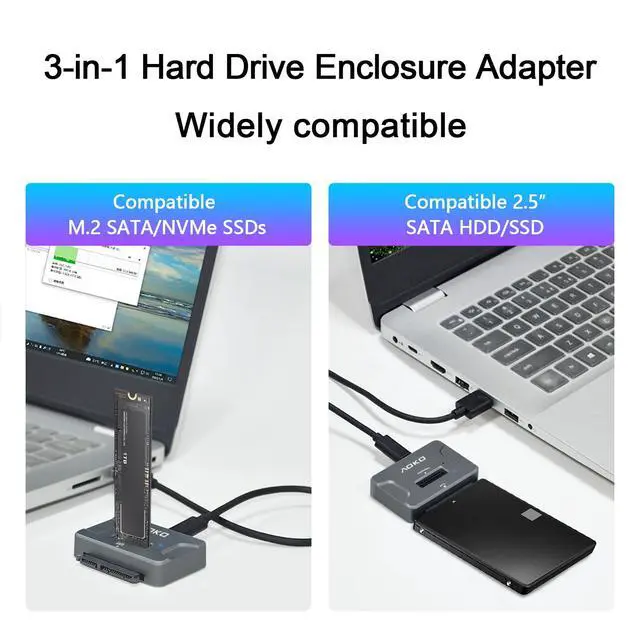
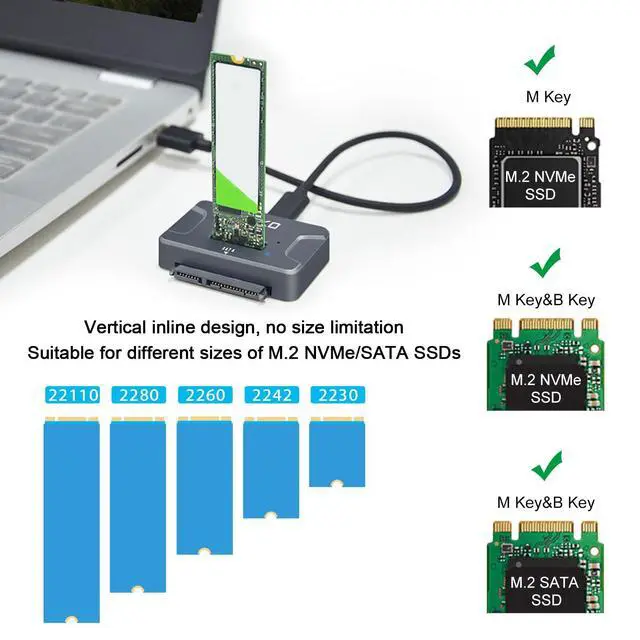
- Support M.2 SATA/ NVMe & 2.5-inch SATA HDD/SSD (Hard disk not included),Note: 3.5-inch SATA hard drives are not supported.
- 3-in-1 Design ( This is M.2 SATA + NVMe Docking Station is also 2.5-inch SATA HDD/SSD Reader Adapter) to support multi-scene use for convenience. Meet your daily needs.
- USB 3.2 Gen 2 standard (USB-C port), supporting data transfer rates of up to 10 Gbps (theoretical), delivers the best experience when connected to a USB 3.1, USB 3.2 Gen 2, or Thunderbolt 3 port. (Actual transfer speeds depend on the drive itself and the hardware.)
- Important Notes
- When using M.2 SSD for the first time, you need to format the disk (you must plug and unplug the SSD when the power is off to avoid damaging the data)
- Please confirm the direction of the SSD before inserting the card slot to avoid damaging your Hard Disk.
- The actual transfer speed depends on your hardware device, such as the transfer speed of your solid state drive, the type of USB port, and the performance of your computer.
- NVMe SSD may be running at speeds up to 60°, please do not touch
- This device can only read one hard disk at a time, if it is plugged into both M.2 NVMe/M.2 SATA and SATA interface, it will only read the hard disk of SATA interface
More Choices
 M.2/2.5"SATA SSD Reader |  M.2/SATA to USB Adapter |  NVMe/SATA to USB Adapter |  SATA to NVMe Cloner/Dock |  M.2/mSATA Cloner/Reader | |
|---|---|---|---|---|---|
Customer Reviews | — | — | — | — | — |
Price | — | — | — | — | — |
Color | Gray | Silver | Black | Silver | Gray |
Compatibility | M.2 SATA/NVMe&2.5"SATA | M.2 SATA/NVMe&2.5"/3.5" SATA | M.2 NVMe&2.5"/3.5" SATA | M.2 SATA/NVMe&2.5"/3.5" SATA | M.2 SATA/NVMe&mSATA |
Transmission Speed | 10Gbps | 10Gbps | 10Gbps | 10Gbps | 10Gbps |
Power Supply | USB | USB+12V2A | USB+12V3A | USB+12V3A | USB+12V2A |
Function | Reading and writing | Reading and writing | Reading and writing | Read, Write, and Clone | Read, Write, and Clone |
Dual-Bay | ? | ? | ? | ? | ? |
Material | Plastic | Plastic | Plastic | Aluminum | Aluminum |
Max HDD Capacity | M.2 8T &SATA 8T | M.2 8T &SATA 22T | M.2 8T &SATA 22T | M.2 8T &SATA 22T | M.2 8T &SATA 22T &mSATA 8T |

Universal Hard Drive Reader Adapter

High-Speed Transmission

1. Insert M.2 SSD or 2.5'' SATA SSD/HDD into Slot.(Note: Does not support 3.5-inch SATA hard drives!)
2.Connect the USB cable to the computer and recognize it, the LED lights up to indicate that it can be read.
Compatible With Multiple Mystems

Product Features
- Support M.2 SATA/ NVMe & 2.5-inch SATA HDD/SSD (Hard disk not included),Note: 3.5-inch SATA hard drives are not supported.
- 3-in-1 Design ( This is M.2 SATA + NVMe Docking Station is also 2.5-inch SATA HDD/SSD Reader Adapter) to support multi-scene use for convenience. Meet your daily needs.
- USB 3.2 Gen 2 standard (USB-C port), supporting data transfer rates of up to 10 Gbps (theoretical), delivers the best experience when connected to a USB 3.1, USB 3.2 Gen 2, or Thunderbolt 3 port. (Actual transfer speeds depend on the drive itself and the hardware.)
- Important Notes
- When using M.2 SSD for the first time, you need to format the disk (you must plug and unplug the SSD when the power is off to avoid damaging the data)
- Please confirm the direction of the SSD before inserting the card slot to avoid damaging your Hard Disk.
- The actual transfer speed depends on your hardware device, such as the transfer speed of your solid state drive, the type of USB port, and the performance of your computer.
- NVMe SSD may be running at speeds up to 60°, please do not touch
- This device can only read one hard disk at a time, if it is plugged into both M.2 NVMe/M.2 SATA and SATA interface, it will only read the hard disk of SATA interface
More Choices
M.2/2.5"SATA SSD Reader | M.2/SATA to USB Adapter | NVMe/SATA to USB Adapter | SATA to NVMe Cloner/Dock | M.2/mSATA Cloner/Reader |
|---|---|---|---|---|
| Customer Reviews | ||||
| — | — | — | — | — |
| Price | ||||
| — | — | — | — | — |
| Color | ||||
| Gray | Silver | Black | Silver | Gray |
| Compatibility | ||||
| M.2 SATA/NVMe&2.5"SATA | M.2 SATA/NVMe&2.5"/3.5" SATA | M.2 NVMe&2.5"/3.5" SATA | M.2 SATA/NVMe&2.5"/3.5" SATA | M.2 SATA/NVMe&mSATA |
| Transmission Speed | ||||
| 10Gbps | 10Gbps | 10Gbps | 10Gbps | 10Gbps |
| Power Supply | ||||
| USB | USB+12V2A | USB+12V3A | USB+12V3A | USB+12V2A |
| Function | ||||
| Reading and writing | Reading and writing | Reading and writing | Read, Write, and Clone | Read, Write, and Clone |
| Dual-Bay | ||||
| ? | ? | ? | ? | ? |
| Material | ||||
| Plastic | Plastic | Plastic | Aluminum | Aluminum |
| Max HDD Capacity | ||||
| M.2 8T &SATA 8T | M.2 8T &SATA 22T | M.2 8T &SATA 22T | M.2 8T &SATA 22T | M.2 8T &SATA 22T &mSATA 8T |
AOKO specializes in producing and selling high-quality computer peripherals, such as hard drive docking stations and HDD/SSD clones. AOKO always takes products as the foundation and technological innovation as the driving force, providing customers with reliable products and services
SSD/HDD Reader
HDD/SSD Hard Drive Cloner
M.2/mSATA Cloner
You can use it to clone between two SSDs, or connect to a computer to transfer data
All in one Hard Drive Cloner
With it, you can clone any two hard drives between M.2/mSATA/SATA
Why choose AOKO?
Simple appearance and unique design, compatible with multiple interfaces, provide more convenient services for your storage work.
Are we of superior quality?
AOKO is committed to providing high-quality storage products for every customer, with stable product quality,