


 All CategoriesAll CategoriesAll Categories
Shipped by Newegg
 Top Rated






Warranty Notice:
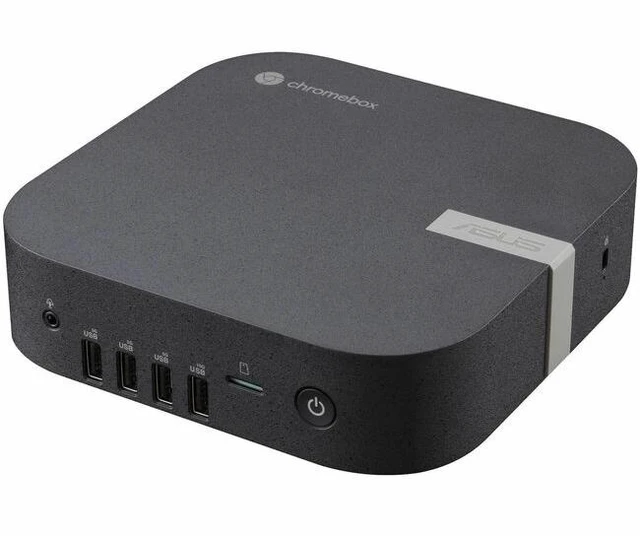
This product does not include manufacturer warranty when purchased or used outside of its designated sales region. By purchasing internationally, you acknowledge that warranty support from the manufacturer will not be available.The ASUS Chromebox 6a CHROMEBOX6A-S3082UN is a compact ChromeOS mini PC with an Intel Core 3 100U, 8 GB of DDR5 memory, a 256 GB NVMe SSD, and Wi-Fi 7, suited to people who want a small desktop for web-based work and everyday ChromeOS tasks.
| Attribute | Value |
|---|---|
| Best For | Education, personal, and business use where a compact ChromeOS mini PC is suitable |
| Processor | Intel Core 3 100U, with a 1.2 GHz base speed and up to 4.7 GHz |
| Graphics | Integrated Intel graphics using shared memory |
| Memory | 8 GB DDR5-5600 memory, with 2 slots and support for up to 64 GB |
| Storage | 256 GB PCIe NVMe 4.0 SSD |
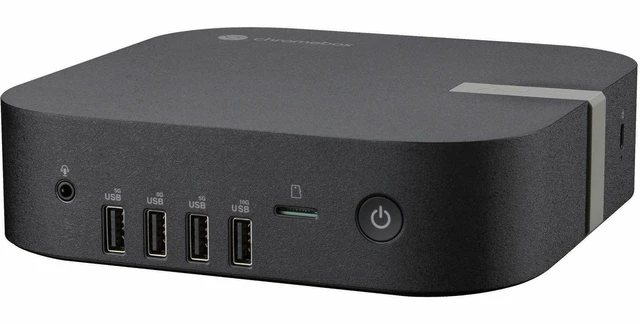
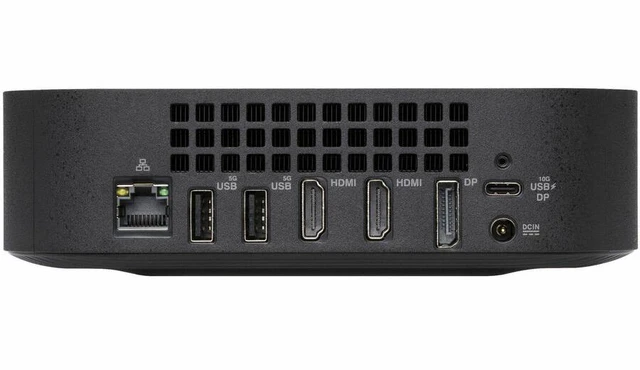
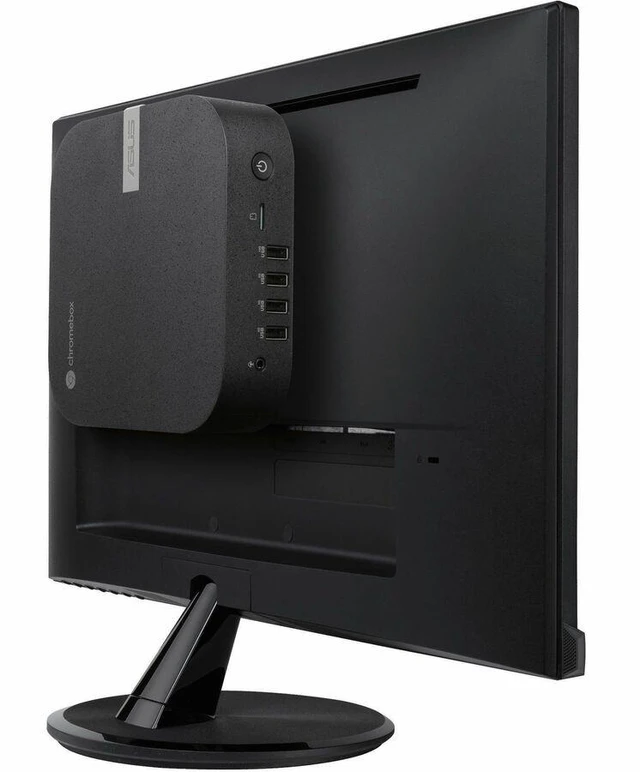
| Ports And Connectivity | 7 USB ports, including USB 3.0; USB-C, USB 3.2 Gen 2, microSD, HDMI, and DisplayPort; no USB 2.0 or Thunderbolt |
| Display And Video Outputs | No screen included; supports up to 3840 × 2160 resolution and has 2 HDMI ports |
| Networking | Wi-Fi 7 (802.11be), Bluetooth, and Ethernet/LAN connectivity |
| Form Factor And Dimensions | Ultra-small mini PC in Eco Black, measuring 6.56 × 6.53 × 1.81 inches and weighing 1.76 lb |
| Power And Included Items | 90 W power consumption; includes a VESA mount, AC adapter, and power cord |
| Operating System | ChromeOS |
| Model Identifiers | ASUS Chromebox 6a, model and part number CHROMEBOX6a-S3082UN |
Q: Should I choose the ASUS Chromebox 6a with Core 3 100U or a Core 5/Core 7 configuration?
A: Choose this Core 3 100U configuration for everyday ChromeOS use such as web browsing, documents, and video calls. A Core 5 120U or Core 7 150U configuration is the step-up choice when you want a higher processor tier for more demanding or intensive multitasking. The configurations share the Chromebox 6a platform, including Wi-Fi 7 and support for up to four 4K displays.
Q: ASUS Chromebox 6a vs Chromebox 5a: which is the newer platform?
A: The ASUS Chromebox 6a is the newer platform, with Core 3 100U, Core 5 120U, or Core 7 150U processor options, DDR5 memory, and Wi-Fi 7. The Chromebox 5a uses 13th-generation Intel Core or Celeron options and DDR4 memory, with Wi-Fi 6E. Choose the 6a for its newer processor and connectivity platform; the 5a remains an option if its configuration better matches your needs.
Q: Is the ASUS Chromebox 6a with 8GB RAM and 256GB SSD enough, or should I get more memory and storage?
A: This configuration pairs 8GB of DDR5-5600 memory with a 256GB PCIe 4.0 NVMe SSD. It is a practical fit for everyday ChromeOS work and a moderate collection of local files. Choose a Chromebox 6a configuration with more memory or a larger SSD if you expect to keep more files locally or run a heavier multitasking workload.
Q: Does this Chromebox come with a monitor?
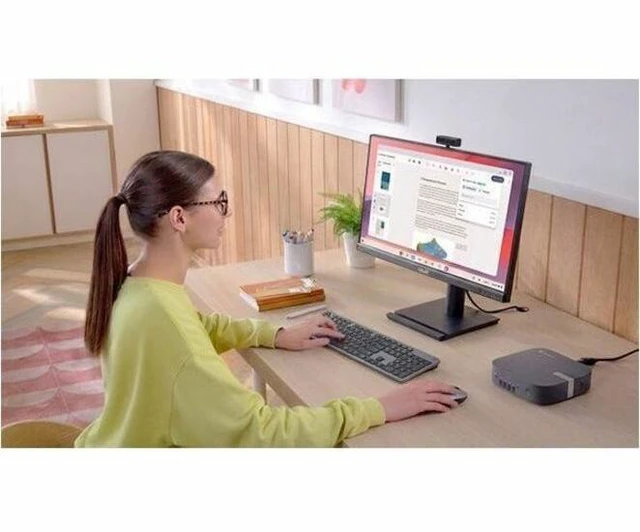
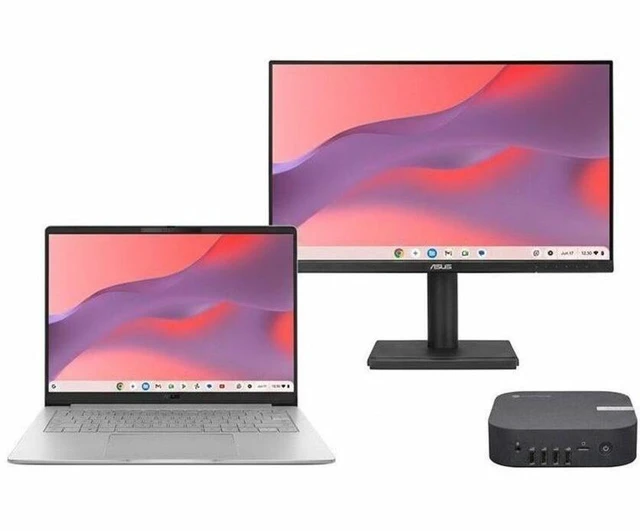
A: No. The ASUS Chromebox 6a has no built-in screen, and its monitor is not included. You’ll need a separate display, plus a keyboard and mouse, to use it as a desktop.
Q: Is it suitable for everyday office work and video meetings?
A: It is suited to ChromeOS-compatible tasks such as web browsing, email, and browser-based office work. The 8 GB of memory and Core 3 100U processor are the listed configuration. Because it has no screen, plan on connecting a monitor; a webcam and microphone may also be needed for video meetings.
Q: Can it run Windows programs?
A: It runs ChromeOS, so don’t assume Windows-only desktop programs will work. Check that the apps you rely on have a ChromeOS-compatible web or app version before buying.
Q: Is this a good travel work device?
A: It is a compact desktop, not a self-contained travel computer: it has no screen, so you’ll need access to an external monitor and a power outlet wherever you use it. It is a better fit for a fixed desk or a setup where those accessories are already available.

