


 All CategoriesAll CategoriesAll Categories
Shipped by Newegg




| Brand | DELL |
|---|---|
| Part Number | 8RPKW |
| Type | Business Desktops & Workstations |
|---|---|
| Form Factor | Mini PC |
| Operating System | Windows 11 Pro |
| Windows 11 | Yes |
| CPU Type | Intel Core i5 |
|---|---|
| CPU Name | Intel Core i5-14500T (14 cores, up to 4.8GHz) |
| GPU/VGA Type | Intel Integrated Graphics |
|---|
| Memory Capacity | 16 GB DDR5 (1 x 16 GB) up to 4800 MT/s non-ECC |
|---|
| SSD | 512 GB SSD |
|---|
| Optical Drive Type | None |
|---|
| Screen Size | No Screen |
|---|
| First Listed on Newegg | August 21, 2026 |
|---|
Warranty Notice:
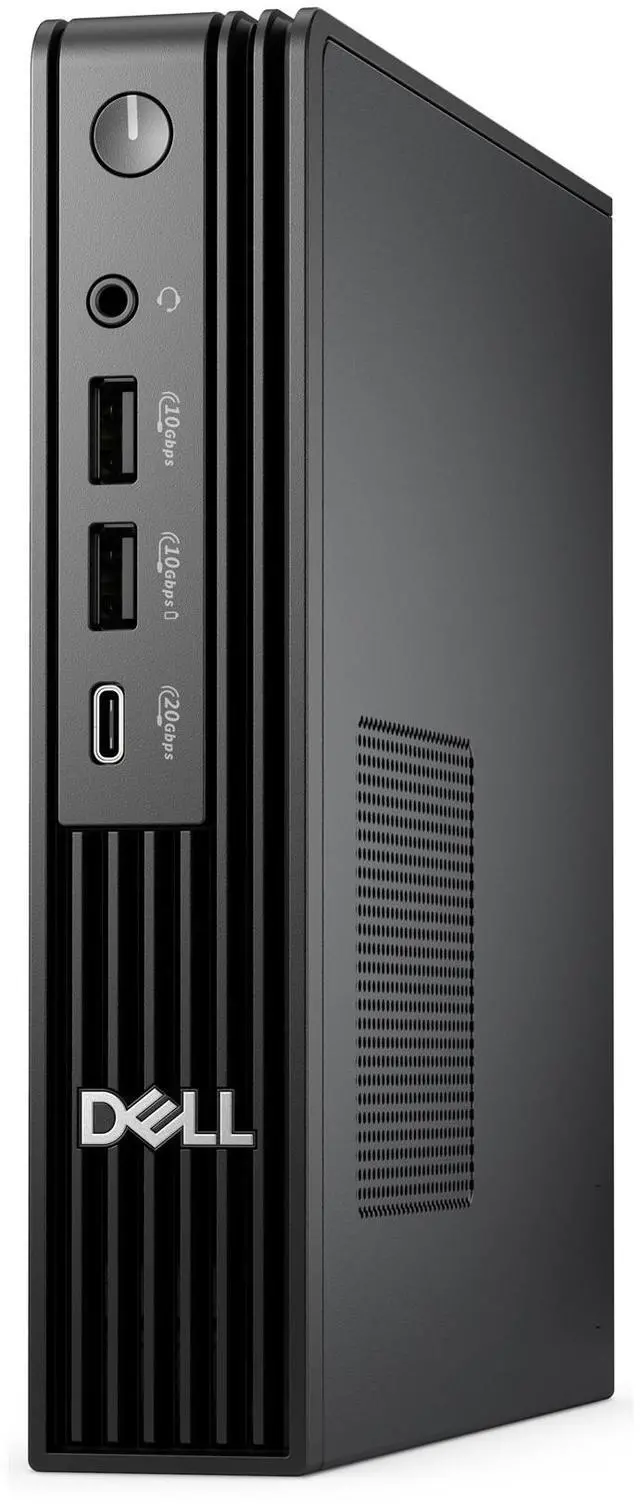
This product does not include manufacturer warranty when purchased or used outside of its designated sales region. By purchasing internationally, you acknowledge that warranty support from the manufacturer will not be available.The Dell Pro Micro QCM1250 is a compact business desktop with an Intel Core i5-14500T processor, 16GB of DDR5 memory, a 512GB SSD, and Windows 11 Pro, suited to office work, multitasking, and business deployments that need a small footprint.
| Attribute | Value |
|---|---|
| Best For | Compact business desktop use with Windows 11 Pro, a 14-core Intel processor, integrated graphics, and 16 GB of memory |
| Processor And Core Count | Intel Core i5-14500T with 14 cores and speeds up to 4.8 GHz |
| Graphics | Intel integrated graphics |
| Memory | 16 GB DDR5 (1 × 16 GB), up to 4800 MT/s, non-ECC |
| Storage | 512 GB SSD |
| Operating System | Windows 11 Pro |
| Form Factor And Included Hardware | Mini PC; no screen or optical drive included |
| Model Identifiers | Dell Pro Micro QCM1250; part number 8RPKW |
Q: Dell Pro Micro QCM1250 vs. Pro Micro Plus QBM1250: which should I choose?
A: Choose this QCM1250 configuration for a compact business desktop with a 14-core Intel Core i5-14500T, 16GB memory, and a 512GB SSD. Choose the QBM1250 Pro Micro Plus when its optional Thunderbolt 4 module or other configurable connectivity options are a priority.
Q: Should I get this QCM1250 with the Core i5-14500T or the Core i3-14100T version?
A: Choose the i5-14500T configuration when you want more capacity for multitasking: it has 14 cores, compared with 4 cores in the QCM1250’s i3-14100T option. The i3 configuration is the lower-tier processor choice within the same compact desktop family.
Q: Is the QCM1250 with Core i5-14500T or Core i7-14700T the better fit?
A: Choose this i5-14500T configuration for a balanced 14-core setup with 16GB memory and a 512GB SSD. Choose a QCM1250 with the i7-14700T when your work benefits from more processor parallelism: that option has 20 cores and 28 threads.
Q: Is this desktop suitable for everyday office work and video meetings?
A: It is configured for typical office tasks, with a 14-core Intel Core i5-14500T, 16GB of DDR5 memory, a 512GB SSD, and Windows 11 Pro. It is a desktop with no screen, so you will need a monitor and any meeting peripherals you require; a webcam and microphone are not listed in the product details.
Q: Does it come with a monitor, and how can I connect one?
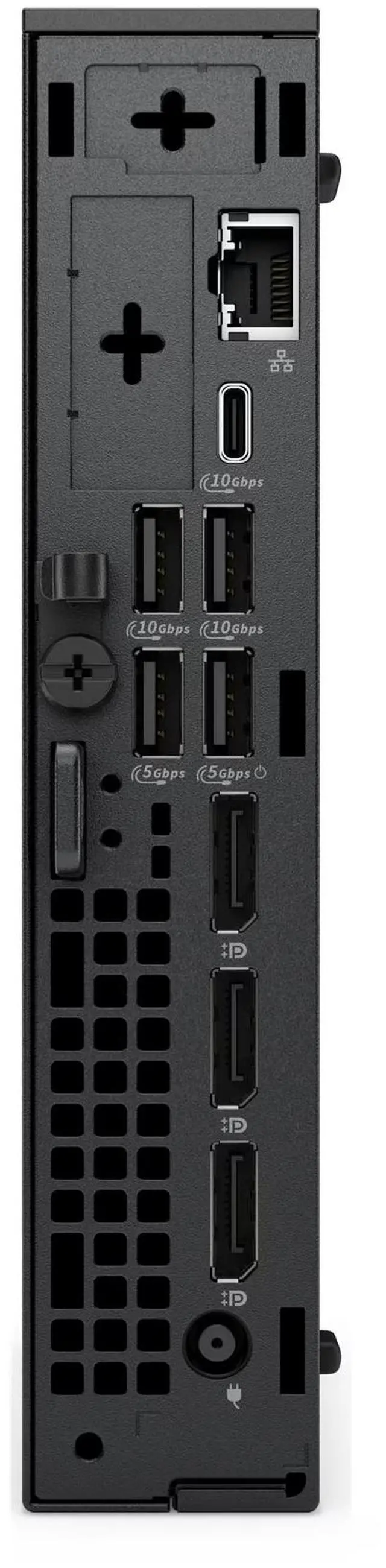
A: No monitor is included. The product listing identifies the unit as having no screen. Dell’s system documentation lists HDMI and DisplayPort video outputs for the QCM1250; check the exact unit’s configuration and your monitor’s inputs when choosing a cable.
Q: Is this mini desktop good for gaming?
A: It has Intel integrated graphics rather than a listed dedicated graphics card, so it is better suited to office and everyday computing than graphics-intensive gaming. Game performance depends on the title and settings; the product details do not provide gaming benchmarks.
Q: Can I upgrade the memory later?
A: This configuration comes with 16GB of DDR5 memory as one 16GB module. The listing does not specify the maximum supported memory or confirm an upgrade limit, so check Dell’s documentation for this exact configuration before purchasing additional memory.
Q: Is the Dell Pro Micro QCM1250 suitable for a homelab or network testing?
A: It is a plausible fit for network testing and light homelab tasks: a QCM1250 owner reports using the system for networking tests, Docker, containers, and a VirtualBox VM. That report is one user’s experience, not a guarantee of performance for every workload.
Q: Is 16GB of RAM enough for containers and a virtual machine?
A: One QCM1250 owner used 16GB for networking tests, Docker, containers, and a VirtualBox VM after upgrading from 8GB. This supports 16GB as a workable starting point for similar use, but heavier or multiple VMs may need more memory.
Q: Is the Dell Pro Micro QCM1250 worth buying?
A: It depends on the price. In a QCM1250 discussion, a buyer’s reported price of AUD 1,205 drew comments calling it expensive and comparing it with cheaper mini PCs. The product data provided here does not include a price, so value cannot be determined without comparing the actual offer with alternatives.