


 All CategoriesAll CategoriesAll Categories
Shipped by Newegg


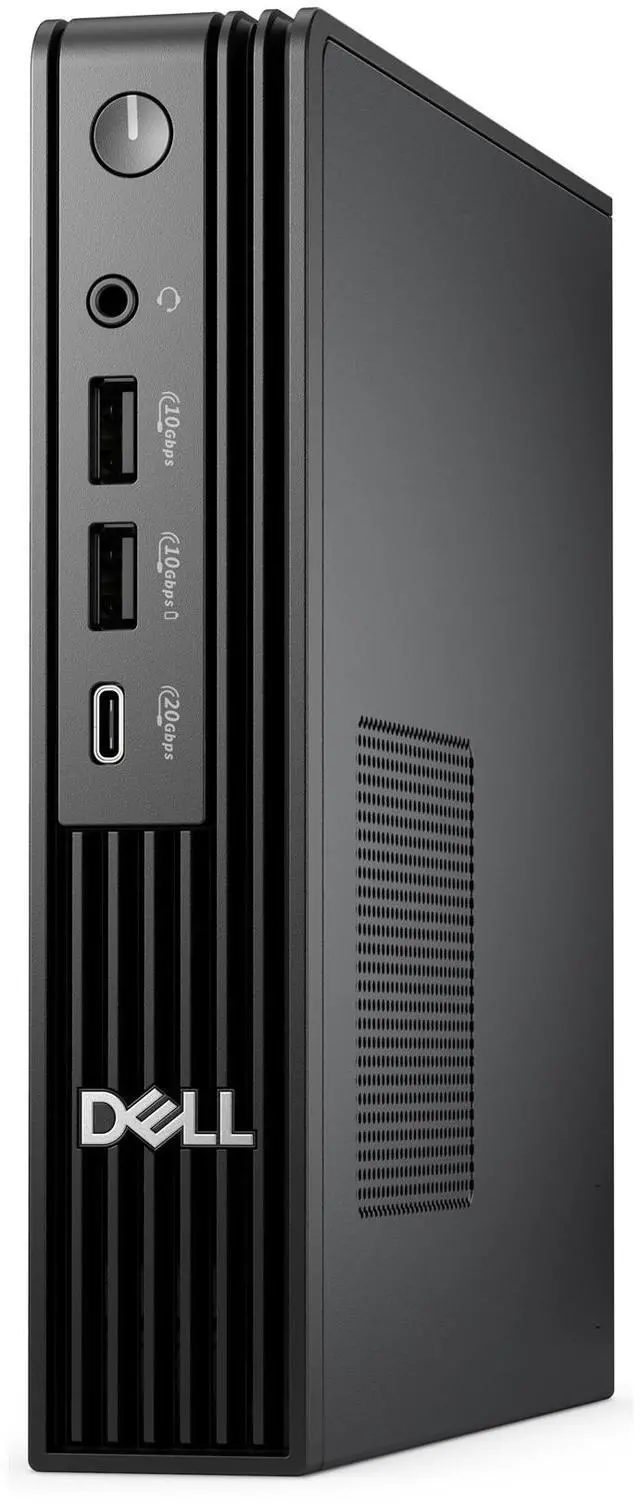
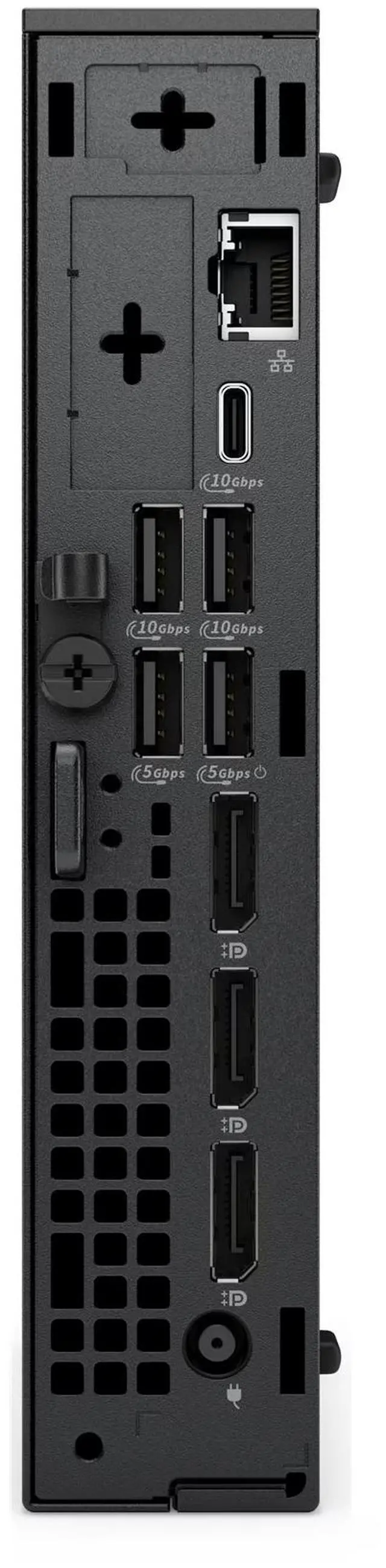


| Brand | DELL |
|---|---|
| Part Number | N2H04 |
| Type | Business Desktops & Workstations |
|---|---|
| Form Factor | Mini PC |
| Operating System | Windows 11 Pro |
| Windows 11 | Yes |
| CPU Type | Intel Core i7 |
|---|---|
| CPU Name | Intel Core i7-14700T (20 cores, up to 5.0GHz) |
| GPU/VGA Type | Intel Integrated Graphics |
|---|
| Memory Capacity | 16 GB DDR5 (1 x 16 GB) up to 5600 MT/s non-ECC |
|---|
| SSD | 512 GB SSD TLC |
|---|
| Optical Drive Type | None |
|---|
| Screen Size | No Screen |
|---|
| First Listed on Newegg | August 21, 2026 |
|---|
Warranty Notice:
This product does not include manufacturer warranty when purchased or used outside of its designated sales region. By purchasing internationally, you acknowledge that warranty support from the manufacturer will not be available.The Dell Pro Micro QCM1250 is a compact business desktop with a 20-core Intel Core i7-14700T, 16GB DDR5 memory, a 512GB SSD, and Windows 11 Pro, suited to office work and multitasking where a small footprint matters.
| Attribute | Value |
|---|---|
| Best For | Compact business desktop computing in a mini PC form factor |
| Processor | Intel Core i7-14700T with 20 cores and speeds up to 5.0GHz |
| Graphics | Intel Integrated Graphics |
| Memory | 16 GB DDR5 (1 x 16 GB), up to 5600 MT/s, non-ECC |
| Storage | 512 GB TLC SSD |
| Operating System | Windows 11 Pro |
| Display And Optical Drive | No screen; no optical drive |
| Model Identifiers | Dell, part number N2H04 |
Q: Dell Pro Micro QCM1250 i7-14700T vs i5-14500T: which configuration should I choose?
A: Choose the QCM1250 with the i7-14700T when you want more processor cores for workloads that benefit from parallel processing: it has 20 cores, compared with 14 in the i5-14500T. Choose the i5-14500T configuration for a 14-core option in the same compact desktop line. The Newegg-listed i7 model includes 16GB memory and a 512GB SSD.
Q: Should I get the QCM1250 with the i7-14700T or Core Ultra 7 265T?
A: Choose the Core Ultra 7 265T configuration if you want an integrated NPU for AI workloads: Dell lists up to 13 TOPS of NPU performance for that processor. Choose the i7-14700T configuration if you prefer that specific processor; Dell lists both options with 20 cores. The Newegg-listed i7 model has 16GB memory and a 512GB SSD, while Dell’s listed Ultra 7 configuration has 32GB memory and a 512GB SSD.
Q: QCM1250 i7-14700T vs Core Ultra 5 235T: which one fits an office mini PC better?
A: Choose the i7-14700T when processor core count is the priority: Dell lists 20 cores for the i7-14700T and 14 for the Ultra 5 235T. Choose the Ultra 5 235T when you want an NPU for supported AI workloads; Dell lists up to 13 TOPS of NPU performance for that processor. Both are 35W processor options for the QCM1250.
Q: Is this mini desktop suitable for office work and multitasking?
A: Yes. Its 20-core Intel Core i7 processor, 16GB of DDR5 memory, 512GB SSD, and Windows 11 Pro make it suitable for typical office productivity and multitasking. It has no screen, and a webcam and microphone are not specified, so plan for any meeting peripherals you need.
Q: Does it come with a monitor?
A: No. The product information lists no screen, so you will need a separate display. The listed configuration also does not specify a keyboard, mouse, webcam, or microphone.
Q: Can it handle gaming?
A: It has Intel integrated graphics, not a listed dedicated graphics card. It may suit light graphics workloads, but the product information does not establish performance for specific games; check each game’s requirements before buying if gaming is a priority.
Q: Can I upgrade the memory or storage later?
A: The listed configuration has one 16GB DDR5 memory module and a 512GB SSD, but the provided product information does not confirm upgrade limits or compatibility. Verify the supported upgrades for the exact unit before purchasing parts.
Q: Is the Dell Pro Micro QCM1250 suitable for office work and remote access?
A: It is a compact Windows 11 Pro desktop, and one Reddit user said their workplace issued QCM1250 units for remoting into the office. That supports office and remote-access use, but the post does not establish performance for every workload.
Q: Can the QCM1250 drive two 1440p monitors at full resolution?
A: A QCM1250 owner reported resolution problems with two 1440p monitors connected by HDMI, while another commenter asked whether two 1440p displays were possible. The discussion does not confirm a fix; check the exact unit’s available ports and display setup before buying for this use.
Q: Is the QCM1250’s fan noise a concern for a quiet desk setup?
A: Some Reddit users describe a continuously running fan on the QCM1250, including a commenter who said the same issue occurred on their unit. These are individual reports, not a guarantee that every machine will behave the same; consider them if low noise is important.