


 All CategoriesAll CategoriesAll Categories
Shipped by Newegg




Warranty Notice:
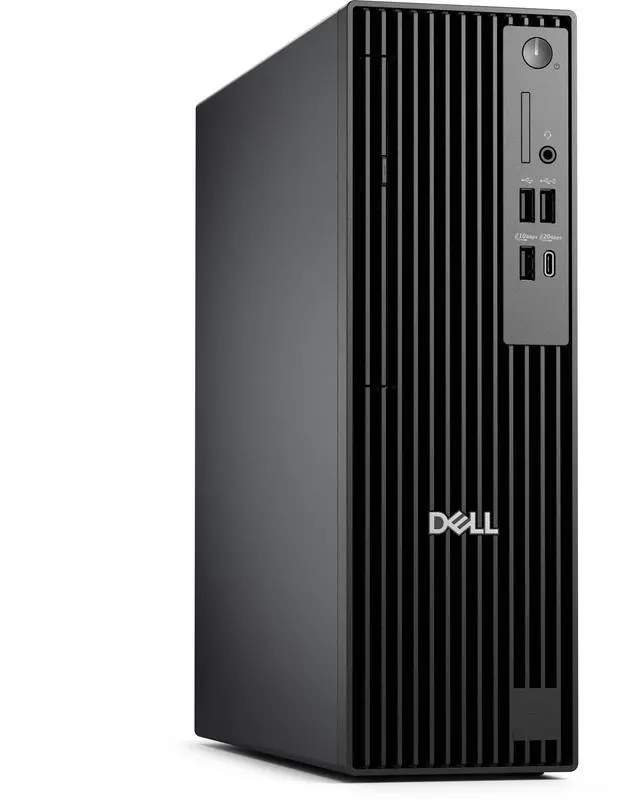
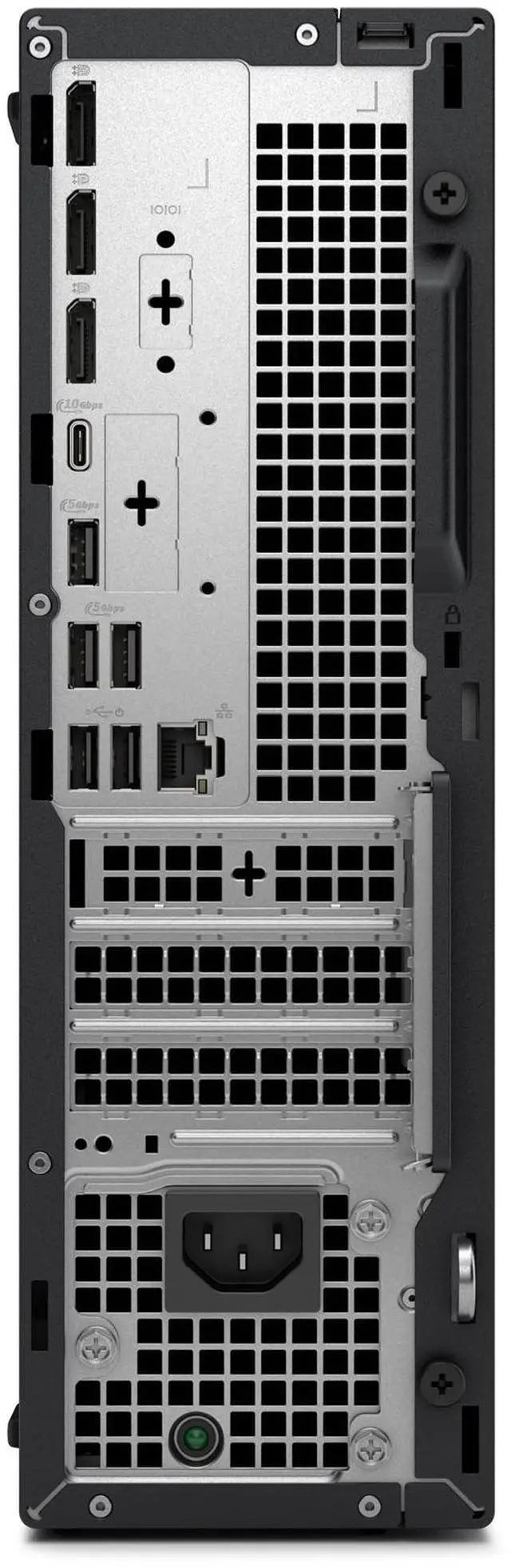
This product does not include manufacturer warranty when purchased or used outside of its designated sales region. By purchasing internationally, you acknowledge that warranty support from the manufacturer will not be available.The Dell Pro Slim Desktop is a compact business PC with an Intel Core i5-14500 vPro processor, 16GB of DDR5 memory, a 512GB SSD, and Windows 11 Pro, suited to office productivity and everyday business multitasking in space-conscious workspaces.
| Attribute | Value |
|---|---|
| Best For | Business desktop use in a slim, space-conscious setup, with an Intel Core i5 vPro processor, integrated graphics, and Windows 11 Pro |
| Processor And Core Count | Intel Core i5-14500 vPro with 14 cores and speeds up to 5.0 GHz |
| Graphics | Intel integrated graphics |
| Memory Configuration | 16 GB DDR5 (1 × 16 GB), up to 4800 MT/s, non-ECC |
| Storage | 512 GB SSD |
| Operating System | Windows 11 Pro |
| Chassis And Display | Slim/small form factor desktop with no screen |
| Optical Drive | None |
| Model Identifiers | Dell, part number 47VJ6 |
Q: Dell Pro Slim i5-14500 vs. i3-14100: which configuration should I choose?
A: Choose the i5-14500 configuration for heavier multitasking and business workloads: it has 14 cores, compared with 4 cores in the i3-14100 option. The i3 configuration is a fit for everyday desktop tasks, while this i5 model offers more processor resources.
Q: Should I choose the Dell Pro Slim with an i5-14500 or upgrade to Core Ultra 7 265?
A: Choose this i5-14500 configuration for a 14-core business desktop with 16GB of memory and a 512GB SSD. The Core Ultra 7 265 option has 20 cores and is the step-up choice in Dell’s Pro Slim lineup for buyers seeking a higher processor tier and Core Ultra Series 2 features.
Q: Dell Pro Slim vs. Dell Pro Tower Plus: which fits a compact office setup?
A: Choose the Dell Pro Slim when a space-saving desktop with the i5-14500, 16GB of memory, and integrated graphics matches your office needs. The Dell Pro Tower Plus is positioned for configurations prioritizing expanded capacity, with options up to 128GB of memory and NVIDIA GeForce RTX graphics.
Q: Is the Dell Pro Slim with 16GB RAM enough, or should I choose a 32GB configuration?
A: The listed 16GB configuration is a practical choice for everyday business computing and general multitasking. Choose 32GB if your regular work involves keeping more applications or larger files open at once; Dell offers 32GB configurations for the Pro Slim.
Q: Is this desktop suitable for everyday office work?
A: Yes. The listed Intel Core i5-14500 vPro, 16 GB of memory, and 512 GB SSD are suited to routine office tasks such as documents, web browsing, and multitasking. It has integrated graphics, so it is not a dedicated graphics workstation. The computer has no built-in screen; a separate monitor is needed.
Q: Does it come with a monitor?
A: The product is listed with no screen, so it does not have a built-in display. The provided product information does not confirm whether an external monitor or other accessories are included; check the package details before ordering.
Q: Does it have built-in Wi-Fi?
A: The provided specifications do not confirm Wi-Fi availability. They also state that the Wi-Fi module may vary by configuration, so verify the exact unit’s wireless connectivity before buying.
Q: Is it a good choice for gaming or graphics-heavy work?
A: It uses Intel integrated graphics rather than a listed dedicated graphics card. It is better suited to everyday display and office tasks than demanding gaming or graphics-heavy workloads; check the specific software’s graphics requirements before buying.
Q: Is the Dell Pro Slim suitable for everyday office work?
A: It appears well suited to typical office tasks: the listed configuration has a 14-core Core i5-14500, 16 GB of memory, a 512 GB SSD, and Windows 11 Pro. A Reddit discussion about choosing desktops for light web, email, and document work also considered a Dell Pro Slim as an office PC. The listing does not specify a display, so you will need a separate monitor.
Q: Could this Dell Pro Slim work as a home server or homelab PC?
A: A Reddit owner described a Dell Pro Slim with the same i5-14500, 16 GB memory, and 512 GB storage as suitable for homelab or always-on uses. This listing has those core specifications, but check the exact configuration and connectivity for your intended server tasks; component configurations may vary.
Q: Can I add a graphics card to the Dell Pro Slim?
A: The listed configuration specifies integrated graphics, but that alone does not confirm which add-in cards the system supports. Reddit discussion about a Pro Slim graphics upgrade highlights checking card compatibility, dimensions, and power requirements. Verify those details for the exact unit before buying a card, especially because this listing notes that components may vary.
Q: Does the vPro processor listing guarantee that vPro management features are enabled?
A: Not necessarily. A Reddit discussion reports that having a vPro-capable processor may not mean the purchased system has vPro functionality enabled. Confirm the exact configuration and included management features with the seller before buying if vPro is a requirement.