


 All CategoriesAll CategoriesAll Categories
Shipped by Newegg




Warranty Notice:
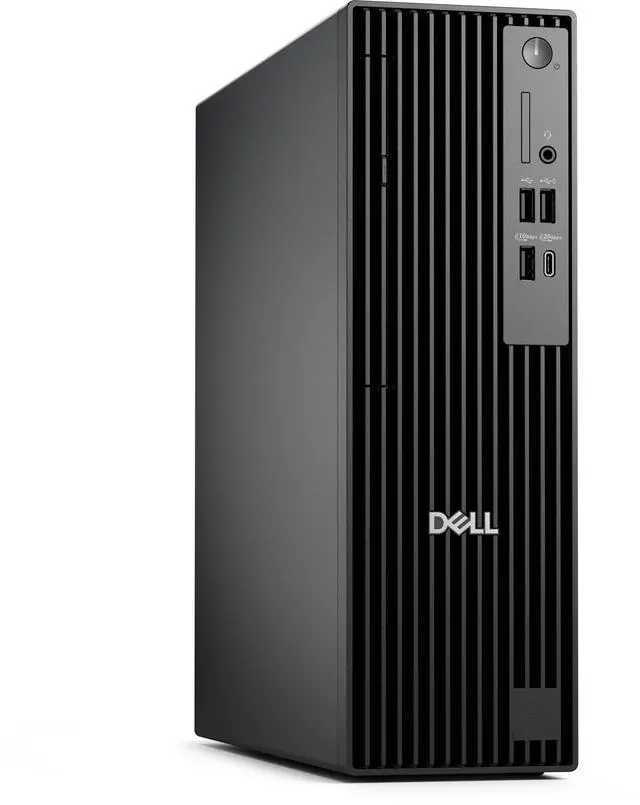
This product does not include manufacturer warranty when purchased or used outside of its designated sales region. By purchasing internationally, you acknowledge that warranty support from the manufacturer will not be available.The Dell Pro Slim QCS1250 is a compact business desktop with an Intel Core i5-14500 vPro processor, 16GB DDR5 memory, a 256GB SSD, and Windows 11 Pro, suited to business users who need a slim PC for everyday office and productivity tasks.
| Attribute | Value |
|---|---|
| Best For | Business desktop use, with an Intel Core i5 processor, 16 GB of memory, and a 256 GB SSD |
| Processor | Intel Core i5-14500 vPro with 14 cores and speeds up to 5.0 GHz |
| Memory | 16 GB DDR5 (1 × 16 GB), up to 4800 MT/s, non-ECC |
| Storage And Optical Drive | 256 GB TLC SSD; no optical drive |
| Graphics And Display | Intel integrated graphics; no screen included |
| Operating System | Windows 11 Pro |
| Form Factor | Slim/Small Form Factor |
| Model Identifiers | Dell Pro Slim QCS1250; part number GDJNT |
Q: Should I choose the Dell Pro Slim QCS1250 with an i5-14500 or an i3-14100?
A: Choose this i5-14500 configuration for more demanding multitasking and processor-heavy office work: it has 14 cores, compared with 4 cores in the QCS1250’s i3-14100 option. The i3 configuration is a lower-tier choice for lighter everyday workloads.
Q: Is the Dell Pro Slim QCS1250 i5-14500 a good middle option compared with the i7-14700?
A: The i5-14500 configuration in this listing provides 14 cores and is a balanced choice for business productivity and multitasking. The QCS1250’s i7-14700 option has 20 cores, making it the higher-tier configuration for workloads that can benefit from additional processor capacity.
Q: Should I get this Dell Pro Slim QCS1250 with 256GB SSD or a 512GB configuration?
A: Choose the 256GB configuration for Windows 11 Pro, core applications, and a modest local file library. A 512GB configuration provides twice the listed storage capacity and is a better fit if you expect to keep more applications and files on the desktop.
Q: Is the Dell Pro Slim QCS1250 i5-14500 a step up from the QCS1250 with an i3-14100 for multitasking?
A: Yes. The i5-14500 has 14 cores, while the i3-14100 option has 4, so this i5 configuration offers more processor resources for running multiple demanding tasks. Both are available in the QCS1250 desktop line.
Q: Is this desktop suitable for everyday office work?
A: Yes. Its 14-core Intel Core i5-14500 vPro processor, 16GB of DDR5 memory, and Windows 11 Pro make it suitable for typical office applications, email, web browsing, and multitasking. The 256GB SSD provides limited room for large local file collections, and the integrated graphics are not designed for graphics-intensive workloads.
Q: Does it come with a monitor?
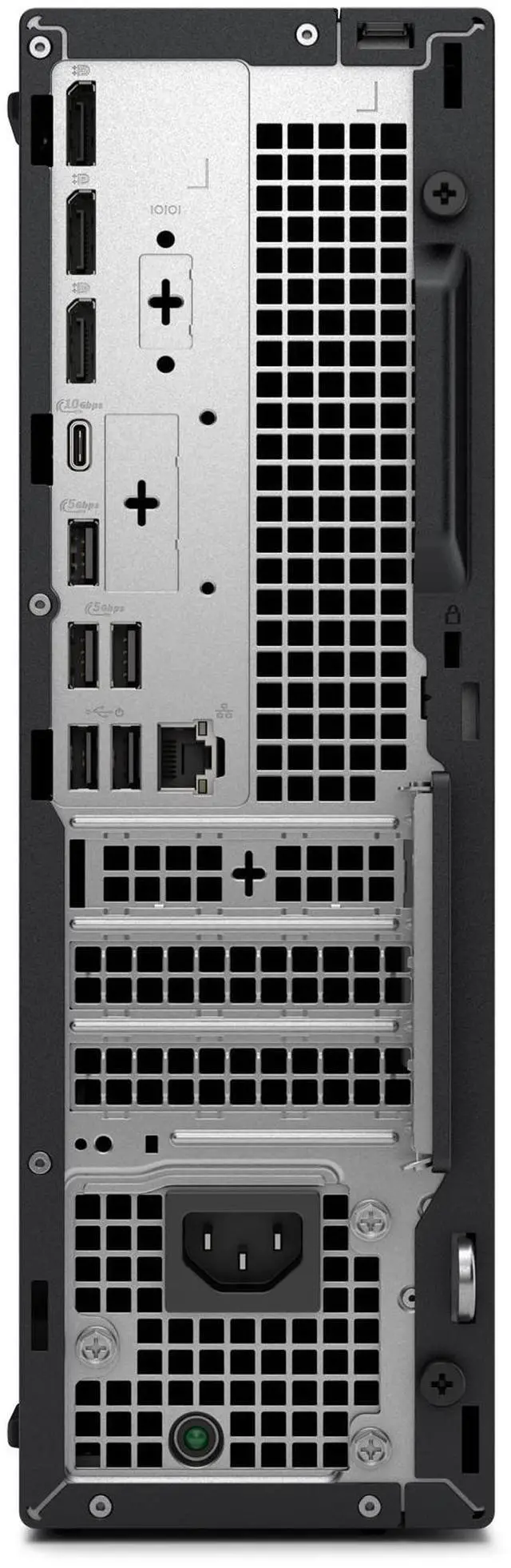
A: No. The listed configuration has no screen, so plan to provide a separate monitor. Check the product’s confirmed port configuration before choosing a display or cable.
Q: Can I upgrade the memory or storage later?
A: The listed configuration has one 16GB DDR5 memory module and a 256GB SSD, but the provided information does not confirm available slots, maximum memory, or storage expansion options. Confirm the exact unit’s configuration and upgrade limits before buying parts.
Q: Is it a good choice for demanding games or graphics-heavy work?
A: It has Intel integrated graphics and no dedicated graphics card listed. It is not the safest choice for demanding games or graphics-heavy work; check the specific software’s graphics requirements before buying.
Q: Can I add a graphics card to the Dell Pro Slim QCS1250?
A: The listed configuration uses integrated graphics and does not include a discrete GPU. Reddit discussions about QCS1250 graphics upgrades flag card fit and power limits as considerations, so check the exact chassis, power supply, slot, and Dell-supported card requirements before buying an upgrade.
Q: Can I expand the internal storage later?
A: The listed model includes a 256 GB SSD, but the product data does not confirm extra drive bays, cables, or storage connectors for this specific unit. A Reddit owner reported that bay availability and parts can depend on the ordered configuration, so verify the exact system configuration before counting on an internal-drive upgrade.
Q: Is this suitable as a regular desktop or a homelab PC?
A: It has a 14-core Core i5-14500, 16 GB RAM, and Windows 11 Pro, and a QCS1250 owner described using the system as a regular desktop or homelab host. The 256 GB SSD may be limiting for large media or virtual-machine libraries, and the integrated graphics make it a poor fit for graphics-intensive workloads.