


 All CategoriesAll CategoriesAll Categories
Shipped by Newegg


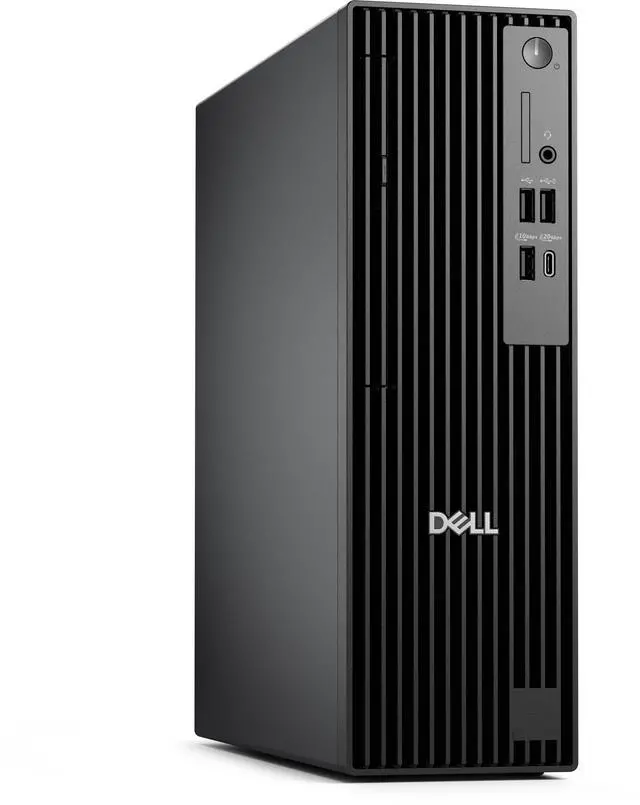
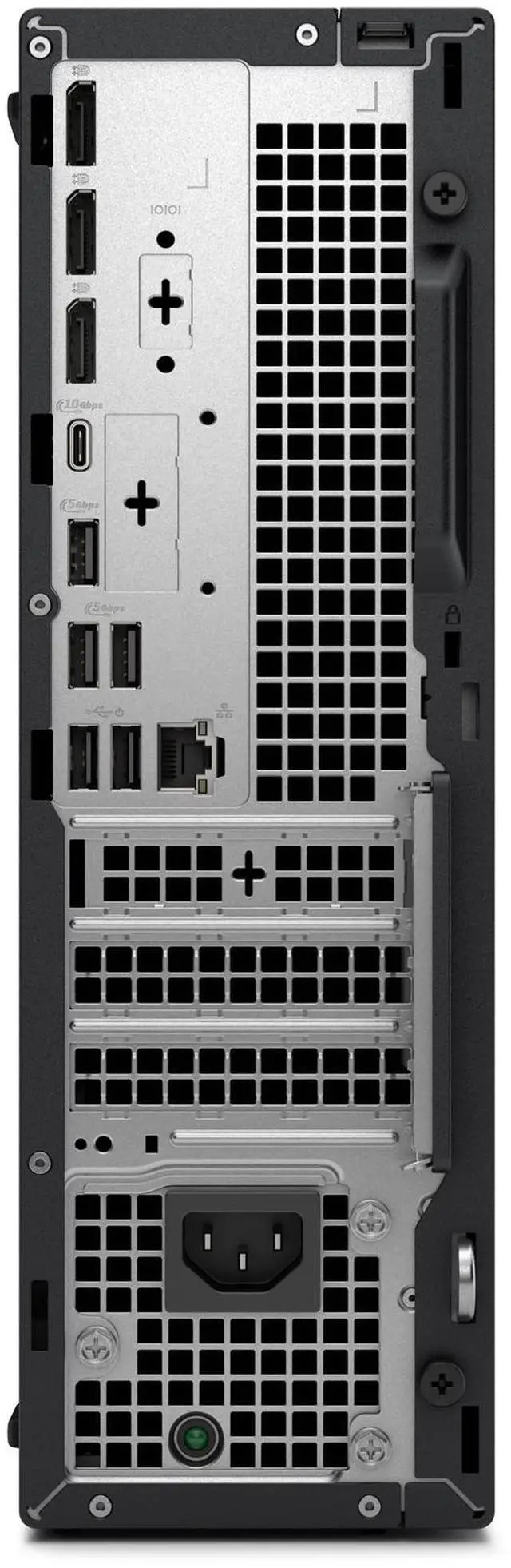


| Brand | DELL |
|---|---|
| Part Number | XFP0X |
| Type | Business Desktops & Workstations |
|---|---|
| Form Factor | Slim/Small Form Factor |
| Operating System | Windows 11 Pro |
| Windows 11 | Yes |
| CPU Type | Intel Core Ultra 7 |
|---|---|
| CPU Name | Intel Core Ultra 7 265 (13 TOPS NPU, 20 cores, up to 5.3GHz) |
| GPU/VGA Type | Intel Integrated Graphics |
|---|
| Memory Capacity | 16 GB DDR5 (1 x 16 GB) up to 5600 MT/s non-ECC |
|---|
| SSD | 512 GB SSD TLC |
|---|
| Optical Drive Type | None |
|---|
| Screen Size | No Screen |
|---|
| First Listed on Newegg | August 21, 2026 |
|---|
Warranty Notice:
This product does not include manufacturer warranty when purchased or used outside of its designated sales region. By purchasing internationally, you acknowledge that warranty support from the manufacturer will not be available.The Dell Pro Slim QCS1250 is a small-form-factor business desktop with an Intel Core Ultra 7 265, 16GB of DDR5 memory, a 512GB SSD, and Windows 11 Pro, suited to office users who want a compact PC for everyday work and multitasking.
| Attribute | Value |
|---|---|
| Best For | Business desktop use with an Intel Core Ultra 7 processor, 16 GB of DDR5 memory, and Windows 11 Pro |
| Processor And Core Count | Intel Core Ultra 7 265 with 20 cores, up to 5.3 GHz, and a 13 TOPS NPU |
| Memory Configuration | 16 GB DDR5 (1 × 16 GB), up to 5600 MT/s, non-ECC |
| Storage | 512 GB TLC SSD |
| Graphics | Intel Integrated Graphics |
| Chassis And Form Factor | Slim/Small Form Factor desktop |
| Operating System | Windows 11 Pro |
| Display And Optical Drive | No screen; no optical drive |
| Model Identifiers | Dell, part number XFP0X |
Q: Dell Pro Slim QCS1250 Core Ultra 7 265 vs. Core Ultra 5 235: which configuration should I choose?
A: Choose the QCS1250 with Core Ultra 7 265 for workloads that benefit from more processor cores: it has 20 cores and boosts up to 5.3 GHz, compared with 14 cores and up to 5.0 GHz for the Core Ultra 5 235. Both processors have a 13 TOPS NPU, so the Ultra 7 option is primarily the step-up for CPU-intensive work.
Q: Dell Pro Slim QCS1250 vs. Pro Slim Plus QBS1250: which is better for expansion?
A: Choose the Pro Slim Plus QBS1250 when you want more room for memory and internal storage upgrades. Dell lists four memory slots and support for up to 128 GB of memory for the QBS1250; the QCS1250 is the more straightforward choice when its 16 GB memory and 512 GB SSD configuration meet your needs.
Q: Dell Pro Slim QCS1250 Core Ultra 7 265 vs. OptiPlex 7020 Plus: which fits newer AI-PC features?
A: Choose the QCS1250 with Core Ultra 7 265 if you want Dell's listed Core Ultra 7 processor with a 13 TOPS NPU for supported AI workloads. The OptiPlex 7020 Plus is a 14th-generation Intel Core configuration, while the QCS1250 offers Dell's Core Ultra 200-series processor option.
Q: Is this desktop suitable for office work and multitasking?
A: Yes. Its 20-core Intel Core Ultra 7 265, 16GB of DDR5 memory, 512GB SSD, and Windows 11 Pro make it suitable for typical office work and multitasking. It is a desktop, so you will need a separate monitor and other peripherals as needed.
Q: Does it come with a monitor or a built-in camera for video meetings?
A: No monitor is included, and the product information does not list a built-in camera. You will need a separate display and, for video meetings, a webcam or a monitor with a camera.
Q: Can I upgrade the memory or storage later?
A: The listed configuration has one 16GB memory module and a 512GB SSD. Dell’s QCS1250 specifications describe two memory slots and additional storage options, but the exact components can vary by configuration; confirm compatibility and the installed parts before buying upgrades.
Q: Does it have a CD or DVD drive?
A: No optical drive is listed for this configuration. If you need to use discs, plan on a compatible external USB optical drive.
Q: Can I add a discrete graphics card to the Dell Pro Slim QCS1250?
A: Possibly, but check the exact card’s dimensions and power requirements before buying. A Reddit discussion about the QCS1250 highlights the slim chassis and single-slot clearance as considerations. This configuration lists Intel integrated graphics, and component configurations may vary, so do not assume a particular card will fit or be supported.
Q: Is the QCS1250 suitable for a homelab or Plex server?
A: It may suit a basic homelab or always-on host: a Reddit listing describes another QCS1250 configuration as suitable for Proxmox, Plex, or a low-power host. That is not a performance test of this Ultra 7 model, and this configuration has 16GB RAM, a 512GB SSD, and integrated graphics, so check whether those meet your workload’s needs.
Q: Is the QCS1250 a replacement for an OptiPlex small-form-factor desktop?
A: A Reddit resale post describes the QCS1250 as Dell’s current-generation replacement for the OptiPlex SFF line. That supports treating it as a business-desktop successor, but the post is not a detailed comparison; confirm the ports, expansion options, and included components you need for your setup.