


 All Categories

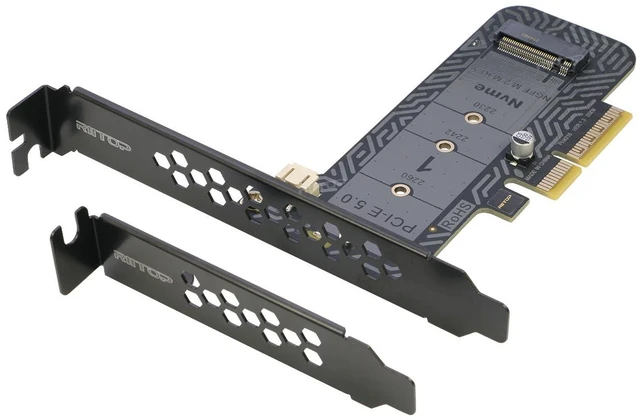
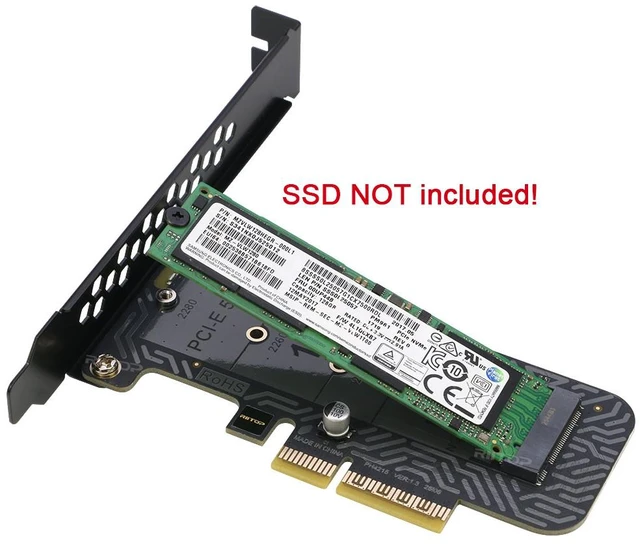


RIITOP NVMe to PCIe 5.0 x4 Expansion Adapter Card
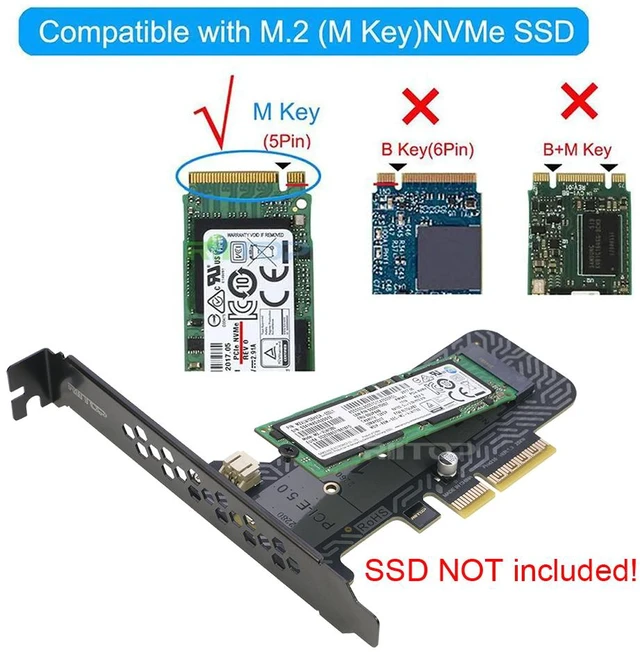
- Compatible with M Key M.2 NVMe SSDs: 80x22mm, 60x22mm and 42x22mm. Such as PM961, 970EVO, 961EVO, ect., Hardware Requirement: Available 4x/8x/16x Slot on Mainboard.
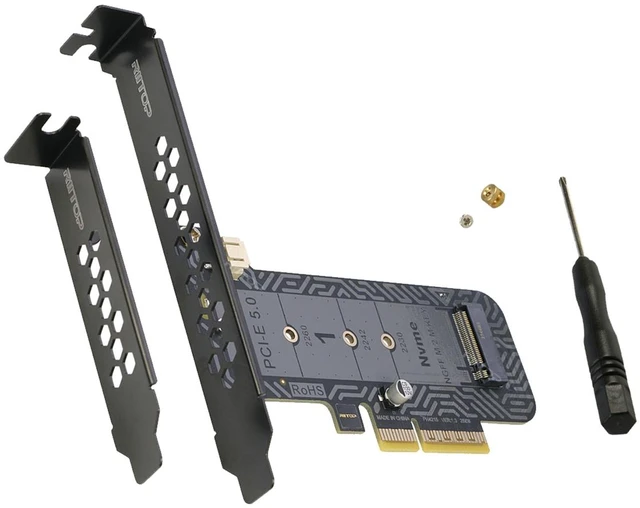
- RIITOP M.2 NVMe to PCIe 5.0 Adapter Designed with LED Indicator, Easy to Know Power and Data Transfer Status. The vented design on immersion gold PCB enhance heat dissipation of SSD. low-profile and full-profile slot brackets included
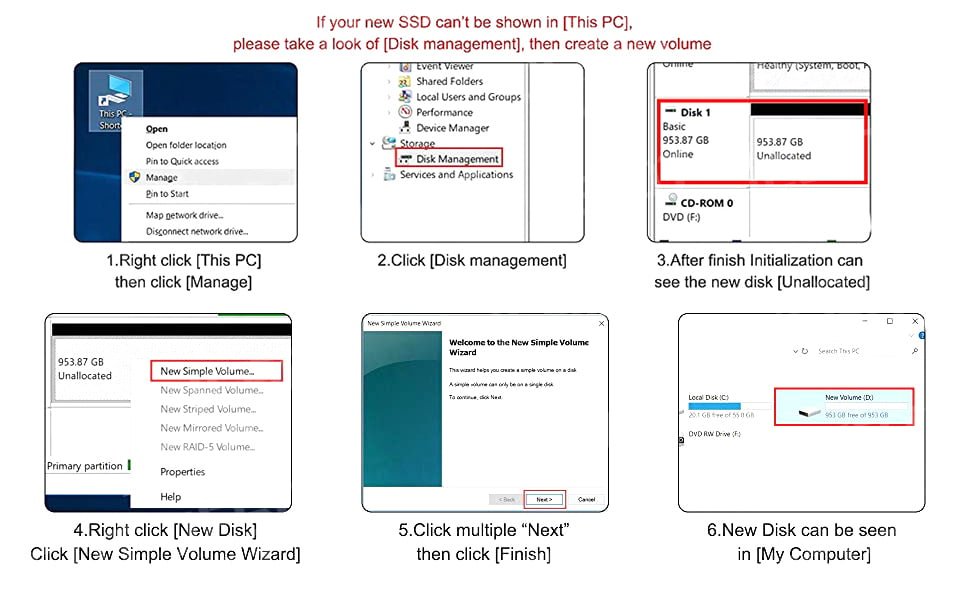
- Support Windows XP/7/8/10 /Linux, NO driver required. ( NOTE: Please visit the SSD's brand website and install the NVMe SSD's driver for Windows/Linux OS if no drives appear in the Device/Disk Management )
- Note: This M.2 SSD adapter Only support M Key NVMe SSD, DO NOT support AHCI SSD, SATA based B+M key or B Key SSD.
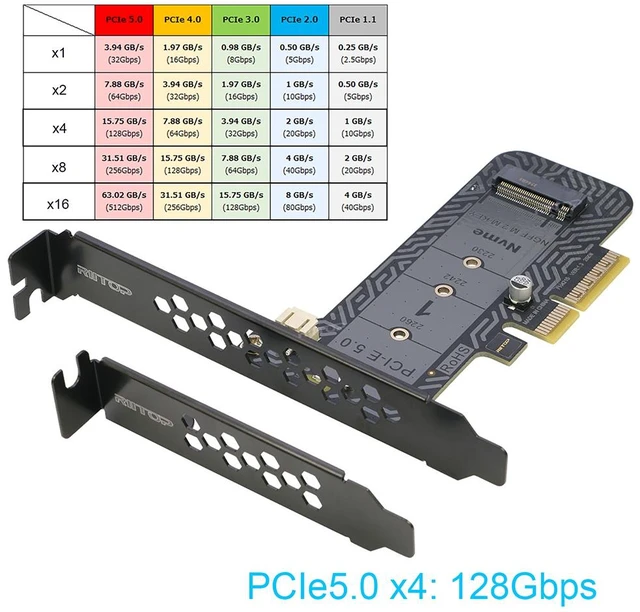
- Data transfer speed depend on the version of PCIe slot, please note.
Note:
1. Not compatible with a 'B' key M. 2 SATA SSD, only support M Key NVMe.
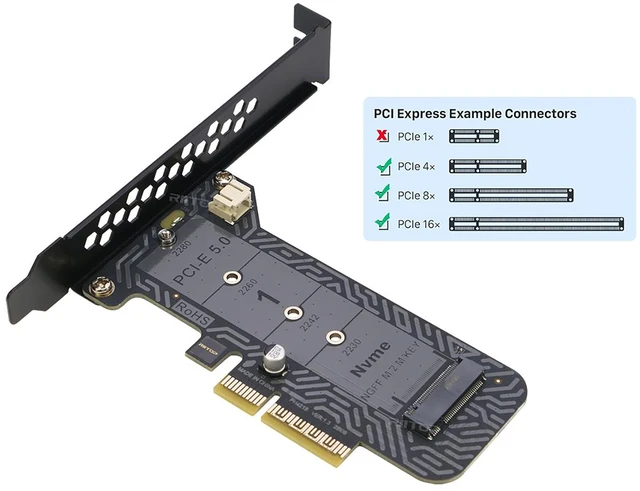
2. Need mainboard with a freedom PCI-e x4 or above slot (PCIe v 5.0 will be faster in transfering, 4.0/3.0 compliantble).
3. Mac Pro 2009, 2010 and 2012 models support PCIe-AHCI SSD only, Win7 and Windows Server 2008 R2 are NOT compatible with NVME SSD.
4. If you wish to boot off using M. 2 SSD, your motherboard needs to support it. Due to BIOS limitations, not all motherboards support booting off M. 2 SSD so please consult your motherboard manual or vendor for more details on how to enable this function.
5. M. 2 PCIe-NVMe mode SSD requires the use of Intel 9 series (Z97 H97 Z170 X99) or higher version chipset motherboard with Windows 8 or higher version operating system.
6. If add in PCI-e 2.0 slot, the transfer speed will be 16Gbps, please note that!

Compatibility:
Supports M-Key M.2 (PCIe Channel) NVMe SSDs 22x80mm, 22x60mm, 22x42mm.

Hardware Requirement:
Support PCIe 5.0 x4, x8, or x16 slot, compliant with PCIe 4.0/3.0 (Transfer speed will depend on the version of PCIe slot).
Important notice:
NOT support PCIe x1 slot, please note!

PCIe 5.0 x4 support 128Gbps data transfer speed
Support 128Gbps data transfer speed (PCIe 5.0 x4 slot), compatible with PCIe 4.0/3.0.
Transfer speed will depend on the version of PCIe slot, please note!

Installation:
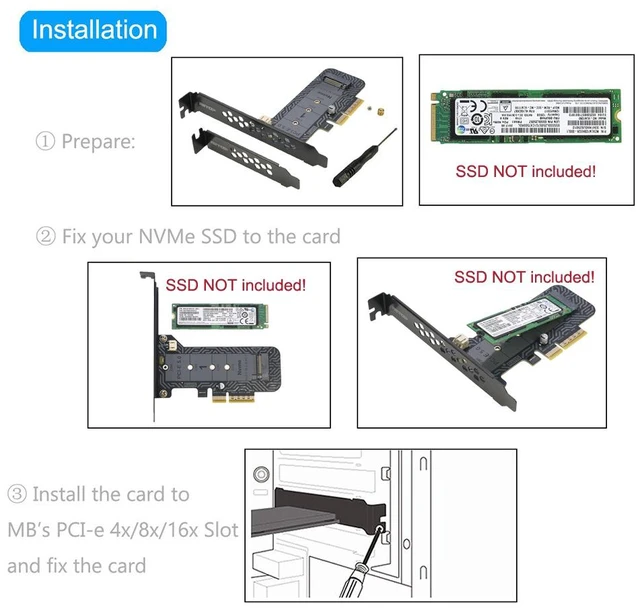
- Prepare: YOUR ssd, adapter card, screwdres and screws (come with adapter card).
- Fix your nvme ssd onto the adpater card as the pictures shown.
- Install adapter card on to your mainboard as the pictures shown.

| Products | ||||||
|---|---|---|---|---|---|---|
| Input | 1x NVMe | 2x NVMe | 1x NVMe | 1x NVMe, 1x NGFF | B-Key and M-Key | |
| Output | SATA3.0 x 6 | PCI-e 5.0 x4 | PCI-e x8 | PCI-e 5.0 x4 x8 x16 | PCI-e x4 | USB 3.1 Type A |


