


 All CategoriesAll CategoriesAll Categories
Shipped by Newegg


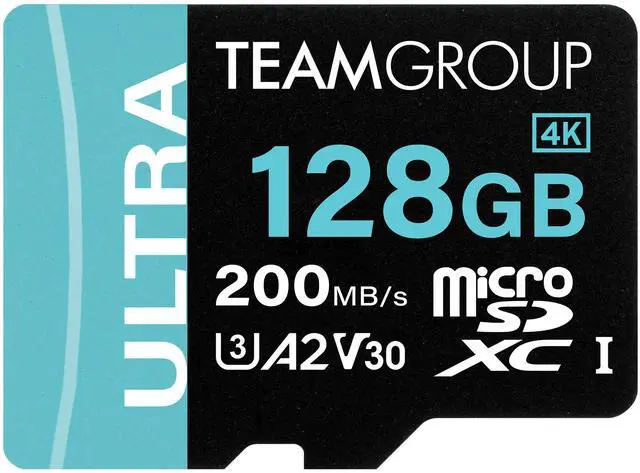
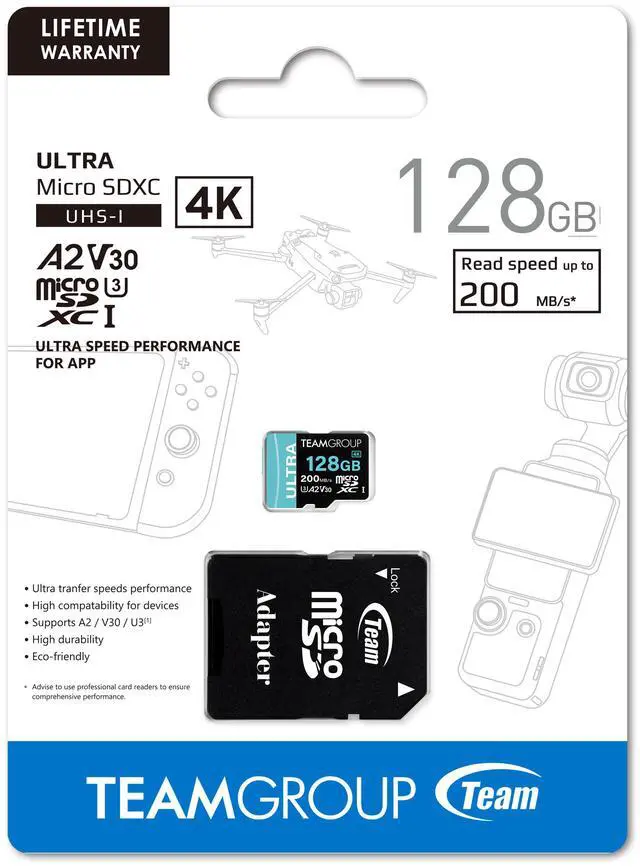


| Brand | Team |
|---|---|
| Card type | MicroSD |
| Model | TULMSDX128GIA2V3022503 |
| Type | microSDXC |
| Capacity | 128GB |
|---|---|
| Speed Class Rating | A2 / U3 / UHS-I / V30 |
| Read Speed | Up to 200MB/s |
| Features | Ultra-Fast 200 MB/s Transfer Speed Massive Storage Space Supports A2 / U3 / V30 Standards High Compatibility for All Your Devices Comprehensive Data Protection Eco-Friendly Ink for a Greener Planet |
|---|
| First Listed on Newegg | June 07, 2025 |
|---|
Warranty Notice:
This product does not include manufacturer warranty when purchased or used outside of its designated sales region. By purchasing internationally, you acknowledge that warranty support from the manufacturer will not be available.Team’s 128GB microSDXC memory card is a portable storage upgrade for Nintendo Switch, Steam Deck, and ROG Ally users, with A2, U3, UHS-I, and V30 ratings and read speeds up to 200MB/s.
| Attribute | Value |
|---|---|
| Best For | Expanding storage on smartphones, tablets, and gaming consoles, with 128GB capacity and A2/U3/UHS-I/V30 speed ratings |
| Capacity | 128GB |
| Interface And Form Factor | microSDXC memory card |
| Speed Class And Performance | A2, U3, UHS-I, V30, and Class 10 ratings; read speed up to 200MB/s |
| Compatibility | Compatible with smartphones, tablets, and gaming consoles |
| Protection | Waterproof |
| Model Identifiers | Team Ultra; model TULMSDX128GIA2V3022503 |
Q: Can I use the Team 128GB Ultra card in a Nintendo Switch or Switch 2?
A: It is a microSDXC UHS-I card, so it is compatible with the original Nintendo Switch, Switch Lite, and Switch OLED. It is not the card format required for Switch 2 game storage: Nintendo says Switch 2 requires microSD Express cards. Choose this Team card for an original Switch; choose a microSD Express card for Switch 2.
Q: Team 128GB Ultra vs. SanDisk Extreme 128GB: which should I buy?
A: Both are A2, U3, V30 UHS-I cards, so their key speed-class ratings are similar. Team advertises up to 200 MB/s read with a professional card reader, while SanDisk advertises up to 190 MB/s with compatible hardware. Those are peak claims, not a head-to-head real-world result; for a Switch or Steam Deck, compare price and availability rather than choosing on the small advertised read-speed difference alone.
Q: Is the Team 200 MB/s card worth choosing over a cheaper card for Steam Deck?
A: Choose the Team card if you want its A2, U3, and V30 ratings for app-style access, game storage, or video recording. Don’t expect the Steam Deck to use the card’s full 200 MB/s headline read speed: Team lists the 128GB version at up to 100 MB/s read and 70 MB/s write under UHS-I conditions, and its 200 MB/s claim requires a professional reader. A lower-priced card may suit basic extra storage if you do not need those higher speed-class ratings.
Q: Should I get this 128GB Team card or the 256GB version?
A: Choose 128GB if you need modest extra storage and prefer the lower-capacity option. Choose 256GB for a larger game or media library: both versions are rated up to 200 MB/s read with a professional reader, but Team lists the 256GB version at up to 150 MB/s write versus up to 80 MB/s for 128GB. Actual speeds depend on the reader and device.
Q: Is this card compatible with the Nintendo Switch, Steam Deck, and ROG Ally?
A: The product is listed as compatible with Nintendo Switch, Steam Deck, and ROG Ally. Check that your specific device supports microSDXC cards, and follow its instructions to set up or format the card before use.
Q: Does the card include an adapter for a standard SD card slot?
A: Yes. The product information says an adapter is included, so the microSD card can also be used in a compatible standard SD card slot.
Q: Is 128GB enough space for games and other files?
A: 128GB provides room for games and files, but how many games fit depends on their individual sizes and the space already used by the device. Choose this capacity if it matches your library and storage needs; larger game collections may require managing or removing files.
Q: Will I get 200MB/s when using the card?
A: Not necessarily. 200MB/s is the stated maximum read speed, not a guaranteed speed for every device or task. Actual performance depends on the host device and usage; the provided specifications do not state a write speed.
Q: Is this TeamGroup card a reasonable choice for Steam Deck storage?
A: Its listed UHS-I, A2, U3, and V30 ratings make it a plausible games-storage option, but the product data does not establish real-world performance or reliability for this exact 128GB model. Reddit users discussing TeamGroup microSD cards report both successful game use and card problems, so treat those experiences as anecdotal rather than a guarantee.
Q: Will the 200MB/s rating make game downloads or installs much faster?
A: Not necessarily. The product specification gives a maximum read speed, not a write-speed guarantee. In a Reddit discussion about TeamGroup cards for Steam Deck, users raised limits on device and card performance and noted that writing or downloading games to microSD can be slower than playing games stored on it. Don’t choose this card based on the 200MB/s figure alone.
Q: Are TeamGroup microSD cards reliable for long-term use?
A: Reddit reports are mixed: some users describe trouble-free use, while others report cards failing or slowing down. These are individual reports about TeamGroup microSD cards, not verified tests of this specific model, so they cannot predict its failure rate. Keep another copy of important data and consider the seller’s return policy.