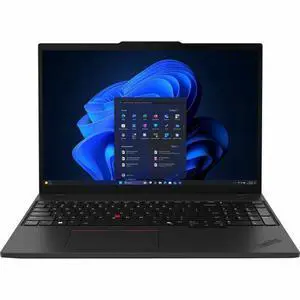
- Processor Name: Core Ultra 7 355
- Memory: 32 GB
- SSD: 512 GB
- Operating System: Microsoft Windows 11 Pro
- Model #: 21WT0064US
- ₩4,042,002 –
- More options from ₩4,042,002 - ₩4,205,180
- ₩85,923 Shipping

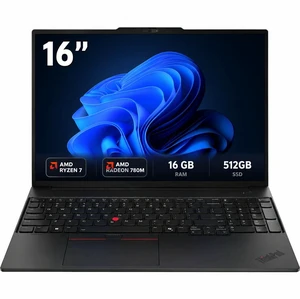
- Processor Name: AMD Ryzen 7 250 (3.30 GHz)
- GPU/VPU: AMD Radeon 780M
- Memory: 16GB
- SSD: 512GB
- Model #: 21ST0008US
- ₩2,696,135 –
- More options from ₩2,696,135 - ₩2,748,488
- ₩97,670 Shipping

- Processor Name: AMD Ryzen 7 Pro 250
- GPU/VPU: AMD Integrated Graphics
- Memory: 16GB
- SSD: 512 GB SSD
- Model #: 22AN0010US
- ₩2,723,403 –
- More options from ₩2,709,285 - ₩2,723,403
- ₩102,563 Shipping

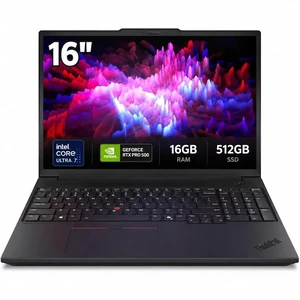
- Processor Name: Intel Core Ultra 7 255H
- GPU/VPU: NVIDIA RTX Pro 500 Blackwell
- Memory: 16GB DDR5
- SSD: 512GB
- Model #: 21RS0029US
- ₩4,930,722 –
- More options from ₩4,930,722 - ₩5,453,537
- ₩111,102 Shipping

- Processor Name: Core Ultra 9 290HX Plus
- GPU/VPU: NVIDIA GeForce RTX 5090 (32GB)
- Memory: 32GB
- SSD: 1TB SSD
- Model #: G835LXG-DB96
- ₩9,026,897 –
- ₩137,737 Shipping

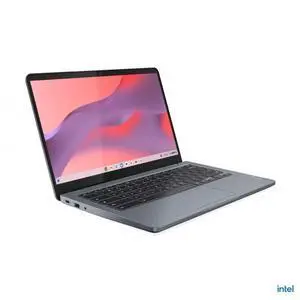
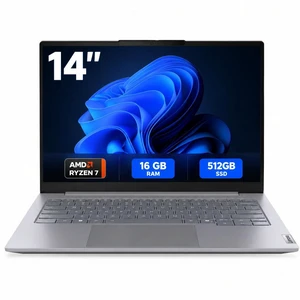
- Memory: 16GB
- Brand: Lenovo
- Color: Gray
- Screen Size: 14.0"
- Model #: 21V00003US
- ₩2,061,436 –
- More options from ₩2,061,436 - ₩2,067,659
- ₩75,537 Shipping

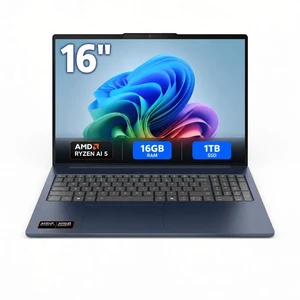
- Processor Name: Ryzen AI 5 430
- Memory: 16 GB (8+8)
- SSD: 1 TB
- Operating System: Windows 11 Home
- Model #: 83S20063US
- ₩2,130,133 –
- More options from ₩2,059,774 - ₩2,130,133
- ₩81,343 Shipping

- Processor Name: Intel Core i7-12800H
- GPU/VPU: NVIDIA RTX A1000
- Memory: 32GB
- SSD: 512GB
- Model #: LT-DEM3571/i7-G12-32-512
- ₩1,243,313 –
- ₩85,275 Shipping

- Processor Name: Intel Core i7-10810U
- GPU/VPU: Intel UHD Graphics
- Memory: 32GB
- SSD: 1TB
- Model #: J5-ZF15G7A04
- ₩1,323,363 –
- ₩80,462 Shipping

- Processor Name: Intel Core i7-1185G7
- Memory: 32GB
- SSD: 2TB
- Operating System: Windows 11 Pro
- Model #: J5-830G8A03
- ₩1,531,753 –
- ₩114,086 Shipping

- Processor Name: Intel Core i7-1365U
- GPU/VPU: Intel Iris Xe Graphics
- Memory: 32GB
- SSD: 256GB
- Model #: J5-5440A06
- ₩1,447,696 –
- ₩80,654 Shipping

- Processor Name: Intel Core Ultra 5 335
- GPU/VPU: Intel Graphics
- Memory: 32GB
- SSD: 512GB
- Model #: 21WN00CJUS
- ₩4,325,863 –
- ₩81,088 Shipping

- Processor Name: Intel Core Ultra 9 285H
- GPU/VPU: RTX Pro 2000 Blackwell Arc 140T GPU
- Memory: 64GB DDR5
- SSD: 2TB
- Model #: C5NB9UT#ABA
- ₩12,393,367 –
- More options from ₩11,360,397 - ₩12,393,367
- ₩197,776 Shipping

- GPU/VPU: Adreno Graphics
- Memory: 16GB LPDDR5X
- SSD: 1TB
- Operating System: Windows 11 Pro
- Model #: ZXY-00038
- ₩4,038,340 –
- ₩163,393 Shipping

- Memory: 32GB
- Brand: Dynabook
- Screen Size: 14.0"
- Resolution: 1920 x 1200
- Model #: PPE25U-00F00F
- ₩3,862,193 –
- More options from ₩3,862,193 - ₩3,873,658
- ₩67,468 Shipping

- GPU/VPU: AMD Radeon 540X
- Processor Name: Intel Core i5-8265U
- Memory: 8GB
- SSD: 1TB
- Model #: 14s540Xi582-81nP
- ₩1,550,205 –
- ₩105,945 Shipping

- Brand: Acer
- Screen Size: 16.0"
- Graphic Type: Integrated Card
- Type: Home / Personal
- Model #: UM.ZP1AA.J05
- ₩199,359 –
- More options from ₩199,359 - ₩206,651
- ₩89,563 Shipping

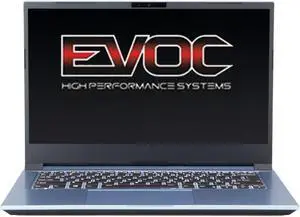
- Processor Name: Intel Core i7-1260P
- GPU/VPU: Intel Iris Xe Graphics
- Memory: 32GB
- SSD: 2TB
- Model #: EV-NV451B-HID13
- ₩1,829,848 –
- ₩106,020 Shipping

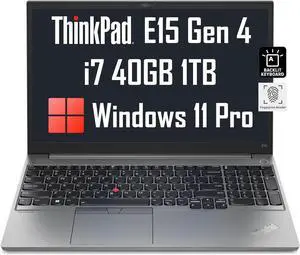
- Processor Name: Intel Core i7-1255U
- GPU/VPU: Intel Iris Xe Graphics
- Memory: 40GB
- SSD: 1TB
- Model #: hinkPad E15 Gen4 40 512x2
- ₩3,430,467 –
- Free Shipping

- Memory: 16GB
- SSD: 256GB
- GPU/VPU: Intel Graphics
- Brand: DELL
- Model #: K3CP1-ME2415591
- ₩1,629,862 –
- ₩73,390 Shipping

OUT OF STOCK
- Processor Name: Intel Core i3-N305
- GPU/VPU: Intel UHD Graphics
- Memory: 8GB DDR5
- SSD: 256GB
- Model #: 82XA004YUS
- ₩1,008,718 –
- More options from ₩888,658 - ₩1,008,718
- ₩157,298 Shipping
The portability of mobile workstations offers the convenience of being able to be used anywhere. Their compact size means laptops are a convenient option for storage in areas where space is limited. While notebooks are typically less powerful than desktop alternatives, there are many high-performance models available that are suitable for professional designers and gamers who rely on fast speeds and crisp graphics for powerful software to function well. Users can tailor their workstation by adding accessories to enhance usability, battery life, or storage capacity.
Are Workstations Good For Both Work and Gaming?
The performance and power of notebook workstations are continually enhancing, and many options now compete with desktop computers. High-end workstations are suitable for professional-grade video and photo editing, 3D animation, rendering, gaming, CAD software and data analysis. For enhanced performance, many workstations can accept upgrades such as laptop internal hard drives. Gamers should opt for models with a high-end graphics processing unit. These are often fixed to the laptop and cannot be changed later. Select higher laptop workstation resolutions such as 4K when speed is less critical. If speed is crucial to proper software and gaming functioning, look for a lower screen resolution to maximize performance. For graphics processing suitable for professionals, check out Intel workstations.
Work Location Independent
Laptop workstations provide a convenient solution for professionals, students, game enthusiasts and anyone else who needs to use their computer from a variety of locations. For those who also find a tablet useful, some models convert to a touch-screen tablet form for convenience. Responsive touch-screen models are suitable for detailed editing of photographs and videos as well as quick scrolling and zooming. Mobile workstations vary in weight. People who travel often should consider lightweight laptops with a smaller screen size for greater ease of transport.
The Compact Size of Mobile Workstations Makes Them Easy to Store
The compact nature of mobile workstations makes them convenient for offices and homes with limited space. Their small size and lightweight nature make it is easy to move workstations between home and the office or while traveling with laptop cases and bags. These workhorses also provide cushioning, creating a safe storage space for workstations. If water damage is a concern, consider water-resistant models.
Personalize Workstations With Accessories
For efficient performance, incorporate laptop cooling pads to your workstation setup to help control temperature during high-performance processing. To work or game comfortably, add an ergonomic mouse and keyboard to your setup. Select Bluetooth accessories to keep working areas clutter-free. If long-term battery life is essential, wired accessory options may be more suitable. Upgrade battery life with external battery packs and use laptop workstations longer in remote locations when a main power supply is inaccessible. External hard drives provide a convenient storage solution for workstations that don't have the option to upgrade internally or for backup storage that needs to be kept in a separate location.