- Shop Category
- Lightning Cables
- HDMI Cables
- Network Ethernet Cables
- USB Cables
- SATA / eSATA Cables
- DVI Cables
- VGA / SVGA Cables
- DisplayPort Cables
- Mini DisplayPort Cables
- KVM Cables
- 3.5mm / 2.5mm Stereo Cables
- AC Power Cords for Laptop
- BNC Cables
- Coaxial RF (F-Type) Cables
- Computer Power Adapter Cords
- Computer Power Cords
- Computer Power Extension Cords
- Fiber Optic Cables
- Firewire (IEEE 1394) Cables
- IDE Cables
- Instrument (Professional) Cables
- Internal Power Cables
- International Power Cords
- Mouse / Keyboard (PS2) Cables
- PC Tools & Testers
- Phone Cables
- Power Extension Cords
- Power Splitter Cords
- Printer (Parallel) Cables
- RCA Cables
- RCA Component Cables
- RCA Composite Cables
- S-Video Cables
- SCSI / SAS / InfiniBand Cables
- Serial Cables
- Speaker Wires
- Thunderbolt Cables & Adapters
- Toslink Digital Optical Audio Cables
- USB / IEEE-1394 Firewire Adapters
- Wired Accessories
Cable Featured Items
Shop all products
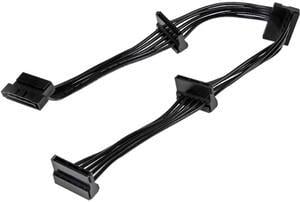
- Type: SATA
- Type: Cable Splitters
- Color: Black
- Length: 15.7" / 400 mm
- Model #: PYO4SATA
- Item #: N82E16812400127
- Return Policy: International Order Return Policy
- ₩31,638 –
- ₩53,245 Shipping

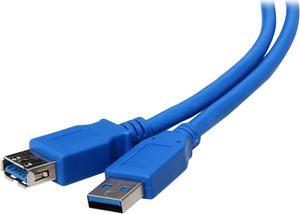
- Cable Length: 6 ft.
- Type: USB 3.0
- Connector Type: USB A to USB A
- Connector Number: 2
- Model #: U324-006
- Item #: N82E16812228003
- Return Policy: International Order Return Policy
- ₩23,074 –
- ₩53,472 Shipping

- Type: DisplayPort to HDMI
- Cable Length: 6.56 ft. (2.0m)
- Connector Number: 2
- Specifications: Adapter Style: Adapter Audio: Yes Converter Type: Passive Industry Standards: DPCP (DisplayPort Content Protection) HDCP (High Definition Content Protection) DisplayPort 1.2 HDMI 1.4 Ports: 1 Audio Specifications: 7.1 surround sound Maximum Cable Length: 78.7 in [2000 mm] Maximum Digital Resolutions: 4K x 2K @ 30 Hz Supported Resolutions: 4k x 2K (Ultra HD) 1920x1200 1920x1080 (1080p) 1280x720 (720p) Wide Screen Supported: Yes
- Model #: DP2HDMM2MB
- Item #: N82E16886949022
- Return Policy: International Order Return Policy
- ₩52,741 –
- More options from ₩46,949 - ₩52,741
- ₩61,304 Shipping

- Type: DisplayPort to HDMI
- Cable Length: 6 ft.
- Connector Number: 2
- Connect From: 1 x DisplayPort 1.2 Male
- Model #: DP-HDMI-6
- Item #: N82E16812816171
- Return Policy: International Order Return Policy
- ₩29,879 –
- ₩61,625 Shipping

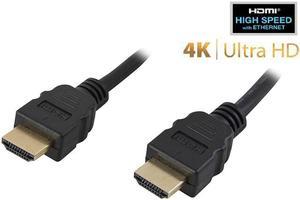
- Type: HDMI to HDMI
- Type: HDMI Cables
- Length: 6 ft.
- Connector Number: 2
- Model #: HDMI-HS-6
- Item #: N82E16812816002
- Return Policy: International Order Return Policy
- ₩13,112 –
- ₩61,676 Shipping

- Type: Stereo Speaker Extension Cables
- Type: Cable Splitters
- Color: Black
- Connector Number: 2
- Model #: SPC-25MF
- Item #: N82E16812816093
- Return Policy: International Order Return Policy
- ₩23,906 –
- ₩53,156 Shipping

- Type: DisplayPort Cable
- Cable Length: 6 ft.
- Connector Number: 2
- Specifications: Connector Plating: Nickel Cable Jacket Type: PVC - Polyvinyl Chloride Cable Shield Type: Aluminum-Mylar Foil with Braid Fire Rating: CMG Rated (General Purpose) Connector Style: Latching Wire Gauge: 28 AWG
- Model #: DISPLPORT6L
- Item #: N82E16812200205
- Return Policy: International Order Return Policy
- ₩43,948 –
- ₩53,612 Shipping
You can use extension cables, USB cables, and computer hardware cables to power devices, transfer data from one source to another, and to extend the reach of devices. Electrical devices, including computers, TVs and satellite boxes, will not work without the right type of lead to connect to power. Even electronic devices like cell phones and portable media players use cables to charge their batteries and to transfer data from other devices. With the right cables, you ensure that your devices offer the features and functions you require, and you can improve range, speed up the charging process and enjoy additional benefits like pass-through charging or the simple transfer of audio and video data packages.
Do Computer Cables Easily Connect Components?
Whether you're connecting a monitor to a desktop computer or a new hard drive to the motherboard, getting the right computer hardware cables is essential. A lot of computer manufacturers offer HDMI ports for components like monitors in place of traditional audio video cables. However, some models, older machines in particular, still use DVI or VGA cables for monitors and PS/2 cables for keyboards and mice. Check the ports in your PC tower to ensure that you have the right wires.
Cell Phone Cables Allow the Secure Transfer of Data
Most modern cell phone cables are some form of USB cable, but there have been many standards over the years. Cell phones usually utilize USB A, USB B, or USB C. Other common cables include Micro USB-A and Micro USB-B. Some iPhones and Apple devices use a proprietary technology called Firewire cables. These have a different connection to standard USB cables. It is important that you get the right cable for your make and model of phone, to allow for data transfer and charging.
Power Cables and Extension Cables Extend Your Reach
Most electrical devices require power cables to operate. Even electronic devices with rechargeable batteries may also require the use of these cables. A 3ft cable allows you to connect to a charging dock without unnecessary loops of wire. Shorter cables also take less time to charge a device, although this depends on factors like wire gauge. You can use thicker wire such as 24 gauge for fast charging cables, but lower gauge wires are cheaper to manufacture and buy. Longer cables, which can measure between 10ft and 15ft, are uniquely suited to mobile devices with a pass-through charge, such as laptops, because they enable the user to move away from the plug socket while powering the device.