


 All CategoriesAll CategoriesAll Categories
Shipped by Newegg



Warranty Notice:
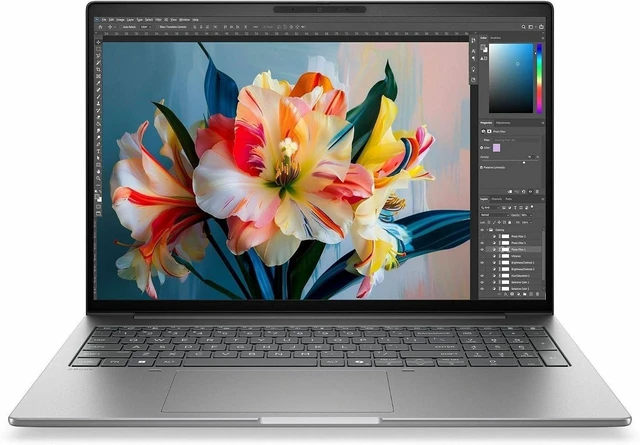
This product does not include manufacturer warranty when purchased or used outside of its designated sales region. By purchasing internationally, you acknowledge that warranty support from the manufacturer will not be available.The HP ZBook 8 G2i is a 14-inch mobile workstation with an Intel Core Ultra X7 368H, 64 GB of LPDDR5X memory, and a 1 TB SSD, suited to professionals who need substantial memory and storage for work on the go.
| Attribute | Value |
|---|---|
| Best For | Mobile workstation users seeking a 14-inch system with a 16-core processor, 64 GB of memory, and 1 TB of storage |
| Processor And NPU | Intel Core Ultra X7 368H with 16 cores, up to 5 GHz turbo frequency, 18 MB L3 cache, and Intel AI Boost rated at 50 TOPS |
| Graphics | Intel Arc Graphics B390 |
| Display | 14-inch IPS display with 1920 × 1200 resolution, 300-nit maximum brightness, 62% sRGB color gamut, and no touchscreen |
| Memory Configuration | 64 GB LPDDR5X memory with 2 memory slots |
| Storage | 1 TB M.2 SSD |
| Ports And Connectivity | 1 HDMI port, 2 Thunderbolt ports, and 2 USB ports |
| Wireless Networking | Wi-Fi 7 (IEEE 802.11be) and Bluetooth |
| Webcam And Privacy | Built-in webcam |
| Audio | Stereo audio |
| Battery And Included Power | Lithium polymer battery and power adapter included |
| Operating System | Windows 11 Pro |
| Appearance | Meteor Silver aluminum |
| Model Identifiers | HP ZBook 8 G2i; model and part number E29XFUT#ABA |
Q: HP ZBook 8 G2i vs G1i 14-inch: what changes?
A: Choose this ZBook 8 G2i configuration for its Core Ultra X7 368H processor, 50-TOPS NPU, and 1TB SSD. The prior-generation ZBook 8 G1i offers the same 14-inch mobile-workstation format, while HP lists the G2i with newer-generation processor options and PCIe Gen5 storage. HP also claims up to 90 minutes longer battery life for the G2i versus the prior generation; actual results vary by configuration and use.
Q: Should I get the ZBook 8 G2i with Core Ultra X7 368H or a Core Ultra 7 configuration?
A: Choose this X7 368H model when you want a 16-core processor with up to 5.0 GHz turbo, 50 NPU TOPS, and 64GB of memory in the listed configuration. HP’s G2i lineup also includes Core Ultra 7 options, giving buyers a choice of processor tiers while retaining the same 14-inch workstation family.
Q: ZBook 8 G2i X7 368H vs X9 388H: which configuration should I choose?
A: Choose the X7 368H configuration for its 16-core processor, up to 5.0 GHz turbo, 50 NPU TOPS, and 64GB memory in this listing. The X9 388H is the higher processor option in HP’s G2i lineup, with up to 5.1 GHz turbo; consider it when selecting the top processor tier matters for your configuration.
Q: Should I choose the 14-inch or 16-inch ZBook 8 G2i?
A: Choose this 14-inch model if a more compact workstation is the priority: HP lists its starting weight at 3.14 lb, compared with 3.874 lb for the 16-inch G2i. Choose the 16-inch version if you prefer a larger screen area for on-screen work. This listing has a 1920 × 1200 display.