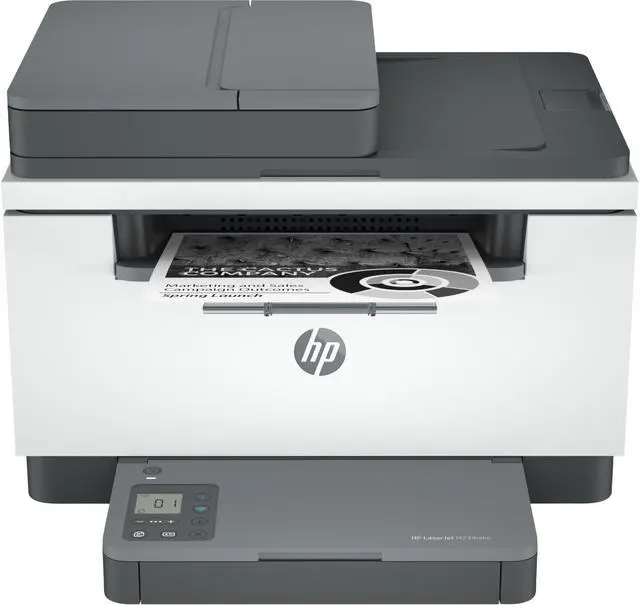
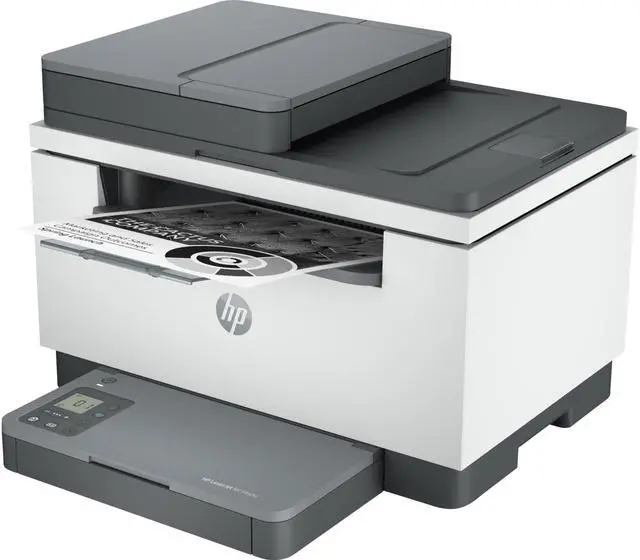
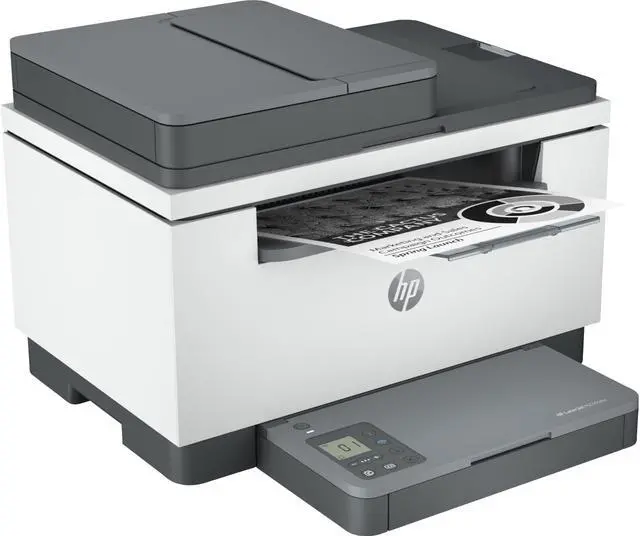
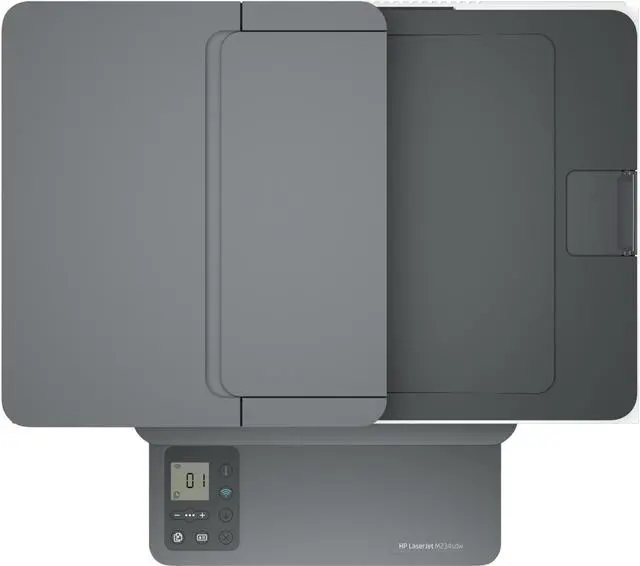
HP LaserJet MFP M234sdw Printer
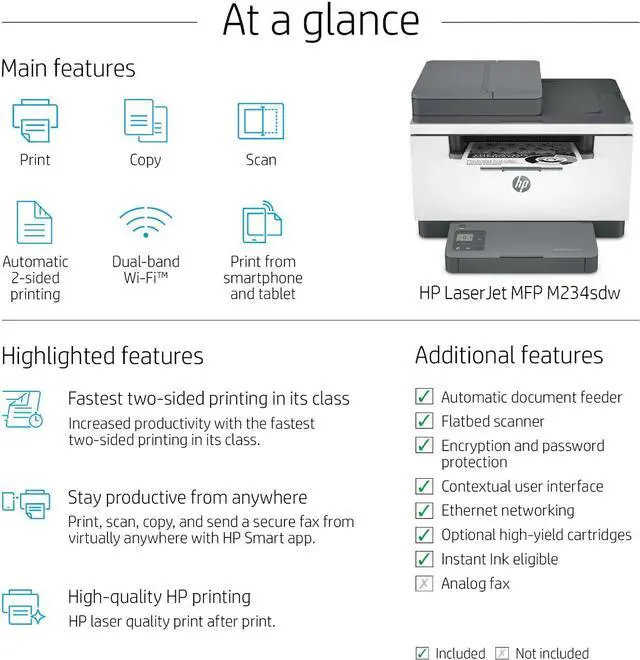
- 3-in-1: Print, Copy & Fax
- Up to 30 ppm
- 600 x 600 dpi Black Print Quality
- Ethernet 10/100BaseTX (RJ-45)
- Up to 20,000 pages monthly
- 64 MB Memory, std.
Overview
Specs
Reviews (3)
OverviewGet the HP All-In Plan with a compact printer built for speed and reliability. Enjoy the fastest two-sided printing in its class, an automatic feeder, and easy printing and scanning from the HP app all with seamless setup and an intuitive interface. HP Personal Laser Multifunction Printers are designed for individuals or small workteams who need affordable, reliable multifunction performance in a compact and easy-to-use desktop device. This printer is intended to work only with cartridges that have new or reused HP electronic circuitry, and it uses dynamic security measures to block cartridges using modified or non-HP circuitry.
Periodic firmware updates will maintain the effectiveness of these measures and block cartridges that previously worked. Reused HP electronic circuitry enables the use of reused, remanufactured, and refilled cartridges.
More at:
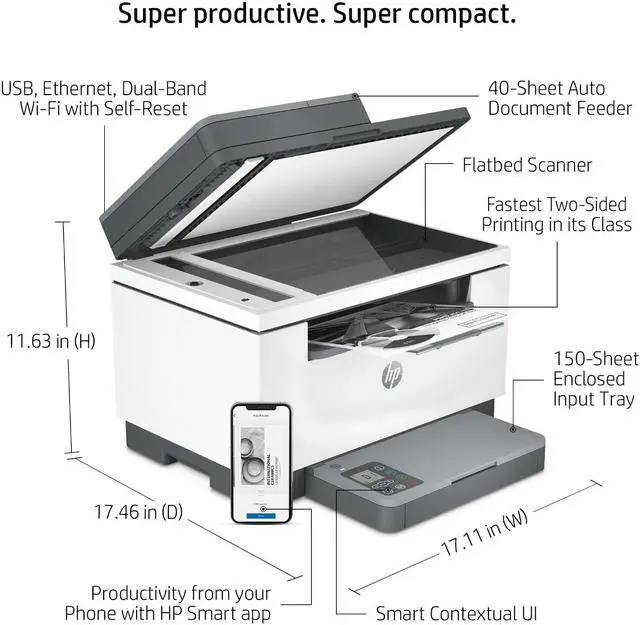
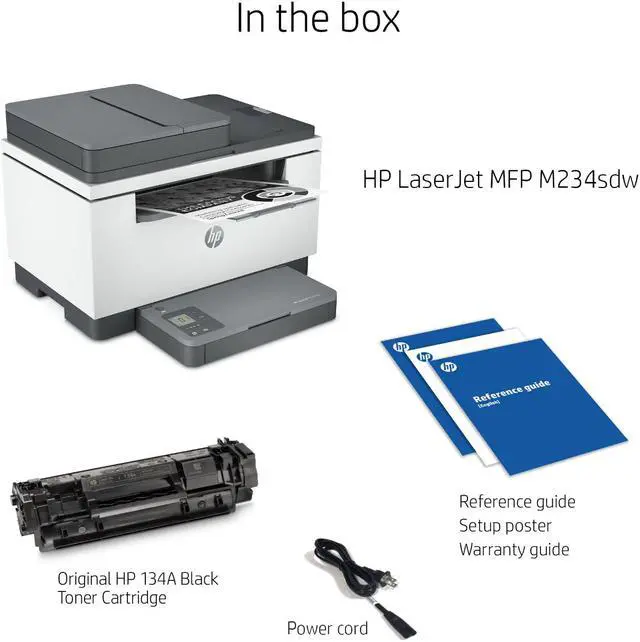
http: //www. hp. com/learn/dsFeaturesReliable printing, every workdayDeliver multipage documents in a flash with the fastest two-sided printing in class. Easy to set up, easy to useGet started fast with easy setup guidance from the HP app. Quickly setup and get back to business. Print and scan from anywhereGet high-quality scanning and printing from your phone, plus time-saving features with the HP app. All your printing needs in one flexible planSay goodbye to the hassle of ordering supplies. With the HP All-In Plan, get a new printer, automatic ink delivery, optional paper delivery and 24/7 live support all for one simple monthly price. Minimum system requirementsMicrosoft® Windows® 10, 8.1, 8, 2 GB available hard disk space, Internet connection, Microsoft® Internet Explorer. What's in the box? HP LaserJet MFP M234sdw Printer; HP Black LaserJet Toner Cartridge(~700 page); Reference Guide; Setup Poster; HP All-In Plan Welcome Flyer; Power cordDisclaimers Internet access required and must be purchased separately. Wireless operations are compatible with 2.4 GHz and 5.0 GHz operations only. Supports both 5.0 GHz and 2.4 GHz using up to 12 non-overlapping channels vs.
only 3 non-overlapping channels for 2.4 GHz only. Supports 5.0 GHz band (up to 150 mbps) v. 2.4 GHz band (up to 72.2 mbps).
Learn more at:
https: //www. hp. com/go/mobileprinting HP Smart and myHP are now the HP app, available for download on Windows 10 (64 bit) or 11 PCs; macOS computers; and for Apple and Android mobile phones and tablets. The HP app requires download available at www. hp. com/hp-app. Not all HP devices, services, apps are available in the HP app. Certain features are available in English language only, and may vary by printer and PC model/country, and between desktop/mobile applications. HP reserves the right to introduce charges for use of select HP app functionality. Internet access required. HP account required for full functionality. Fax sending capability only. Live chat and phone support are available during business hours and varies by country. Chat service is localized in supported regions, and where not supported, will default to English. Supported conferencing features vary by device and device configuration. For complete Terms of
Service see: www. hp. com/hp-app-terms-of-use. Based on internal HP testing.
Average timing estimate based on: 1) downloaded HP app on mobile or desktop device, 2) setting up Shortcut, 3) scanning jobs which have more than 2-3 tasks associated with them (scan to email, save and rename, store to cloud, etc. ). Average timing savings comparison based on using printer and desktop scan software to complete similar scanning tasks. Requires the HP app download and supported HP printer. For details on local printing requirements see https: //www. hp.
com/go/mobileprinting https: //www. red-dot
Warranty & Returns
Warranty, Returns, And Additional Information
Return Policies*
- Return for refund within: 30 days
- Returns are subject to restocking fees and return shipping fees. Please click here to learn more about restocking fees and return shipping fees.
- This item is covered by Newegg.com's International Order Return Policy.
- Read full return policy for details.
- *Subject to applicable law
Warranty Notice:
This product does not include manufacturer warranty when purchased or used outside of its designated sales region. By purchasing internationally, you acknowledge that warranty support from the manufacturer will not be available.
Manufacturer Contact Info
- Manufacturer Product Page
- Manufacturer Website
- Support Phone: 1-800-474-6836
- Support Website
- View other products from HP
LOADING...
The HP LaserJet MFP M234sdw is a monochrome laser printer with print, copy, and fax functions, automatic duplex printing, and speeds up to 30 ppm—suited to home offices and small workgroups with regular black-and-white document needs.
Recommended For
- Home-office users and small teams that print mostly black-and-white documents and want fast output, automatic two-sided printing, and copy/scan functions in one device.
- People who regularly scan or copy stacks of single-sided pages and want an automatic document feeder rather than placing every sheet on the glass.
- Users who print from several computers or mobile devices and prefer connecting the printer over Wi-Fi or Ethernet instead of relying on a single USB-connected workstation.
- Households or small offices that print intermittently and want black-and-white laser output for forms, schoolwork, reports, and other text-heavy pages.
Spec Summary
| Attribute | Value |
|---|---|
| Best For | Small-office or home-office printing, copying, and faxing in monochrome |
| Print And Copy | Monochrome laser printing at up to 30 ppm and 600 × 600 dpi; black-and-white copies up to 30 ppm and 600 × 600 dpi |
| Functions And Scanning | Print, copy, and fax; flatbed scanning supports documents up to 8.5 × 11.7 in |
| Paper Handling And Duplexing | 150-sheet input tray, 100-sheet output tray, and automatic duplex printing; supports paper, envelopes, labels, cardstock, postcards, and media sizes from 4 × 6 to 8.5 × 14 in, including A4, A5, A6, and B5 (JIS) |
| Connectivity | Ethernet, Wi-Fi, and one USB 2.0 port for wired or wireless connection |
| Memory And Print Languages | 64 MB memory; supports PCLmS, URF, and PWG print languages |
| Duty Cycle And First Page | Rated for up to 20,000 pages monthly, with first page out in less than 6.9 seconds |
| Power | 110–127 VAC input; uses 453 W while printing, 3.3 W ready, and 0.6 W in sleep |
| Dimensions And Weight | 16.46 × 12.13 × 11.59 in; listed weight is 20.95 lb in the internal specifications and 19 lb externally |
| Compatibility | Compatible with Windows 7–11, macOS 10.14–11, and Linux |
| Included Items | Printer, HP black toner cartridge (approximately 700 pages), reference guide, setup poster, warranty guide and flyer in some countries, and power cord |
| Model Identifiers | HP LaserJet MFP M234sdw; model and part number 6GX01F#BGJ |