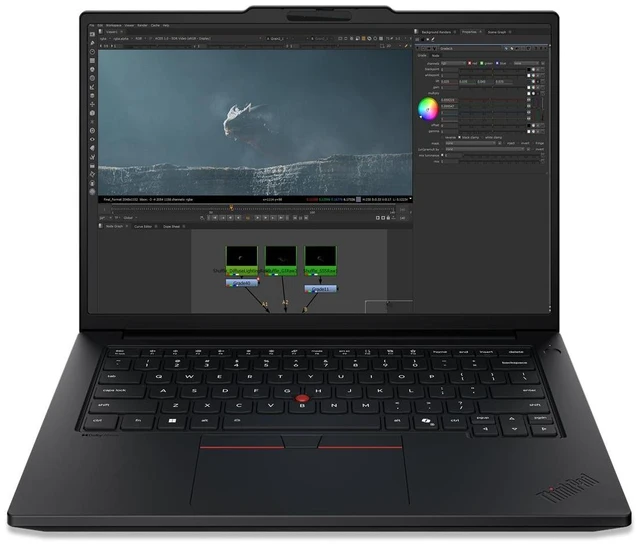
The Lenovo ThinkPad P14s Gen 7 21XJ0035US is a Windows 11 Pro mobile workstation with an Intel Core Ultra 9 386H, 96 GB of memory, a 2 TB SSD, and NVIDIA RTX PRO 1000 Blackwell graphics. It suits professionals who need substantial memory, storage, and dedicated graphics in a mobile system.
Recommended For
- Engineers and product designers who travel between office, client, and job sites and need a portable workstation for professional CAD, 3D, or engineering applications. A review found the RTX PRO 1000 improved performance across several professional graphics benchmarks, and Lenovo lists support for ISV-certified applications.
- Video and content professionals who need GPU-accelerated editing or rendering in a laptop they can carry. StorageReview’s tests found useful GPU acceleration in Blender and 8K Blackmagic RAW workflows, while noting that demanding enhancement tasks can take time.
- Developers and technical professionals who run multiple tools, virtual machines, or large projects while moving between work locations. The 96GB memory configuration and replaceable LPCAMM2 module suit memory-heavy workflows in a relatively portable workstation.
- Professionals who want to run some AI workloads locally and need a portable system with both a workstation GPU and substantial system memory. The RTX PRO 1000 accelerated tested image-generation workloads, but its 8GB of graphics memory limits which larger models fit.
Real-World Use Scenarios
- At a client site or between meetings, an engineer can open and review CAD or BIM models in certified professional software; the RTX PRO graphics are suited to workstation visualization, while the 14.5-inch laptop is practical to carry between locations.
- A 3D artist working in Blender can preview scenes and run GPU rendering on the go; testing of a closely matched P14s Gen 7 configuration found its RTX PRO 1000 substantially faster than integrated graphics in Blender benchmarks.
- An engineer or designer juggling a large project, CAD software, spreadsheets, and reference documents can keep many work items open; the 96 GB memory configuration provides room for memory-intensive multitasking, though performance will still depend on the application and project size.
- An engineering student who needs to work away from a desktop can use the P14s for coursework and engineering applications between home, campus, and class; an owner of a similar Gen 7 configuration described choosing it to do more work while away from home.
- At a desk, a professional can connect external monitors and peripherals for a multi-screen work setup, then unplug the laptop to take the same work elsewhere; a Gen 7 owner reports using two monitors alongside speakers and a mouse.
Spec Summary
| Attribute | Value |
|---|
| Best For | Mobile workstation users seeking a compact 14-inch system |
|---|
| Display | 14-inch screen |
|---|
| Brand | Lenovo |
|---|
Reference Q&A
Q: ThinkPad P14s Gen 7 vs Gen 6: is this configuration a meaningful upgrade?
A: The P14s Gen 7 is the stronger choice when you want a newer processor platform, an RTX PRO 1000 Blackwell GPU with 8GB of graphics memory, and up to 96GB of memory. In StorageReview’s tested configurations, the Gen 7 outperformed the Gen 6 in several workloads, including PCMark 10 overall and GPU rendering. The results compare specific review units, so performance will vary by configuration.
Q: ThinkPad P14s Gen 7 with RTX PRO 1000 vs RTX PRO 500: which configuration should I choose?
A: Choose this RTX PRO 1000 configuration when your work benefits from a higher-tier professional GPU and 8GB of graphics memory. Lenovo also offers the P14s Gen 7 with an RTX PRO 500 and 6GB of graphics memory, making that option a fit for buyers who want a lower graphics tier. Both are discrete workstation GPU configurations.
Q: Is the 96GB RAM and 2TB SSD ThinkPad P14s Gen 7 worth choosing over a lower-capacity configuration?
A: Choose this configuration if you want 96GB of memory and a 2TB SSD in the system as listed. Lenovo’s P14s Gen 7 specifications include memory configurations up to 96GB and storage options up to 2TB, so this model pairs the listed maximum capacities for memory and SSD storage.


 All Categories