


 All Categories



Displayport KVM 4K Dual Monitor KVM Displayport Switch 4K USB Display Port KVM Switches
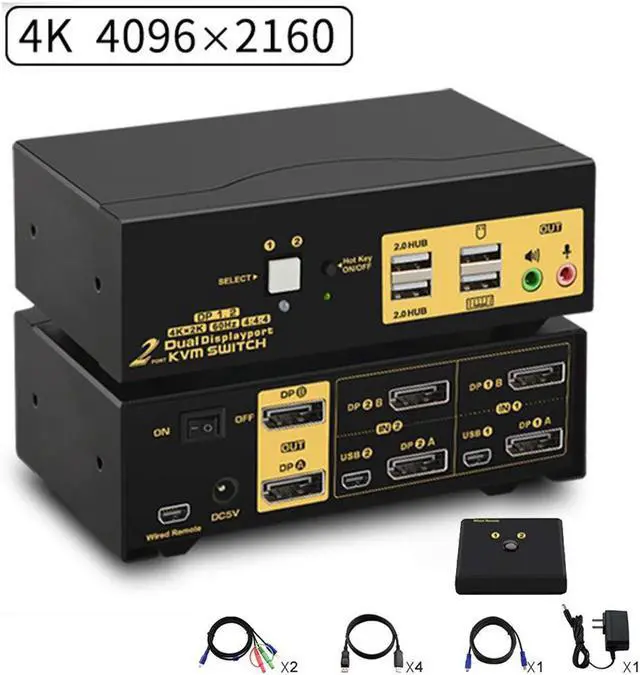
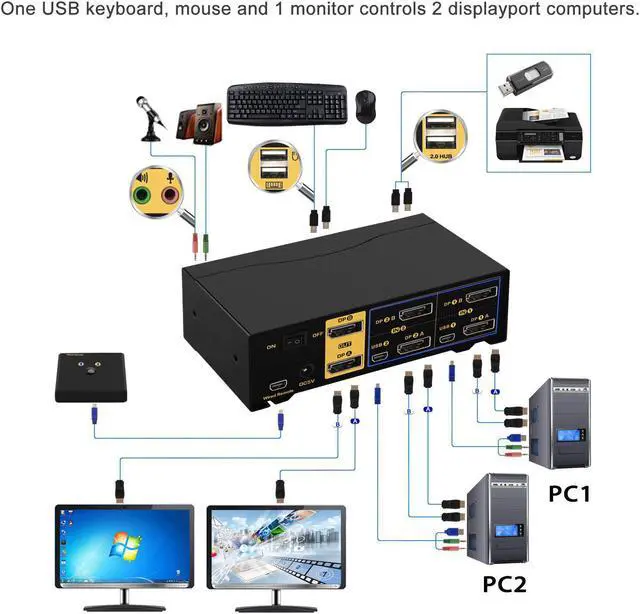
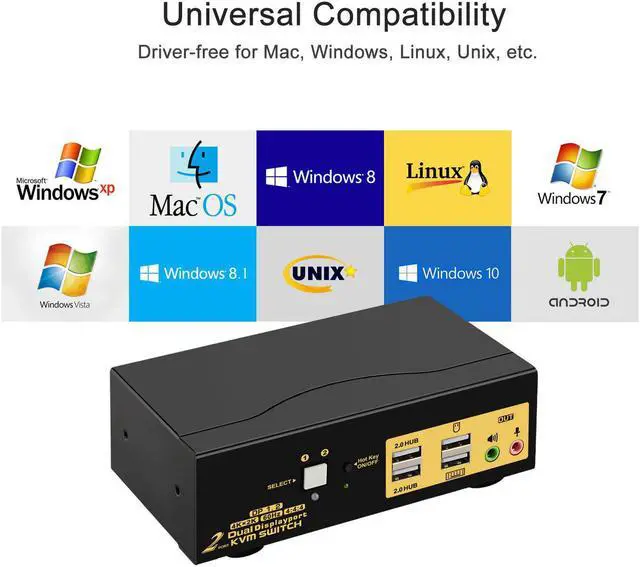
One USB set of keyboard, mouse and 2 monitor controls 2 multi graphic-card displayport interface computers. With audio and microphone output. (Tips: this KVM switch is DP1.2 60Hz version, it doesn't compatible DP1.4 version, 100Hz, 120Hz, 144Hz devices). Metal body, not easy to slide.
Installation Step;
1. Power off all devices;
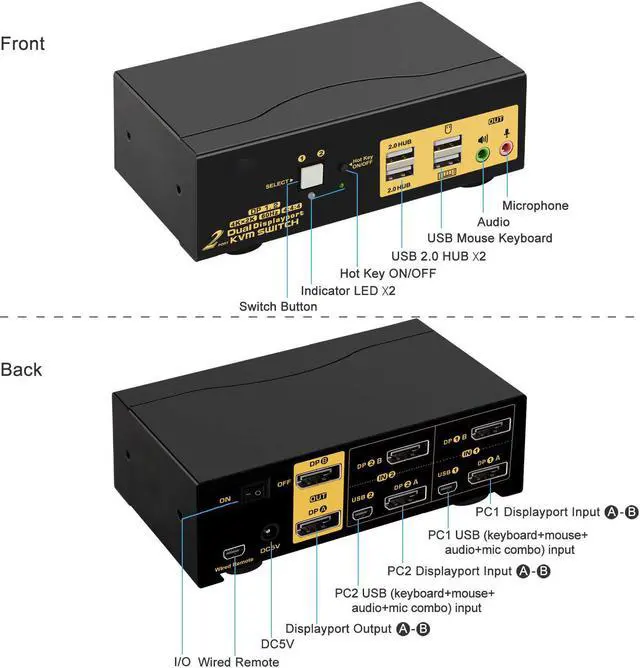
2. Connect your computers to the KVM Switch by USB and displayport cables.
3. Plug your mouse and keyboard to correspondent USB mouse and keyboard port on front panel;
4. Connect your monitors to output port of the KVM switch by displayport cables;
5. Plug speaker or microphone into KVM switch if needed;
6. Turn on KVM switch;
7. Boot your computers.
Tips:
1. For MAC and Linux system, mouse/keyboard maybe out of control, you can make this operate: click right [CTRL] 2 times, then click [F2], at last click [Enter]. (whole operate time should not over 2s), could solve the issue.
2. For the keyboard and mouse freeze, you can make this operate: click right [CTRL] 2 times, then click [ESC] 3 times, at last click [Enter]. (whole operate time should not over 2s), could solve the issue.


KVM Switch with Display Port
Support HDCP 2.2, HDR10, compatible with all 16:9 widescreen and 21:9 ultrawide monitors. Max resolution up to 4096x2160@60Hz 4:4:4, compatible downgrade resolution.
KVM with DP
Support auto detection, auto scan, waking up, with memory function in case of power-down.

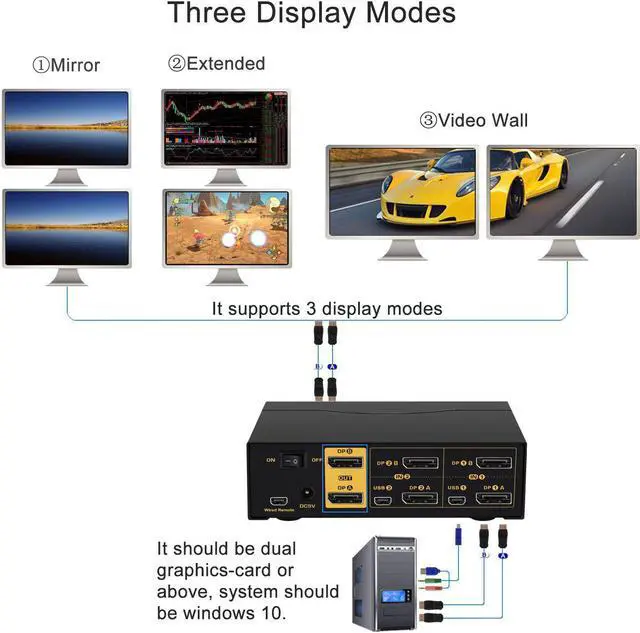
Support Three Display Modes
- Extended display: 2 monitors display are separated content.
- Mirror display: 2 monitors display are same content.
- Video wall display: shows the whole content by 2 monitors together.

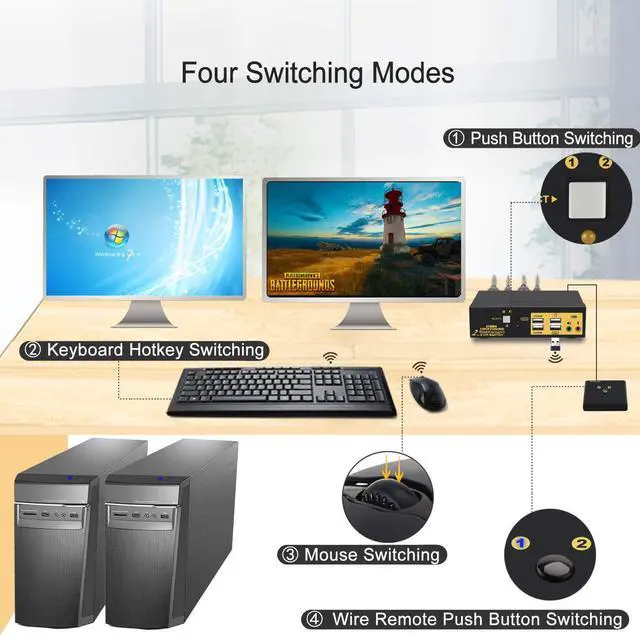
Support Four Switching Way
- Manual button switching: Switch to any port by buttons on front panel.
- Mouse switching: Double click the mouse middle roller for circular switching(within 1 second).
- Keyboard hot-key switching: Double click the right Ctrl +Click Port Number +Click Enter (Default Hotkey Rght Ctrl can be Changed to Num Lock or Scroll Lock, Support Mac keyboard.)
- Wired remote switching: Simply press the button on the remote.
Support Auto Scan Switch---Interval time adjustable between 8 to 999 seconds (default is inactive).

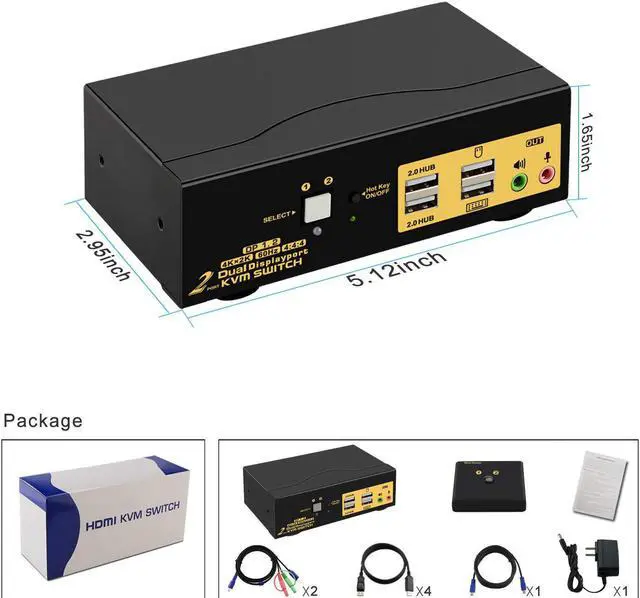
Package included:
1 x 2 port displayport KVM switch
2 x KVM cables
4 x displayport cables
1 x DC 5V 2A Power adapter
1 x manual
1 x wire remote push button switch