


 All Categories


 All Categories





Warranty Notice:
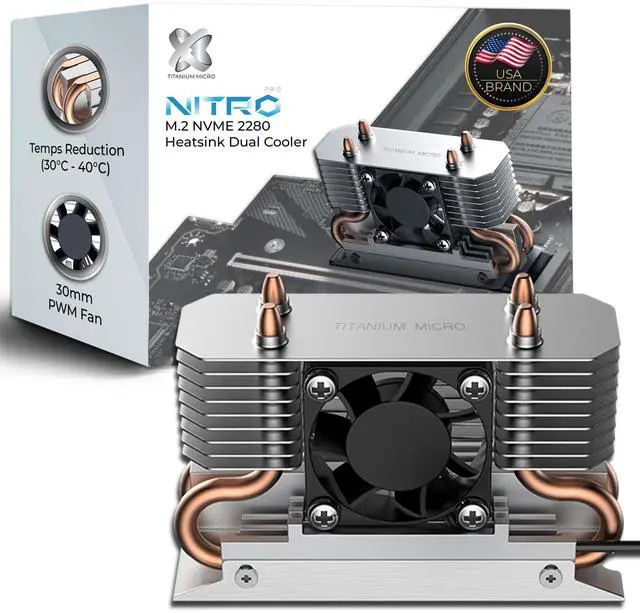
This product does not include manufacturer warranty when purchased or used outside of its designated sales region. By purchasing internationally, you acknowledge that warranty support from the manufacturer will not be available.The Titanium Micro Nitro Pro is a desktop M.2 2280 NVMe SSD heatsink with four copper heat pipes and a 30mm PWM fan, suited to PC and gaming enthusiasts seeking active cooling during demanding workloads.
| Attribute | Value |
|---|---|
| Best For | Desktop users seeking conduction- and fan-based cooling for an SSD |
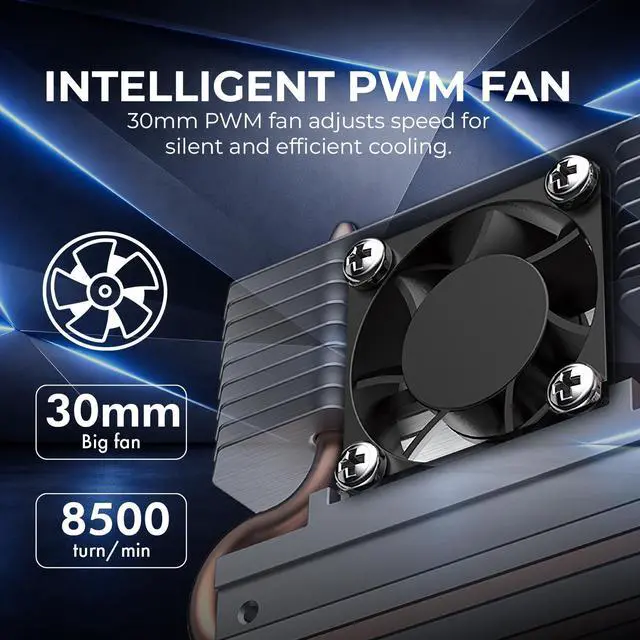
| Cooling And Fan Specifications | Conduction and fan-based cooling, with a maximum fan speed of 8,000 RPM and a listed noise level of 30 dB; listed airflow capacity is 0 cubic feet per second |
| Power And Connector | 12 V, 1.2 W, with a 4-pin power connector |
| Materials And Dimensions | Stainless steel and copper construction; measures 75 × 52 × 24 mm |
| Compatibility | Compatible with desktop computers |
| Package Contents And Weight | One item; package weight is 0.145 kg |
| Package Dimensions | 3.9 × 9.6 × 17.3 cm |
| Model Identifiers | Titanium Micro, model CCTMHSFM3NITROPRO |
Q: Titanium Micro Nitro Pro vs. a fanless M.2 heatsink: which is better for sustained SSD workloads?
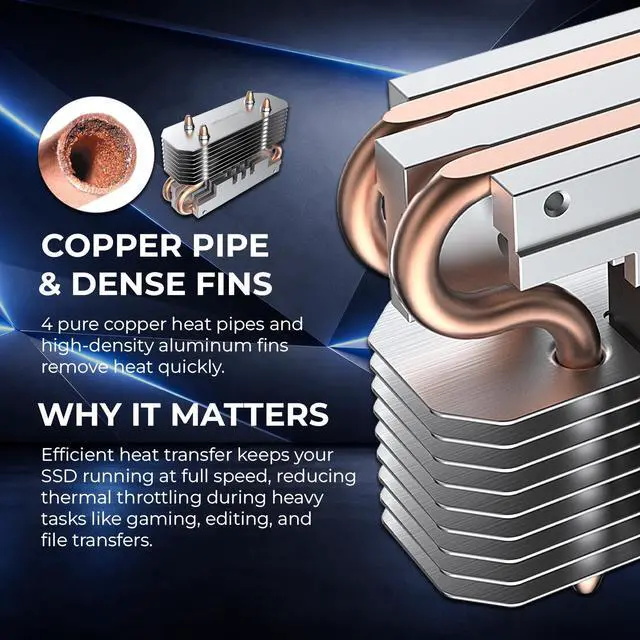
A: The Nitro Pro is the more suitable choice when you want active airflow alongside heat spreading: it combines four copper heat pipes with a 30 mm PWM fan. Titanium Micro’s product listing claims 10–20°C more cooling than heatsinks without a fan, with results varying by environment. Independent testing also finds that storage-intensive workloads can benefit from stronger SSD cooling; that testing was not performed on the Nitro Pro itself.
Q: Is the Nitro Pro a good upgrade from a basic M.2 heatsink for heavy transfers?
A: The Nitro Pro is a strong option if you want to move from passive cooling to a heatsink with a fan. Its listed design adds a 30 mm PWM fan and four copper heat pipes, features intended to support heat removal during demanding SSD use. Independent testing indicates that stronger cooling can matter for storage-intensive workloads, though exact temperatures depend on the SSD and system.
Q: Nitro Pro or a motherboard M.2 heatsink for a desktop 2280 SSD?
A: Choose the Nitro Pro if you want a dedicated add-on cooler with four copper heat pipes and a PWM-controlled 30 mm fan for a desktop M.2 2280 NVMe SSD. A motherboard heatsink is an integrated passive-cooling option; the Nitro Pro adds active airflow. Cooling results vary with installation, SSD, and system airflow.
Q: Will this fit my M.2 SSD?
A: It is designed for desktop PCs and supports single- or double-sided M.2 NVMe 2280 SSDs only. Check that your drive is 2280 NVMe and that your PC has enough clearance for the cooler before buying.
Q: How much can this heatsink lower SSD temperatures?
A: The product listing claims an approximate 30–40°C reduction, varying with the environment, and about 10–20°C more cooling than a heatsink without a fan. Treat these as product claims, not guaranteed results; actual temperatures depend on the SSD and PC setup.
Q: Can I install it over an SSD that already has a heatsink?
A: It is intended to fit onto an M.2 2280 SSD, so an SSD with its own attached heatsink may not fit properly. Use a bare SSD, or confirm that its heatsink can be removed and that the assembled cooler has enough clearance in your PC.
Q: Is it a good choice for a laptop or console?
A: The product is described as a desktop-PC cooler, and its listing does not establish laptop or console compatibility. Choose it only if your desktop has a compatible M.2 2280 NVMe slot and enough space for the heatsink and fan.
Q: Does an M.2 SSD need active cooling?
A: Not necessarily. The Reddit discussion includes users reporting moderate temperatures with passive heatsinks or case airflow, while others describe hotter drives under load. This cooler is most relevant if your 2280 NVMe SSD runs hot during sustained workloads; the product data does not establish that every drive needs it.
Q: Will the Nitro Pro fit in my PC?
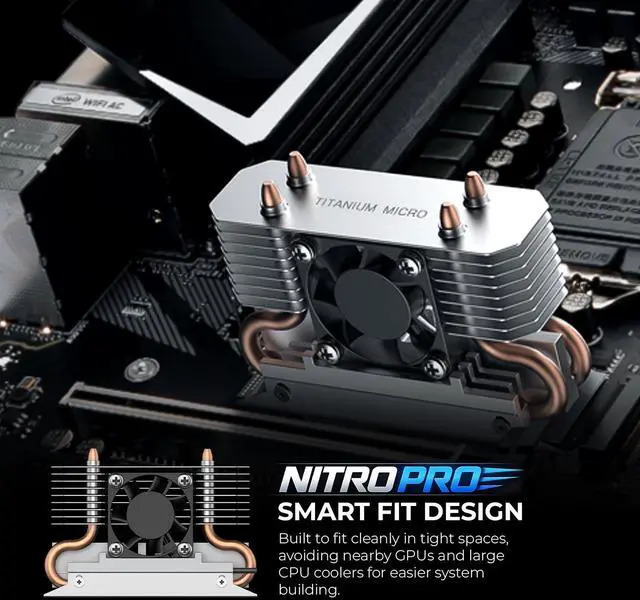
A: It is designed for desktop PCs and M.2 NVMe 2280 SSDs, but the discussion raises concerns about physical clearance. The provided product information does not give the cooler’s dimensions, so check space around the M.2 slot—especially near the graphics card and CPU cooler—before buying.
Q: Is the Nitro Pro’s fan useful compared with a passive heatsink?
A: The Reddit discussion questions whether a small fan adds meaningful cooling and notes that some users get acceptable temperatures with passive cooling. The Nitro Pro combines a 30 mm PWM fan with four copper heat pipes, but the supplied information does not provide independent comparative test results; the fan adds active cooling and another component to fit and connect.