• ₩103,751
  • VAT-Inclusive Price
Ships from Hong Kong.
Most customers receive within 10-17 days.
Sold by Nextrix

Shipped by Nextrix

Shop it at NeweggBusiness.

Meet Your Seller

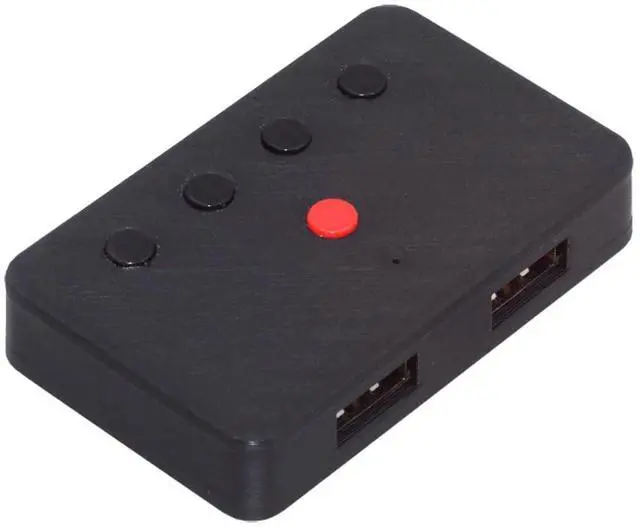
NFHK USB Wired Keyboard and Mouse Convert to Wireless 2.4G Bluetooth(BT) Converter with Receiver Type-C Power for Laptop Tablet Phone

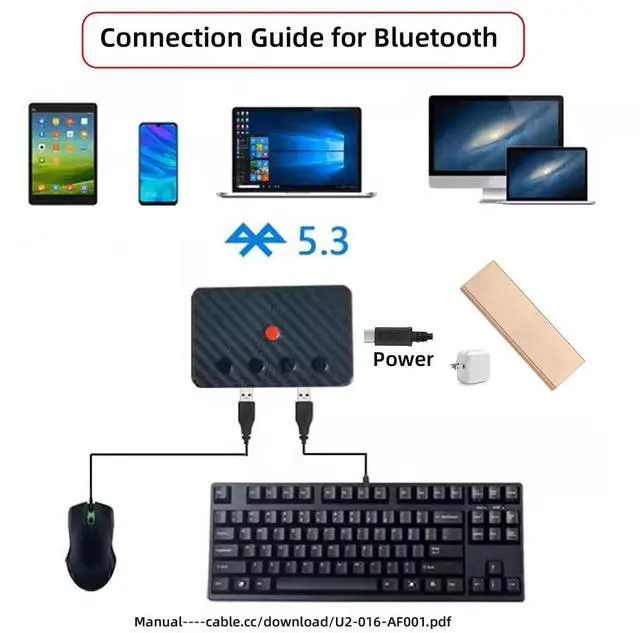
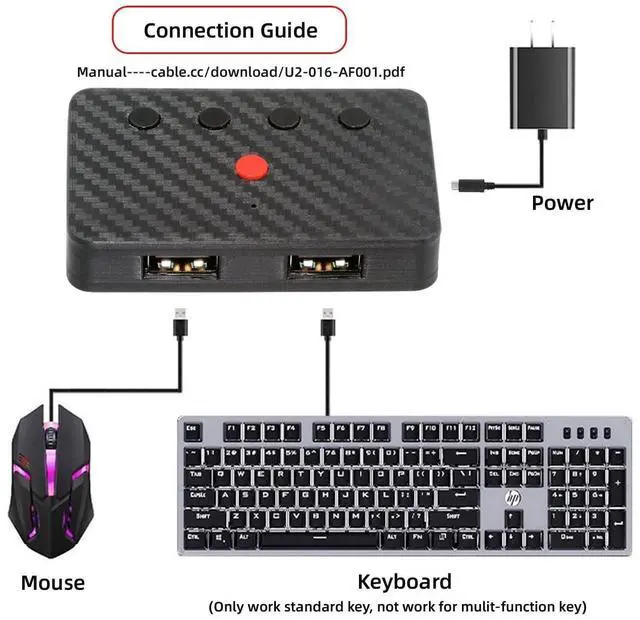
  • This converter can convert wired USB keyboard and mouse into wireless, and is suitable for use on laptops, tablets, and phones that need to use wireless keyboards and mice.The package included one wireless adapter and 2.4G receiver.
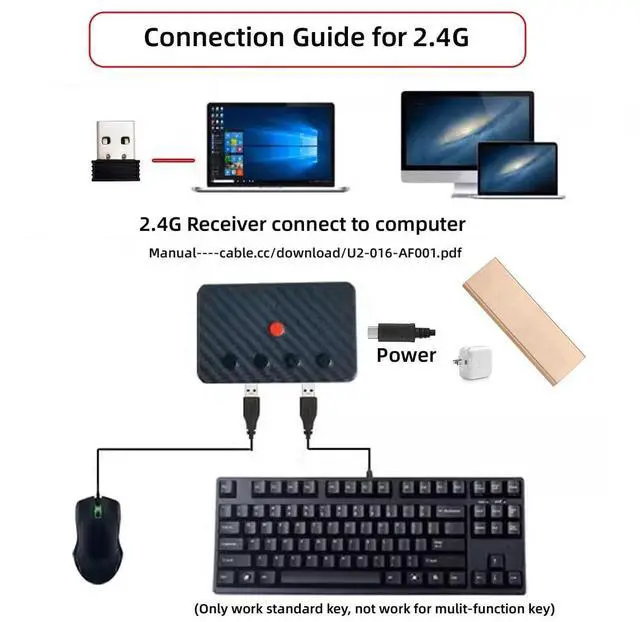
  • You can convert wired keyboard and mouse to BT or wireless 2.4G. BT mode supports switching 8 devices, You only need to connect our adapter by BT. Wireless 2.4G mode also supports switching 8 devices. You need to purchase the extral 2.4G receiver separately.(only one receiver in the package.)
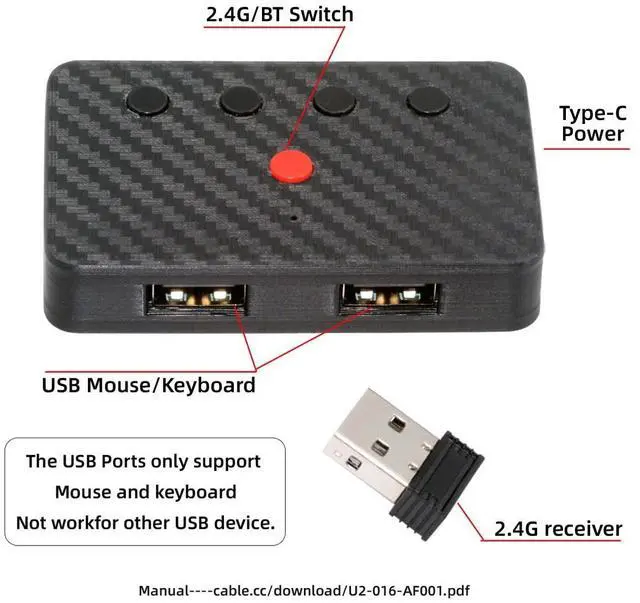
  • The adapter support 8 computers and phones connection. You can push the botton to switch between 4 computers and phones.
  • You can use keyboard shortcuts to switch between 8 computers and phones. The shortcuts is Ctrl+Alt+Shift+1......8 (and so on). After pressing the switch shortcut key, the switch will be made immediately and completed about 1-3 seconds.
  • You can push the botton to switch between BT and 2.4G, Also can use k
+
+
Overview
Specs
Reviews
USB Wired Keyboard and Mouse Convert to Wireless 2.4G BT Converter with Receiver Type-C Power for Laptop Tablet PhoneThis converter can convert wired USB keyboard and mouse into wireless, and is suitable for use on laptops, tablets, and phones that need to use wireless keyboards and mice. The package included one wireless adapter and 2.4G receiver. You can convert wired keyboard and mouse to BT or wireless 2.4G. BT mode supports switching 8 devices, You only need to connect our adapter by BT. Wireless 2.4G mode also supports switching 8 devices.

You need to purchase the extral 2.4G receiver separately. (only one receiver in the package. )The adapter support 8 computers and phones connection. You can push the botton to switch between 4 computers and phones. You can use keyboard shortcuts to switch between 8 computers and phones. The shortcuts is Ctrl+Alt+Shift+1...... 8 (and so on). After pressing the switch shortcut key, the switch will be made immediately and completed about 1-3 seconds. You can push the botton to switch between BT and 2.4G, Also can use keyboard shortcuts "Ctrl+Alt+Shift+0".

The blue LED is BT mode and the Red LED is 24G Mode.

Warranty & Returns

Warranty, Returns, And Additional Information

Return Policies*

  • Return for refund within: 30 days
  • Return for replacement within: non-replaceable
  • This item is covered by Nextrix Return Policy
  • *Subject to applicable law
  • Warranty Notice:

    This product does not include manufacturer warranty when purchased or used outside of its designated sales region. By purchasing internationally, you acknowledge that warranty support from the manufacturer will not be available.

Manufacturer Contact Info

LOADING...