


 All CategoriesAll CategoriesAll Categories
Shipped by Newegg




Warranty Notice:
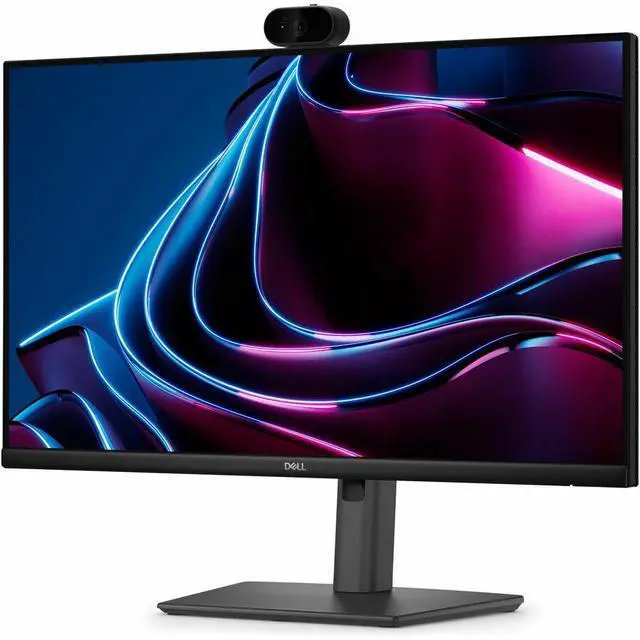
This product does not include manufacturer warranty when purchased or used outside of its designated sales region. By purchasing internationally, you acknowledge that warranty support from the manufacturer will not be available.The Dell Pro P2426HEV is a 23.8-inch USB-C hub monitor with a 120Hz refresh rate and 5MP AI webcam, suited to professionals who want smooth screen performance and built-in tools for video meetings.
| Attribute | Value |
|---|---|
| Best For | Workspaces needing a 23.8-inch monitor for video collaboration |
| Panel And Resolution | 23.8-inch screen |
Q: Dell P2426HEV vs P2425HE: which should I choose for video calls?
A: Choose the Dell P2426HEV if you want a built-in webcam alongside a 23.8-inch FHD display, 120Hz refresh rate, and USB-C charging up to 90W. The P2425HE is a 23.8-inch FHD, 100Hz USB-C hub monitor with up to 90W charging and Ethernet; the P2426HEV adds an integrated webcam and a higher refresh rate. ([dell.com](https://www.dell.com/en-us/shop/monitors/apd/dell-pro-p-24-usb-c-hub-webcam-monitor-p2426hev/p2426hev/-))
Q: Dell P2426HEV vs P2726DEV: should I get the 24-inch or 27-inch model?
A: Choose the P2426HEV for a more compact 23.8-inch FHD workspace and 120Hz refresh rate. Choose the P2726DEV if you prefer a larger 27-inch QHD screen for extra on-screen detail and workspace; it has a 100Hz refresh rate. Both are Dell Pro P webcam monitors with USB-C hub features and up to 90W USB-C power delivery. ([dell.com](https://www.dell.com/en-us/shop/monitors/apd/dell-pro-p-24-usb-c-hub-webcam-monitor-p2426hev/p2426hev/-))
Q: Dell P2424HEB vs P2426HEV: what’s the difference?
A: Choose the P2426HEV if you prioritize a 120Hz refresh rate and Dell’s Sony STARVIS 5MP webcam positioning for a compact FHD monitor. The P2424HEB is also a 23.8-inch FHD conferencing monitor and emphasizes built-in 5W speakers, Microsoft Teams and Zoom certification, and Auto KVM. ([dell.com](https://www.dell.com/en-us/shop/monitors/apd/dell-pro-p-24-usb-c-hub-webcam-monitor-p2426hev/p2426hev/-))
Q: Does this monitor have a built-in webcam for video calls?
A: Yes. The monitor is listed with a built-in 5MP AI camera, making it suitable for video meetings without needing a separate webcam. The available product details do not specify microphone or speaker features.
Q: Is this monitor a good fit for meetings and everyday office work?
A: It is suited to desk-based office work and video meetings, with a 23.8-inch Full HD IPS screen, 120Hz refresh rate, and built-in 5MP AI camera. The provided details do not confirm built-in speakers or a microphone, so check those requirements if you need an all-in-one meeting setup.
Q: Can I connect my laptop through USB-C and use the monitor’s hub?
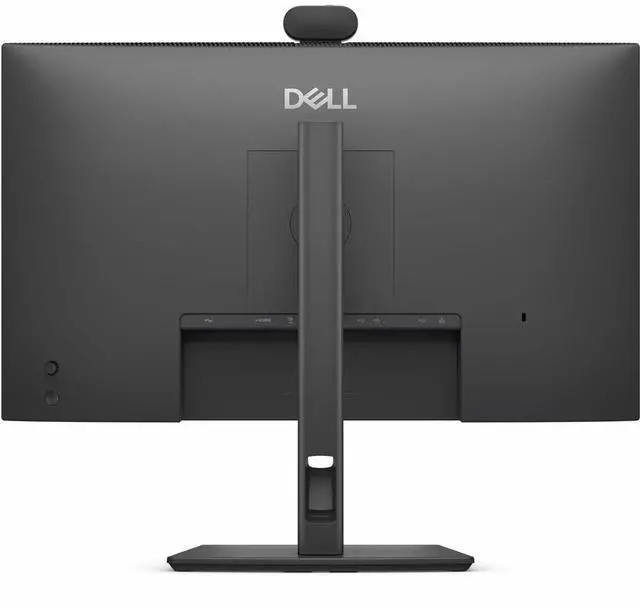
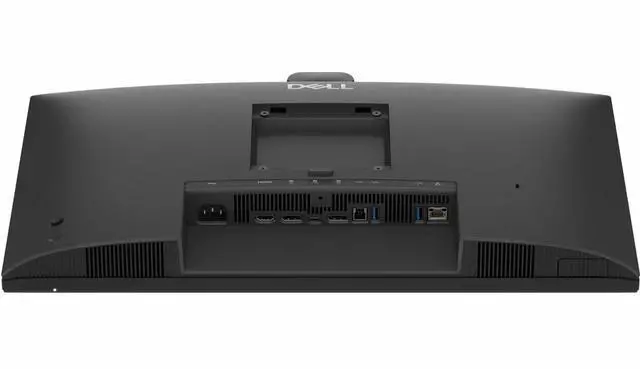
A: The product is described as a USB-C hub monitor. Before buying, check that your laptop’s USB-C port supports the functions you need, such as display output; the available product details do not specify USB-C power delivery or all port capabilities.
Q: Is this monitor suitable for travel or a portable workstation?
A: It is better suited to a fixed desk than frequent travel: it has a 23.8-inch screen and is presented as a USB-C hub webcam monitor, not a portable display. The available details do not provide its weight or dimensions, so check those before planning to move it often.