


 All CategoriesAll CategoriesAll Categories
Shipped by Newegg



Warranty Notice:
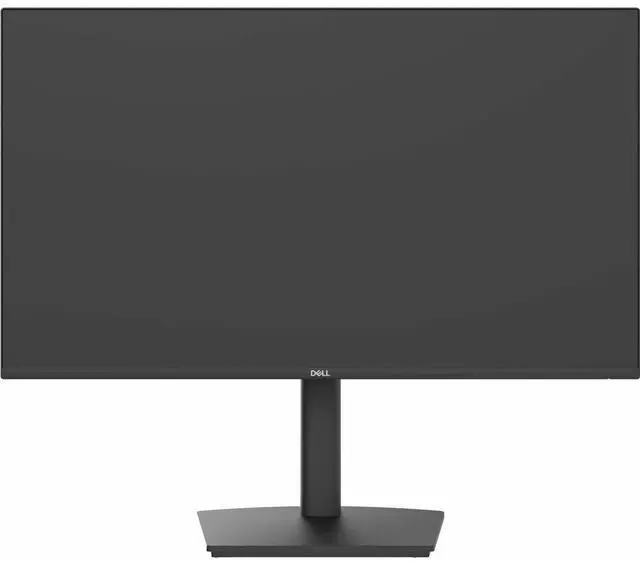
This product does not include manufacturer warranty when purchased or used outside of its designated sales region. By purchasing internationally, you acknowledge that warranty support from the manufacturer will not be available.The Dell Pro P2426HE is a 23.8-inch USB-C hub monitor with an IPS display, up to 120Hz refresh rate, and TÜV 4-Star eye comfort, suited to office users who want a comfortable screen and versatile connectivity for everyday work.
| Attribute | Value |
|---|---|
| Best For | Business desk setups using compatible Mac devices or other systems connected via USB-C or HDMI, with USB-C power delivery and daisy chaining |
| Panel And Resolution | 23.8-inch flat IPS LCD with 1920 × 1080 FHD resolution and a 16:9 aspect ratio |
| Refresh Rate And Response | 120 Hz refresh rate and 5 ms response time |
| Image Quality | 1500:1 contrast ratio, 178° viewing angle, 99% sRGB color gamut, and 0.2745 pixel pitch |
| Ports And Connectivity | HDMI, DisplayPort, USB, USB-C, and Ethernet connectivity, including 1 HDMI port and 5 USB ports; no Thunderbolt ports |
| Hub Features | Supports power delivery, daisy chaining, and remote manageability |
| Stand And Mounting | Stand included; 100 × 100 mounting pattern |
| Eye Comfort And Design | Hardware low blue light and ultra-thin screen bezel |
| Power | 13.8 W power consumption |
| Model Identifiers | Dell P2426HE; model name DELL-P2426HE |
Q: Dell P2426HE vs P2426H: which is better for a one-cable laptop setup?
A: Choose the Dell P2426HE for a USB-C laptop connection that carries video, data, and up to 100W of power, with built-in 1GbE Ethernet. The P2426H is a 23.8-inch FHD 120Hz monitor with a USB hub; the P2426HE is the better fit when you want the monitor to serve as a laptop docking point.
Q: Dell P2426HE vs P2425HE: what changed between the 24-inch USB-C hub monitors?
A: Both are 23.8-inch FHD IPS USB-C hub monitors. The P2426HE offers a 120Hz refresh rate and up to 100W USB-C power delivery; the P2425HE offers 100Hz and up to 90W. Choose the P2426HE for the higher refresh rate and power delivery while keeping a compact, hub-style setup.
Q: Dell P2426HE vs P2726HE: should I choose 24 or 27 inches?
A: Choose the P2426HE for a 23.8-inch FHD USB-C hub monitor with 120Hz refresh and up to 100W power delivery. Choose the P2726HE when a larger 27-inch screen is the priority; it also provides FHD resolution, 120Hz refresh, and up to 100W USB-C power delivery.
Q: Can I connect and charge my laptop with one USB-C cable?
A: Yes, if the laptop’s USB-C port supports video output and USB Power Delivery. The monitor’s USB-C upstream port supports DisplayPort Alt Mode and provides up to 100 W of power; check that this meets your laptop’s charging needs.
Q: Is this monitor suitable for everyday office work?
A: Yes. Its 23.8-inch Full HD IPS screen, 120 Hz refresh rate, USB hub, Ethernet port, and adjustable stand suit common desk tasks such as documents, browsing, and multitasking. It is a desktop monitor, not a portable travel display.
Q: Does it have a built-in webcam or speakers for video meetings?
A: No. The monitor does not have a built-in webcam or speakers, so use your laptop’s audio and camera or connect separate meeting equipment.
Q: Can I connect a second monitor to it for a dual-screen setup?
A: The P2426HE has a DisplayPort output with MST for daisy-chaining another display. The setup also depends on the computer supporting multiple external displays and MST; check the computer’s specifications before relying on it.
Q: Is the Dell P2426HE suitable for office work and occasional gaming?
A: It may suit a mixed office and casual-gaming setup: the provided product data lists a 23.8-inch display and 120Hz refresh rate, and a Reddit buyer discussion specifically considered the P2426HE for office-and-gaming use. That discussion did not establish its gaming performance or ghosting, so it is not evidence of suitability for competitive gaming.
Q: Could the P2426HE simplify a laptop desk setup with USB-C?
A: It is presented as a USB-C hub monitor, which is relevant if you want a monitor with USB-C connectivity and hub functions. The Reddit discussion treats USB-C video, power delivery, and a USB hub as separate buying requirements; check the monitor’s specific power-delivery rating and your laptop’s compatibility before relying on it as a one-cable dock.
Q: Is the P2426HE a good choice for a daisy-chained multi-monitor setup?
A: A Reddit user considered using P2426HE monitors in a three-display daisy chain, while commenters noted that chained displays can sometimes have wake or reliability issues and suggested a Thunderbolt dock as an alternative. Confirm that your computer and the monitor support the connection arrangement you plan to use before buying.