- Free 30-day Returns
- ₩135,059 Shipping
₩272,735
VAT-Inclusive Price
Add to PC build list
Ships from United States.
Sold by Newegg
Shipped by Newegg
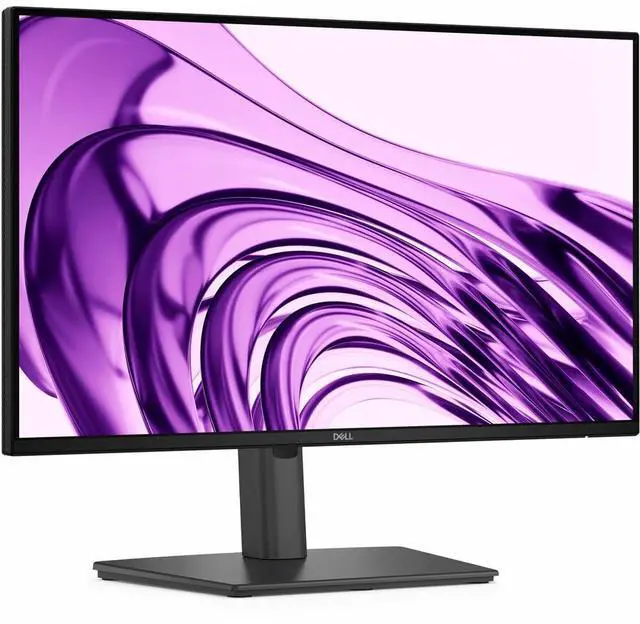
Dell Pro P 22 Monitor - P2226H
- Shop the Dell Pro 22-inch PC Monitor featuring a FHD IPS display, TÜV 4-Star certified eye comfort, improved connectivity & visuals
+
+
Overview
Specs
Reviews
Equipped for seamless productivity, this 21.5 -inch FHD monitor offers extensive connectivity, high refresh rate and TÜV-certified 4-star eye comfort.
Warranty & Returns
Warranty, Returns, And Additional Information
Return Policies*
- Return for refund within: 30 days
- Returns are subject to restocking fees and return shipping fees. Please click here to learn more about restocking fees and return shipping fees.
- This item is covered by Newegg.com's International Order Return Policy.
- Read full return policy for details.
- *Subject to applicable law
Warranty Notice:
This product does not include manufacturer warranty when purchased or used outside of its designated sales region. By purchasing internationally, you acknowledge that warranty support from the manufacturer will not be available.
Manufacturer Contact Info
LOADING...
The Dell Pro P 22 Monitor (P2226H) is a 21.5-inch FHD IPS monitor with TÜV 4-Star certified eye comfort, suited to office professionals and home users who want a comfortable screen for everyday work.
Recommended For
- Office workers handling email, documents, spreadsheets, and browser-based tasks who want a compact Full HD screen for a fixed desk.
- People building a dual-monitor workstation on a narrower desk who want a 21.5-inch display with height, tilt, swivel, and pivot adjustments.
- Workers who connect a desktop or laptop by HDMI or DisplayPort and want nearby USB ports for peripherals such as a keyboard, mouse, or webcam.
- People who spend long work sessions reading or viewing documents and want an anti-glare screen with flicker-free and hardware low-blue-light features.
- Users who prefer smoother everyday scrolling than a standard 60Hz office display, while primarily doing productivity work rather than demanding gaming.
Real-World Use Scenarios
- For everyday office work—email, documents, spreadsheets, and web apps—the 21.5-inch Full HD screen provides a compact, straightforward desktop display for routine tasks.
- At a shared or space-limited workstation, the compact screen and adjustable stand make it easier to fit the monitor on the desk and set a comfortable viewing position.
- When reading long documents, reviewing code, or working with portrait-format content, rotating the screen to portrait can show more vertical content at once and reduce frequent scrolling.
- For a desk setup with a computer and frequently used USB peripherals, the monitor’s USB hub can keep accessories within reach and reduce the need to plug them directly into the computer.
- For routine work that involves frequent scrolling and pointer movement, the 100Hz display can make on-screen motion appear smoother than a standard 60Hz monitor.
- During long work sessions, the anti-glare screen and TÜV 4-Star eye-comfort positioning are intended to make the display more comfortable to use; comfort can still vary by person and setup.
Spec Summary
| Attribute | Value |
|---|---|
| Best For | Users looking for a 21.5-inch monitor for everyday desktop viewing |
| Panel And Resolution | 21.5-inch display |
Reference Q&A
Q: Dell P2226H or P2426H for a work desk?
A: Choose the Dell P2226H for a more compact 21.5-inch FHD display with a 100 Hz refresh rate. Choose the P2426H if you prefer a larger 23.8-inch screen and 120 Hz refresh rate; both are IPS monitors with height-, pivot-, swivel-, and tilt-adjustable stands.
Q: Should I get the Dell P2226H or P2726H for a larger display?
A: Choose the P2226H for a 21.5-inch screen and a smaller desktop footprint. Choose the P2726H for a 27-inch screen and 120 Hz refresh rate. Both offer Full HD resolution, IPS panels, and adjustable stands.
Q: What changed from the Dell P2225H to the P2226H?
A: Both are 21.5-inch Full HD IPS monitors with a 100 Hz refresh rate. The P2226H lists 300-nit brightness and DisplayPort 1.4, while the P2225H lists 250-nit brightness and DisplayPort 1.2. Choose the P2226H for those updated specifications.
Q: Can I connect this monitor to a laptop, and will USB-C charge it?
A: You can connect a laptop through HDMI or DisplayPort. The monitor’s USB-C port is a downstream port for accessories and up to 15W charging; it is not a USB-C laptop video input or full-power laptop charging connection. Check that your laptop has a compatible video output.
Q: Does it have built-in speakers or a webcam for video meetings?
A: No. The P2226H does not have built-in speakers or a webcam. For meetings, use your computer’s camera and audio or connect separate accessories.
Q: Is the stand height adjustable, and can the screen turn vertically?
A: Yes. The stand supports height adjustment, tilt, swivel, and 90-degree pivot, so you can position the screen horizontally or vertically.
Q: Is this monitor suitable for everyday office work?
A: It is suited to everyday office tasks such as documents, spreadsheets, browsing, and video playback. Its 21.5-inch FHD IPS screen, 100Hz refresh rate, adjustable stand, and TÜV 4-Star eye-comfort certification support a practical desk setup. It is not a self-contained meeting device, since it has no built-in webcam or speakers.