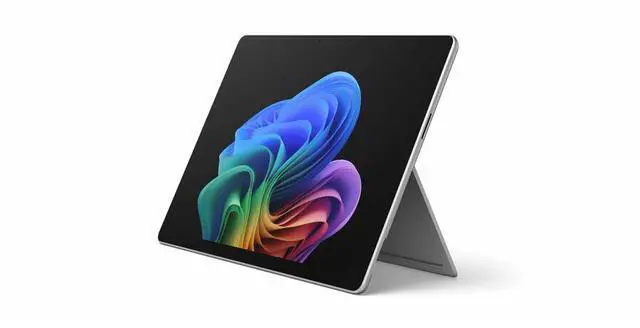
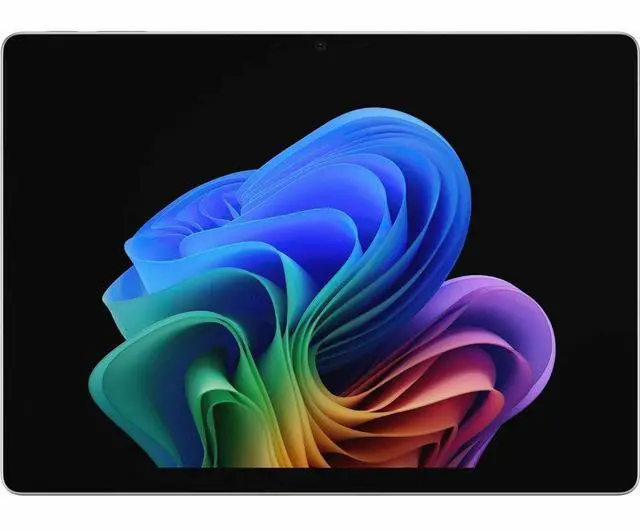
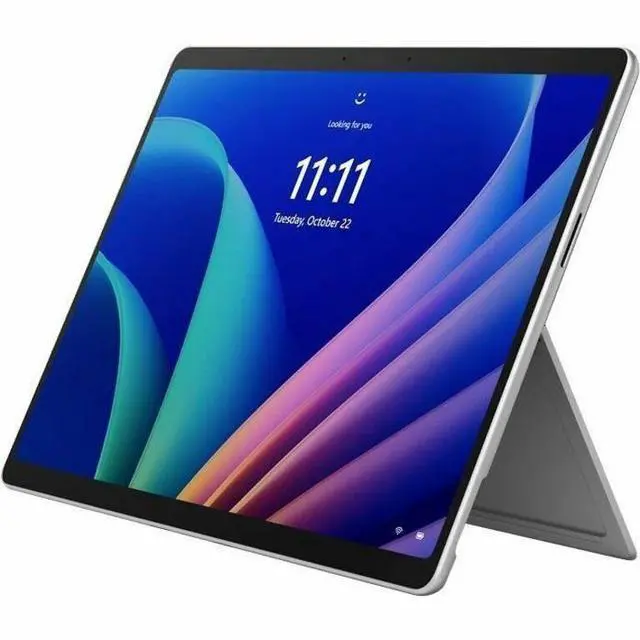
The Microsoft Surface Pro 12th Edition is a Windows 11 Pro 2-in-1 tablet with an Intel Core Ultra 7 366H, 64 GB memory, and a 1 TB SSD, suited to professionals who need substantial memory and storage for demanding multitasking and business work.
Recommended For
- Business users who move between meetings and desk work, and want one Windows device for browser-heavy multitasking, office apps, video calls, and occasional photo editing.
- Mobile professionals who need a detachable Windows tablet for travel and light-to-moderate work away from an outlet; TechRadar measured about 12 hours of mixed-use battery life on a 12th Edition Intel test unit.
- People who annotate documents, mark up plans, or sketch during work and want to switch between tablet use and a keyboard setup; the compatible keyboard and pen are sold separately.
- Hybrid workers who use the tablet on the go and connect it to multiple monitors at a desk, with a compatible dock or display setup.
Real-World Use Scenarios
- For hybrid work, attach a keyboard to handle email, documents, and browser-based tasks, then detach it when you want a tablet for touch-first use. The two-in-one design lets one device cover both parts of the routine; the keyboard is sold separately.
- During video meetings, use the front camera and Windows Studio Effects for calls from a home office or shared workspace. The built-in camera and effects can make the device a ready-to-carry meeting setup without an external webcam.
- For work that moves between meetings, client visits, and travel, carry the tablet for documents and presentations, then set it up with its kickstand when you need a laptop-style workspace. A TechRadar test of a 13-inch Intel model with the keyboard attached ran for 12 hours and 15 minutes, though battery life varies by configuration and use.
- At a fixed desk, connect external displays for a larger workspace for spreadsheets, documents, and meetings, then undock and take the Surface Pro with you. Microsoft says supported business configurations can connect up to three 4K displays.
- For reviewing documents or showing a presentation to a small group, use the touchscreen and built-in kickstand to position the display without carrying a separate monitor. The high-resolution 13-inch screen gives text and visuals a sharp presentation on the device.
Spec Summary
| Attribute | Value |
|---|
| Best For | Windows 11 Pro 2-in-1 tablet/laptop use, with a touchscreen, built-in kickstand, and support for a detachable keyboard; 64 GB memory and 1 TB SSD provide capacity for multitasking and file storage |
|---|
| Processor And Core Count | Intel Core Ultra 7 366H processor with 16 cores |
|---|
| Display | 13-inch PixelSense touchscreen with 2880 × 1920 resolution, up to 120Hz refresh rate, and 900-nit brightness |
|---|
| Memory And Storage | 64 GB memory and 1 TB SSD storage |
|---|
| Wireless Connectivity | Wi-Fi 7 and Bluetooth 5.4 |
|---|
| Cameras | 12-megapixel front camera with AI-powered Windows Studio Effects and a high-resolution rear camera |
|---|
| Battery And Charging | Up to 17 hours of battery life; USB-C or Surface Connect fast charging |
|---|
| Platform And Features | Windows 11 Pro, built-in NPU for Copilot+ PC, vPro Technology, and TAA compliance |
|---|
| Form Factor And Portability | 2-in-1 tablet/laptop with detachable-keyboard support and built-in kickstand; 13.8 × 9.8 × 2.1 inches and 3.2 lb |
|---|
| Color And Condition | Platinum; new |
|---|
| Model Identifiers | Microsoft Surface Pro (12th Edition), part number EP2-55462 |
|---|
| Included Items | Surface Pro for Business 13-inch (12th Edition), Quick Start Guide, Safety and Warranty Documents |
|---|


 All Categories