
Your Browsing History
- In Stock
- Sold by Newegg
- New
Quick View
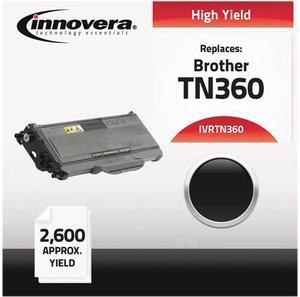
Innovera IVRTN360 Black Compatible Remanufactured TN360 Laser Toner
- Cartridge Quantity: 1 each
- Replacement Brand: Brother
- Compatible Products: Brother DCP-7030, 7040, HL-2140, HL-2170W, MFC-7345N, 7440N, 7840W
- Approximate Page Yield: 2600 Pages
- Model #: IVRTN360
- ₩69,927 –
- ₩99,530 Shipping
Quick View
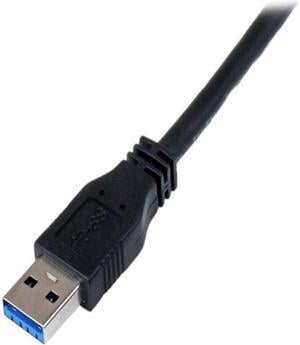
StarTech.com USB3CAUB1M 1m 3 ft Certified SuperSpeed USB 3.0 A to Micro B Cable Cord - USB 3 Micro B Cable - 1x USB A (M), 1x USB Micro B (M) - Black
- Type: Data Transfer Cable
- Connector Number: 2
- Connector Detail: Connector on First End:1 x USB Type-A (9 pin) USB 3.0 Male Connector on Second End:1 x USB 3.0 Micro-B (10 pin, SuperSpeed) Male
- Electrical Outlet Plug Type: Plug Type “A” (USA, Canada, Mexico, Japan)
- Model #: USB3CAUB1M
- ₩34,955 –
- ₩55,411 Shipping
Quick View
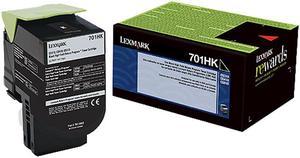
Lexmark 70C1HK0 High Yield Return Program Toner Cartridge - Black
- Cartridge Quantity: Single Pack
- Compatible Products: Lexmark CS510de Lexmark CS410dn Lexmark CS310dn Lexmark CS310n Lexmark CS410n Lexmark CS410dtn Lexmark CS510dte
- Approximate Page Yield: 3000 Pages
- Coverage: 5%
- Model #: 70C1HK0
- ₩215,618 –
- ₩48,586 Shipping
Quick View
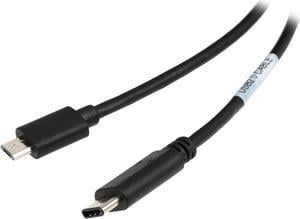
Tripp Lite U040-006-MICRO 6 ft. Black USB 2.0 Hi-Speed Cable (Micro-B Male to USB Type-C Male)
- Type: USB
- Connector Type: Micro-B Male to USB Type-C Male
- Connector Number: 2
- Connector Detail: Connector A USB C (MALE) Connector B MICRO-USB B (MALE)
- Model #: U040-006-MICRO
- ₩20,765 –
- More options from ₩20,765 - ₩28,826
- ₩48,107 Shipping
Quick View
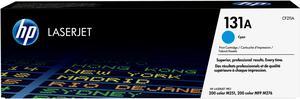
HP 131A LaserJet Toner Cartridge - Cyan
- Brand: HP
- Model: 131A (CF211A)
- Part Number: CF211A
- Cartridge Quantity: Single Pack
- Model #: CF211A
- ₩205,040 –
- ₩85,198 Shipping
Quick View
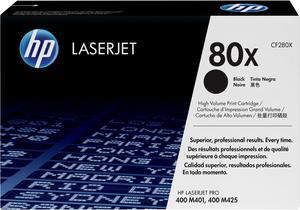
HP 80X High Yield LaserJet Toner Cartridge - Black
- Brand: HP
- Model: HP 80X (CF280X)
- Part Number: CF280X
- Cartridge Quantity: Single Pack
- Model #: CF280X
- ₩430,760 –
- ₩91,004 Shipping
Quick View
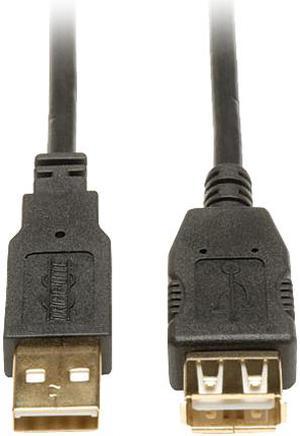
Tripp Lite 3-ft. USB 2.0 Gold Extension Cable (USB A M/F)
- Connector Type: USB A to USB A
- Connector Number: 1
- Connector Detail: Connector on First End:1 x Type A Male USB Connector on Second End:1 x Type A Female USB
- Model #: U024-003
- ₩19,066 –
- ₩55,245 Shipping
Quick View
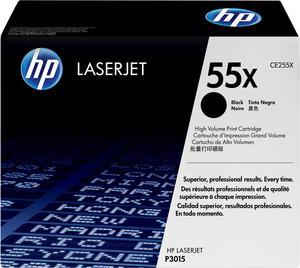
HP 55X High Yield LaserJet Toner Cartridge -Black Laser Print Technology (CE255X)
- Brand: HP
- Model: 55X (CE255X)
- Part Number: CE255X
- Cartridge Quantity: Single Pack
- Model #: CE255X
- ₩549,978 –
- ₩99,765 Shipping

Quick View
Canon CL-276 Color Ink Cartridge for PIXMA TS3520 Wireless All-In-One Printer
- Ink Type: Dye-based
- Model #: 4988C001
- ₩39,724 –
- ₩48,039 Shipping
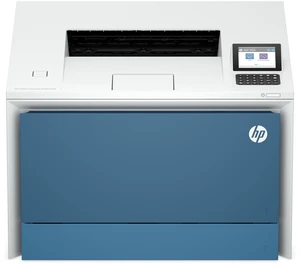
Quick View

- Brand: HP
- Part Number: 67P98A#BGJ
- Model #: 67P98A#BGJ
- ₩1,181,980 –
- ₩277,375 Shipping
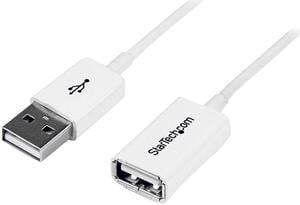
Quick View
StarTech 3m (9.84 ft.) White USB 2.0 Extension Cable A to A - M/F
- Type: Data Transfer Cable
- Connector Number: 1
- Connector Detail: Connector on First End:1 x Type A Male USB Connector on Second End:1 x Type A Female USB
- Electrical Outlet Plug Type: Plug Type “A” (USA, Canada, Mexico, Japan)
- Model #: USBEXTPAA3MW
- ₩38,134 –
- ₩48,049 Shipping
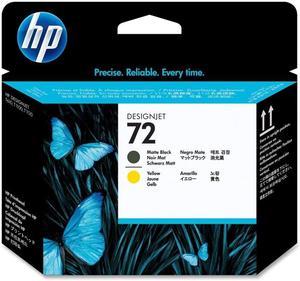
Quick View
- Brand: HP
- Model: 72 (C9384A)
- Part Number: C9384A
- Product Sort: Printer Accessories
- Model #: C9384A
- ₩201,876 –
- ₩48,127 Shipping
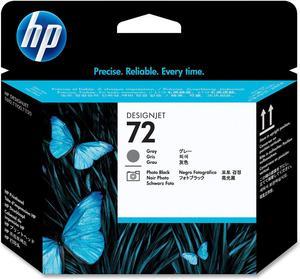
Quick View
- Brand: HP
- Model: 72 (C9380A)
- Part Number: C9380A
- Product Sort: Printer Accessories
- Model #: C9380A
- ₩201,876 –
- ₩48,049 Shipping
Quick View
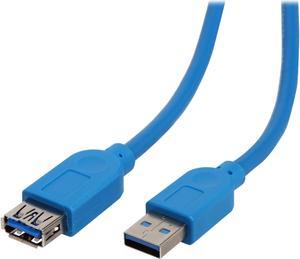
Tripp Lite U324-010 Blue USB 3.0 SuperSpeed A/A Extension Cable
- Type: USB 3.0
- Connector Type: USB A to USB A
- Connector Number: 2
- Connector Detail: Connector A: USB 3.0 A Male Connector B: USB 3.0 A Female
- Model #: U324-010
- ₩38,445 –
- More options from ₩27,364 - ₩38,445
- Free Shipping
Quick View
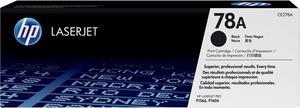
HP 78A LaserJet Toner Cartridge - Black
- Brand: HP
- Model: 78A (CE278A)
- Part Number: CE278A
- Cartridge Quantity: Single Pack
- Model #: CE278A
- ₩192,324 –
- ₩99,185 Shipping
Quick View
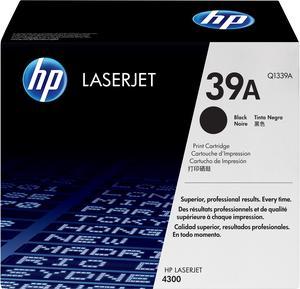
HP 39A LaserJet Toner Cartridge - Black
- Cartridge Quantity: Single Pack
- Compatible Products: HP LaserJet 4300, 4300dtn, 4300dtns, 4300dtnsl, 4300n, 4300tn
- Approximate Page Yield: 18000 Pages
- Model #: Q1339A
- ₩444,093 –
- ₩141,986 Shipping
Quick View
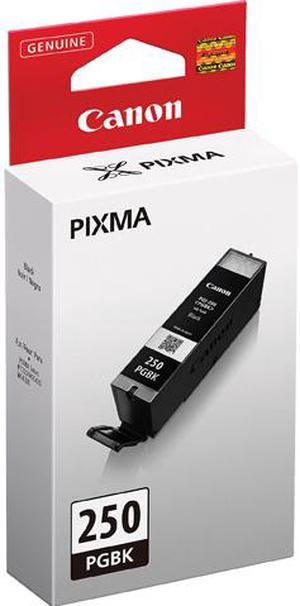
Canon PGI-250 Ink Cartridge - Pigmented Black
- Part Number: 6497B001
- Cartridge Quantity: Single Pack
- Compatible Products: PIXMA MG5420, PIXMA MG5422, PIXMA MG5520, PIXMA MG5522, PIXMA MG6320, PIXMA MG6420, PIXMA MG7120, PIXMA MX722, PIXMA MX922, PIXMA iP7220, PIXMA iP8720, PIXMA iX6820
- Ink Type: Pigment-based
- Model #: 6497B001
- ₩36,545 –
- ₩48,127 Shipping
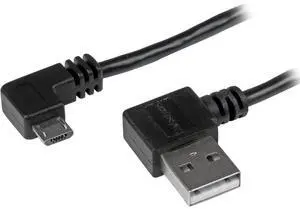
Quick View
StarTech.com 1m 3 ft Micro-USB Cable with Right-Angled Connectors - M/M - USB A to Micro B Cable
- Brand: StarTech.com
- Model: USB2AUB2RA1M
- Type: See Details
- Color: Black
- Model #: USB2AUB2RA1M
- ₩30,186 –
- More options from ₩29,067 - ₩30,186
- ₩48,049 Shipping
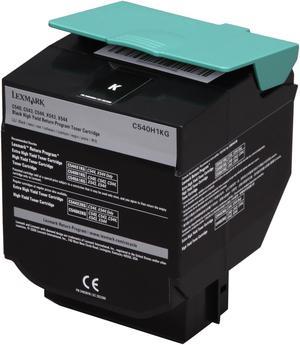
Quick View
Lexmark C540H1KG Toner Cartridge - Black
- Brand: LEXMARK
- Model: C540H1KG
- Cartridge Quantity: Single Pack
- Cartridge Color: Black
- Model #: C540H1KG
- ₩104,429
- See price in cart
- ₩48,601 Shipping
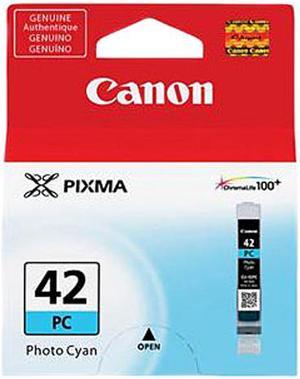
Quick View
Canon CLI-42 Ink Cartridge - Photo Cyan
- Part Number: 6388B002
- Compatible Products: Canon PIXMA PRO-100 Photo Printer
- Ink Type: Dye-based
- Model #: 6388B002
- ₩39,724 –
- ₩62,765 Shipping
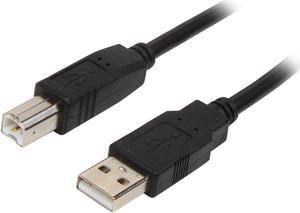
Quick View
StarTech.com USB2HAB6 6 ft USB 2.0 Certified A to B Cable - M/M - 2m USB A to B Cable
- Type: Cable
- Connector Number: 1
- Model #: USB2HAB6
- ₩28,596 –
- ₩48,127 Shipping
Quick View
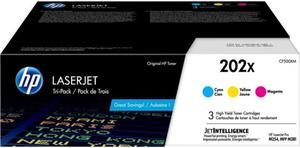
HP 202X 3-pack High Yield Cyan/Magenta/Yellow Original LaserJet Toner
- Part Number: CF500XM
- Cartridge Quantity: 3
- Replacement Model: HP
- Compatible Products: HP Color LaserJet Pro M254dw (T6B60A) HP Color LaserJet Pro MFP M281fdw (T6B82A#BGJ)
- Model #: CF500XM
- ₩608,792 –
- ₩99,615 Shipping
Quick View
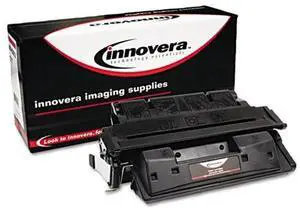
Innovera Compatible Black Toner Cartridge (Alternative for HP 36A/CB436A)
- Cartridge Quantity: 1
- Replacement Brand: HP
- Compatible Products: HP LaserJet M1120, M1522, M1522N, M1522N MFP, M1522NF, M1522NF MFP, P1505, P1505N (HP 36A)
- Approximate Page Yield: 2000 Pages
- Model #: B436A
- ₩65,157 –
- ₩61,479 Shipping
Quick View
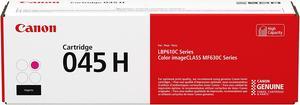
Canon 045 H High Yield Toner Cartridge - Magenta
- Cartridge Quantity: 1 Pack
- Compatible Products: Canon USA Color imageCLASS MF634Cdw,Canon USA Color imageCLASS MF632Cdw,Canon USA Color imageCLASS LBP612Cdw
- Approximate Page Yield: 2200 Pages
- Coverage: 5%
- Model #: 1244C001
- ₩200,286 –
- ₩104,078 Shipping
Quick View
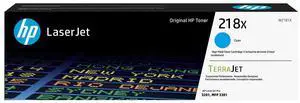
- Part Number: W2181X
- Cartridge Quantity: HP Toner
- Storage Humidity: 10 to 95% RH
- Operating Temperature: 50 to 91°F
- Model #: W2181X
- ₩212,987 –
- ₩85,052 Shipping
Quick View
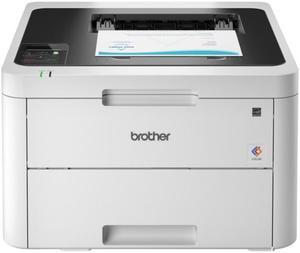
Brother HL-L6210DW Wireless Business Monochrome Laser Printer
- Cartridges Compatible: 1x Toner
- Time To First Page (seconds): 6.7 Seconds (Black)
- Print Languages, std.: Adobe PDF 1.7, HP PCL 6, XPS
- Scan Resolution, Optical: 1200 x 1200 dpi
- Model #: HL-L6210DW
- ₩621,726 –
- More options from ₩554,529 - ₩787,259
- ₩195,878 Shipping
Quick View
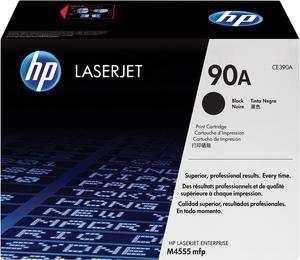
HP 90A LaserJet Toner Cartridge - Black
- Brand: HP
- Model: 90A (CE390A)
- Part Number: CE390A
- Cartridge Quantity: Single Pack
- Model #: CE390A
- ₩424,402 –
- ₩108,971 Shipping
Quick View
Canon 131H High Yield Toner Cartridge - Black
- Cartridge Quantity: Single Pack
- Compatible Products: imageCLASS MF628Cw, Canon Color imageCLASS LBP-7110 cw, Color imageCLASS MF8280 Cw, i-SENSYS LBP-7100 cn, i-SENSYS LBP-7110 cw, i-SENSYS MF8230 cn, i-SENSYS MF8280CW
- Approximate Page Yield: 2400 Pages
- Model #: 6273B001
- ₩238,421 –
- ₩85,226 Shipping
Quick View
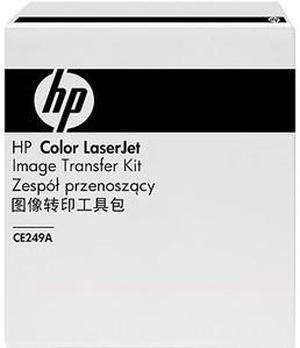
- Brand: HP
- Model: CE249A
- Part Number: CE249A
- Product Sort: Printer Accessories
- Model #: CE249A
- ₩602,434 –
- ₩137,029 Shipping

Quick View
- Brand: HP
- Part Number: W1340A
- Cartridge Quantity: 1
- Cartridge Color: Black
- Model #: W1340A
- ₩103,307 –
- ₩85,080 Shipping
Quick View
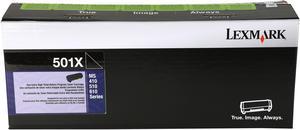
Lexmark 50F1X00 Extra High Yield Return Program Toner Cartridge - Black
- Cartridge Quantity: Single Pack
- Compatible Products: MS410d, MS410dn, MS415dn, MS510dn, MS610de, MS610dn, MS610dte, MS610dtn
- Approximate Page Yield: 10000 Pages
- Parts: Extended warranty available
- Model #: 50F1X00
- ₩442,008
- See price in cart
- ₩95,496 Shipping
Quick View
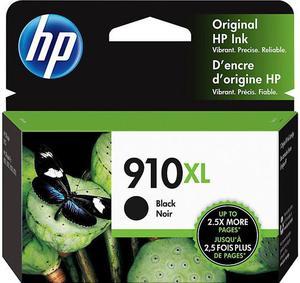
HP 910XL High Yield Black Original Ink Cartridge, ~825 pages, 3YL65AN#140
- Brand: HP
- Model: 910XL
- Part Number: 3YL65AN
- Cartridge Quantity: Single Pack
- Model #: 3YL65AN
- ₩90,590 –
- ₩54,049 Shipping
Quick View
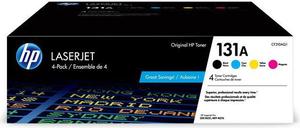
- Part Number: CF210AQ1
- Cartridge Quantity: 4 Pack
- Replacement Model: HP
- Compatible Products: HP LaserJet Pro 200 color MFP M276nw (CF145A#BGJ) HP LaserJet Pro 200 color M251nw (CF147A#BGJ)
- Model #: CF210AQ1
- ₩700,988 –
- ₩136,865 Shipping
Quick View
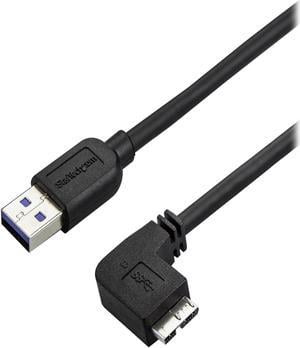
StarTech.com 0.5m 20in Slim Micro USB 3.0 Cable - M/M - USB 3.0 A to Right-Angle Micro USB - USB 3.1 Gen 1 (5 Gbps)
- Type: Consumer Electronics
- Connector Number: 1
- Connector Detail: Connector on First End:1 x Type A Male USB Connector on Second End:1 x Type B Male Micro USB
- Model #: USB3AU50CMRS
- ₩31,775 –
- ₩55,411 Shipping
Quick View
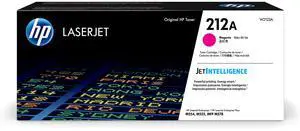
- Part Number: W2123A
- Replacement Model: HP
- Approximate Page Yield: 4500 Pages
- Operating Humidity: 10 to 80% RH
- Model #: W2123A
- ₩453,014 –
- ₩99,615 Shipping
Quick View
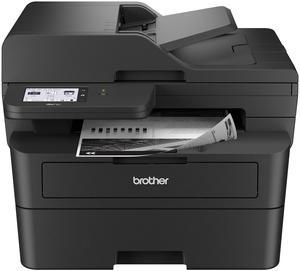
Brother MFC-L2900DW MFC / All-In-One Up to 36 ppm Monochrome Wireless 802.11b/g/n (2.4GHz) / 802.11a/n (5GHz), Ethernet, Hi-Speed USB 2.0 Electrophotographic Laser Printer
- Black Print Quality: 1200 x 1200 dpi
- Display: 3.5" Touchscreen
- Time To First Page (seconds): Less than 6.9 seconds
- Emulations: PCL6, BR-Script, PDF Version 1.7
- Model #: MFC-L2900dw
- ₩568,211 –
- More options from ₩568,211 - ₩754,526
- ₩209,713 Shipping
Choosing the Right Printer for Your Office Needs
When it comes to office solutions, printers and scanners are essential tools for any business. Whether you need to print important documents, scan invoices, or create professional-quality marketing materials, having the right equipment is crucial. In this article, we will explore the different types of printers and scanners available in the market and provide tips on how to choose the best one for your office.
All-in-One Printers: Versatility and Convenience
all-in-one printers, also known as multifunction printers, are a popular choice for offices. These devices combine the functionality of a printer, scanner, copier, and sometimes even a fax machine into a single unit. They offer versatility and convenience, allowing you to perform multiple tasks without the need for separate devices. All-in-one printers are available in both inkjet and laser options, catering to different printing needs and budgets.
Specialized Printers for Specific Tasks
In addition to all-in-one printers, there are specialized printers designed for specific tasks. For example, 3D printers are ideal for creating prototypes or intricate models, while barcode and label printers are perfect for businesses that require efficient inventory management. laser printers are known for their fast printing speeds and high-quality output, making them suitable for offices with high-volume printing needs. inkjet printers, on the other hand, are more cost-effective and can produce vibrant color prints.
Choosing the Right Supplies
Once you have selected the right printer for your office, it is important to choose the right supplies to ensure optimal performance and longevity. When it comes to inkjet printers, using high-quality ink cartridges is essential to achieve the best print quality and prevent clogging. For laser printers, it is important to choose the right type of toner cartridges that are compatible with your printer model. Additionally, investing in high-quality paper can make a significant difference in the final print results.
FAQs: Common Questions about Printers and Scanners
| Q: How often should I replace the ink cartridges? | A: The frequency of replacing ink cartridges depends on your printing volume. However, it is recommended to replace them when the print quality starts to degrade. |
|---|---|
| Q: Can I use third-party ink cartridges with my printer? | A: While it is possible to use third-party ink cartridges, it is important to ensure compatibility with your printer model. Using incompatible cartridges may result in poor print quality or damage to the printer. |
| Q: How do I clean the scanner glass? | A: To clean the scanner glass, use a soft, lint-free cloth slightly dampened with glass cleaner. Gently wipe the glass surface to remove any smudges or debris. |
| Q: What is the difference between optical and interpolated resolution in scanners? | A: Optical resolution refers to the actual hardware resolution of the scanner, while interpolated resolution is achieved through software enhancements. Optical resolution provides more accurate and detailed scans. |
| Q: How can I improve the scanning speed? | A: To improve scanning speed, reduce the scanning resolution, use black and white mode instead of color, and ensure that the scanner is connected to a high-speed USB port. |