- Free 30-day Returns
- ₩81,213 Shipping
₩150,259
VAT-Inclusive Price
Ships from United States.
Sold by Newegg
Shipped by Newegg
Best Sellers
- $154,260.70
- + ₩120,506 Shipping
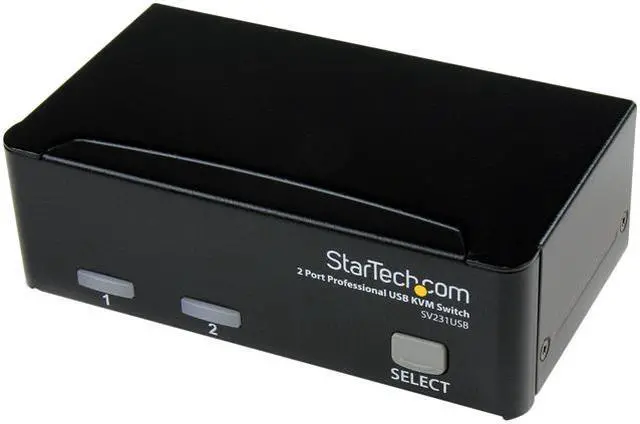
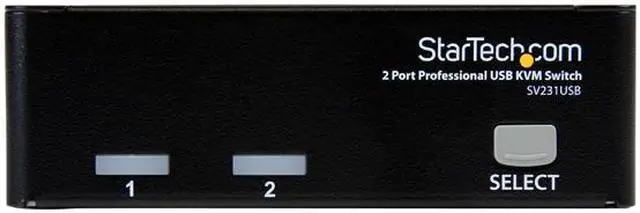
StarTech.com SV231USB 2-port KVM Switch for VGA Computers - USB - Full KVM Kit Cables Included
- Control 2 USB VGA based computers with this complete KVM kit including cables
- USB KVM Switch
- 2 Port KVM Switch -VGA KVM Switch
- Desktop KVM Switch
- USB KVM Switch Dual Port
- KVM Switch Cables included
+
+
Overview
Specs
Reviews (90)
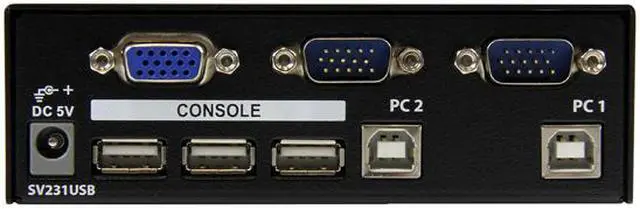
This 2 Port USB KVM Switch Kit offers simple control of two MacPC computers from a single monitor and USB peripheral set. The switch features a built-in 3 port USB hub for simple USB device sharing and includes the necessary USB KVM cables.
Warranty & Returns
Warranty, Returns, And Additional Information
Return Policies*
- Return for refund within: 30 days
- Returns are subject to restocking fees and return shipping fees. Please click here to learn more about restocking fees and return shipping fees.
- This item is covered by Newegg.com's International Order Return Policy.
- Read full return policy for details.
- *Subject to applicable law
Warranty Notice:
This product does not include manufacturer warranty when purchased or used outside of its designated sales region. By purchasing internationally, you acknowledge that warranty support from the manufacturer will not be available.
Manufacturer Contact Info
- Manufacturer Product Page
- Manufacturer Website
- Support Phone: 1-800-265-1844
- Support Email: support@startech.com
- Support Website
- View other products from STARTECH
LOADING...
LOADING...
The StarTech.com SV231USB is a 2-port USB/VGA KVM switch that lets one user control two computers with one monitor, keyboard and mouse, making it suitable for offices or workstations with compatible VGA computers. It supports resolutions up to 1920 × 1440 and includes the connection cables.
Recommended For
- People who use two VGA-equipped computers at one desk and want to share one monitor, USB keyboard, and mouse instead of duplicating those controls.
- IT staff or technicians switching between two VGA test, maintenance, or burn-in computers at a shared bench; the physical front-panel buttons provide direct computer selection.
- Operators managing two VGA-based digital-signage or manufacturing-line computers from one local console, where a single shared monitor and keyboard/mouse meet the control-room needs.
- Users maintaining older VGA workstations who want a driver-free KVM setup with the required USB/VGA cables included, rather than adding software to each computer.
Real-World Use Scenarios
- At a workstation with two VGA-equipped computers, switch the monitor, keyboard, and mouse between systems to work on each without keeping a separate set of desk controls for both.
- On a PC test or burn-in bench, use one monitor and input set to check two systems in turn, keeping the test area less crowded than a setup with separate controls for each computer.
- On a manufacturing line with two compatible computers, an operator can select either system from the same console, reducing the need to move between separate keyboard-and-monitor stations.
- For digital-signage system maintenance, use one VGA monitor and USB keyboard and mouse to access either of two connected control computers from a shared console.
- In a mixed-computer environment, use the front-panel button to move the shared console between two connected systems; the switch is intended for USB-connected computers with VGA video, not as a general HDMI or DisplayPort KVM.
Spec Summary
| Attribute | Value |
|---|---|
| Best For | Controlling two USB/VGA computers from one workstation; also suited to centralized digital-signage server control, manufacturing-line access, and PC testing or burn-in setups |
| Computer And Console Connections | Connects 2 computers through USB-B and VGA inputs; provides 1 VGA monitor connection and 3 USB-A peripheral ports for sharing devices |
| Video | Supports resolutions up to 1920 × 1440 and DDC2B VGA monitors |
| Switching And Control | Select computers with front-panel push buttons; selectable AutoScan intervals of 3, 8, 15, or 30 seconds |
| Compatibility | Works with Windows and Mac OS computers with USB connectivity; OS-independent operation requires no software or drivers and supports keyboard and mouse plug and play |
| Power | USB self-power operation; external specifications list 12 V operating voltage, 2 A current rating, and 10 W wattage |
| Physical Specifications | Measures 4.9 × 2.8 × 1.6 inches and weighs 14.80 oz |
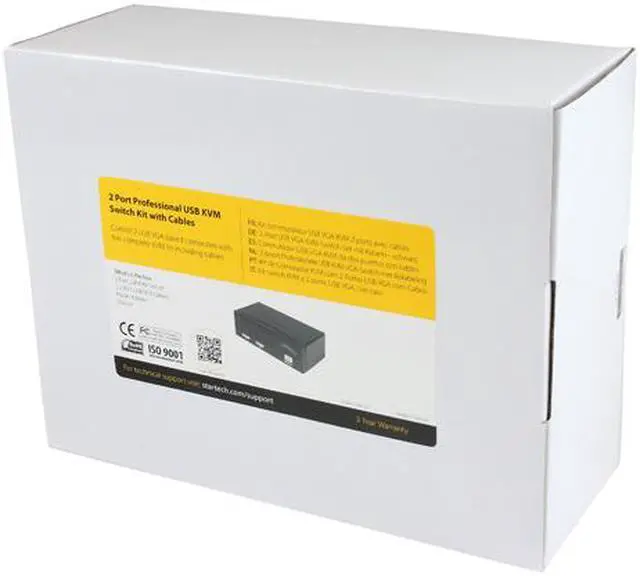
| Included Items | KVM switch, two 2-in-1 USB/VGA cables, power adapter, and manual |
| Model Identifiers | StarTech.com SV231USB |
| Compliance | TAA specification listed |