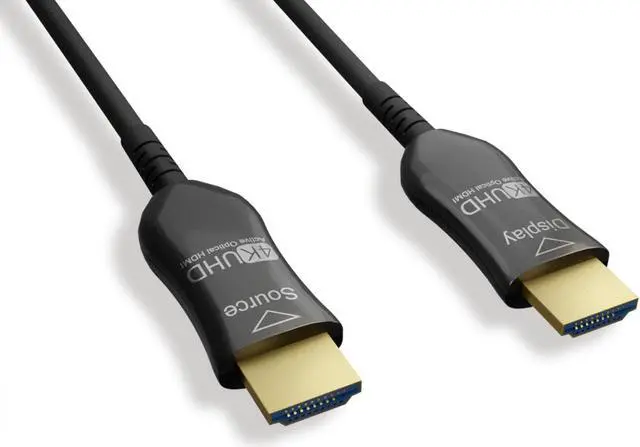
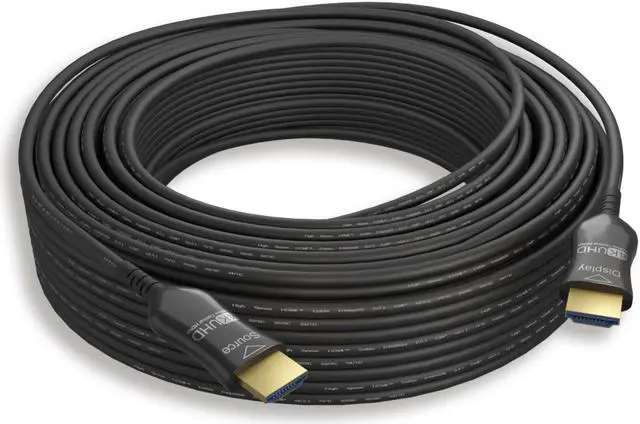
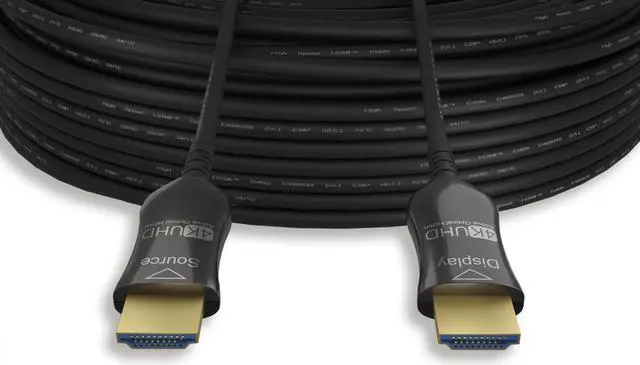
The Nippon Labs 75-foot HDMI 2.0 active optical cable is designed for long in-wall or plenum-space runs, supporting up to 4K at 60Hz and 18 Gbps; it suits installers and home theater or conference-room setups that need a CMP-rated cable between an HDMI source and display.
Recommended For
- Home-theater owners routing a 4K/60Hz source from an AV rack to a distant projector or TV can use this 75-foot active optical cable for the long source-to-display run.
- Installers running HDMI through a ceiling plenum or beneath a raised floor can consider it when the route needs a CMP-rated cable and the system uses HDMI 2.0 at up to 4K/60Hz.
- Conference-room and digital-signage teams connecting a fixed HDMI source to a distant display can use it for long, installed runs that need 4K/60Hz rather than a short desk cable.
- PC or console users who want to place the source in another room from a 4K/60Hz TV can use it for a fixed, one-way connection, provided the SOURCE end stays at the device and the DISPLAY end at the screen.
Real-World Use Scenarios
- In a home theater, connect an AV receiver or media player at the equipment rack to a ceiling-mounted projector across the room; the 75-foot run can carry compatible video and audio without placing the source beside the projector. Connect SOURCE to the equipment and DISPLAY to the projector.
- For a conference room or classroom, route HDMI from a presentation PC or AV rack to a distant projector or display through a ceiling plenum; the CMP rating suits that type of air-space installation, while compatible setups can carry presentations at up to 4K/60Hz.
- When a media cabinet or PC is in a different room from the 4K TV, use the long run to connect the source directly to the display; this can keep playback equipment out of the viewing area, provided the devices and signal settings are compatible.
- For a large-room digital-signage setup, connect a player or switcher in an equipment area to a remotely placed screen; the long cable can bridge the distance, and its plenum rating is relevant when the route passes through a plenum space.
- To play console or PC games on a distant projector, route HDMI from the console or computer to the projector and use a compatible 4K/60Hz output mode; because the cable is directional, connect SOURCE at the game device and DISPLAY at the projector.
Spec Summary
| Attribute | Value |
|---|
| Best For | Long-run HDMI source-to-display connections and plenum-rated installations; connect the SOURCE end to the source device and the DISPLAY end to the TV or monitor |
|---|
| Cable Length And Construction | 75 ft. hybrid active optical fiber HDMI cable with a 4.8 mm outer diameter and round shape |
|---|
| Connectors And Direction | Two HDMI 2.0 Type A male connectors, one for the source and one for the display; unidirectional, not bi-directional |
|---|
| Performance And Compatibility | Data transfer rate up to 18 Gbps |
|---|
| Installation And Appearance | CMP plenum rated for indoor or outdoor use; black |
|---|
| Model Identifiers | Nippon Labs 30HM2-10HM-AOCP4K-75 |
|---|



 All Categories