• MXN$1,402.50
  • VAT-Inclusive Price
Ships from China.
Most customers receive within 7-17 days.
Sold by Tulibao-US

Shipped by Tulibao-US

Shop it at NeweggBusiness.

Meet Your Seller

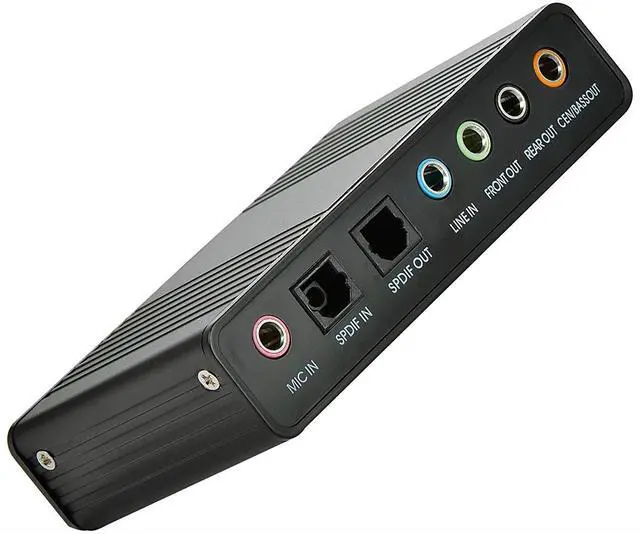
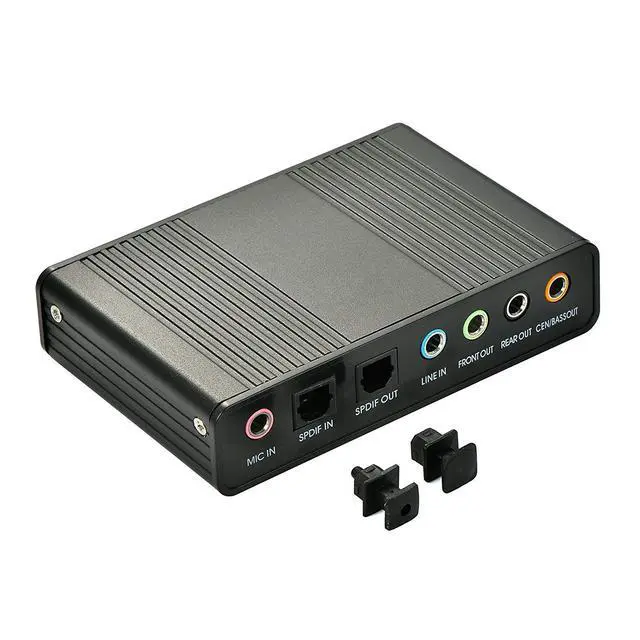
Sound Card,Optimal Shop 6 Channel External Sound Card USB 2.0 External 5.1 Surround Sound Optical S/PDIF Audio Sound Card Adapter for PC Laptop Recording Compatible with Windows 8/7/ XP

  • Optimal Shop 6 Channel External Sound Card USB 2.0 External 5.1 Surround Sound Optical S/PDIF Audio Sound Card Adapter for PC Laptop Recording Compatible with Windows 8/7/ XP.
  • It supports 32KBz, 44.1khz. (which two need driver or application software support) and 48Khz sampling rate in digital recording, 48KHz sampling in digital\analog audio playback.In digital playback mode, itreceives audio stream form PC via USB interface and transmits audio data according to the AES\EBU, IEC60958, S\PDIF cnsumer interface standards. Only R L channel PCM audio in 5.1 channel can be conveyed in digital playback mode.
+
+
Overview
Specs
Reviews
After the fiber output must be AC3 / DTS decoder, or built-in AC3 / DTS decoder amplifier and the like:
Use 1: computer connection 5.1 channel speaker. If the speaker audio input for the 3.5mm stereo interface, you need three 3.5mm stereo audio cable connection; such as audio and audio input for the RCA Lotus head, you need three 3.5mm to the Lot the sound cable access to the computer installed after the drive, then the audio cable can be connected. In terms of software, it is recommended to use the ultimate decoding or perfect decoding, as well as KMP and so on. Use 2: in the final decoding set to S / PDIF output, sound card settings to open the S / PDIF output, playback can be; (where the final decoding settings only use the normal settings, you can also choose according to different situations re -encoding DD5.1 output and other Option.), In addition to this special reminder: fiber output for the source code directly to the external decoder, such as power amplifier decoding, regardless of channel output.Use 3: The above is the setting for watching movies. When you use it for K songs, only in the mixer tab check the input "Stereo Mix" option can also be selected in the corresponding software

Warranty & Returns

Warranty, Returns, And Additional Information

Return Policies*

  • Return for refund within: 30 days
  • Return for replacement within: non-replaceable
  • This item is covered by Tulibao-US Return Policy
  • *Subject to applicable law
  • Warranty Notice:

    This product does not include manufacturer warranty when purchased or used outside of its designated sales region. By purchasing internationally, you acknowledge that warranty support from the manufacturer will not be available.

Manufacturer Contact Info

LOADING...