MXN$6,696.42
VAT-Inclusive Price
Ships from Hong Kong.
Most customers receive within 10-17 days.
Meet Your Seller
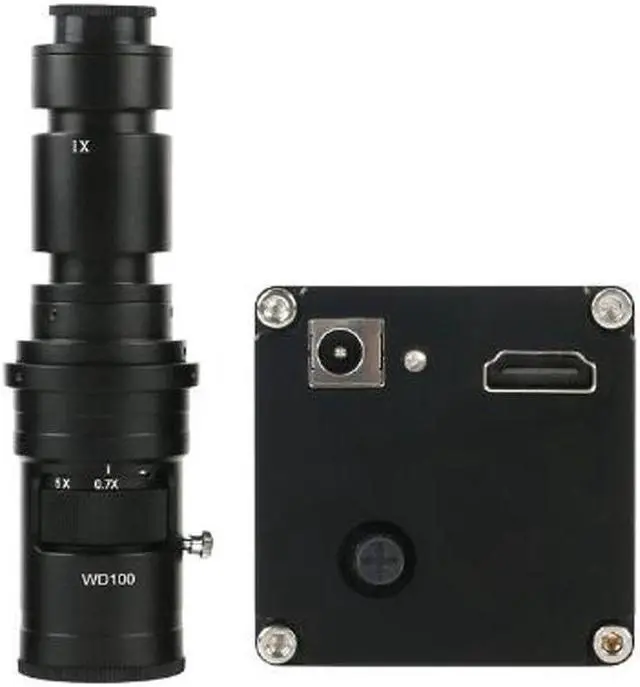
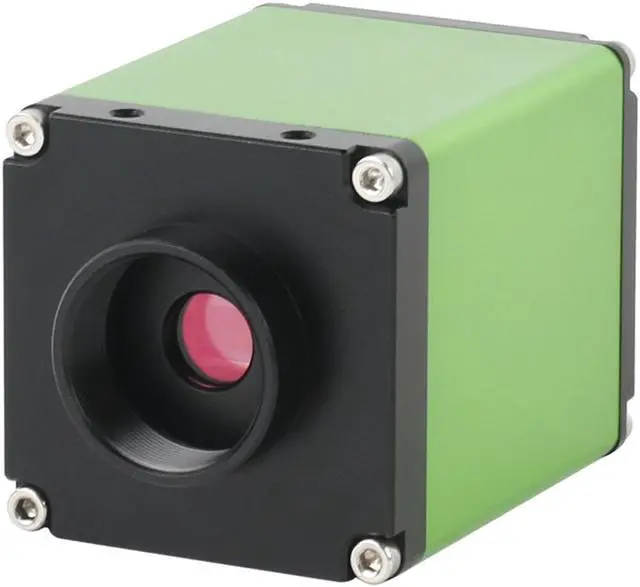
2020 NEW 1080P HDMI Digital Electron Industrial Microscope Video Microscope Camera & 500X C-Mount Lens For PCB Soldering
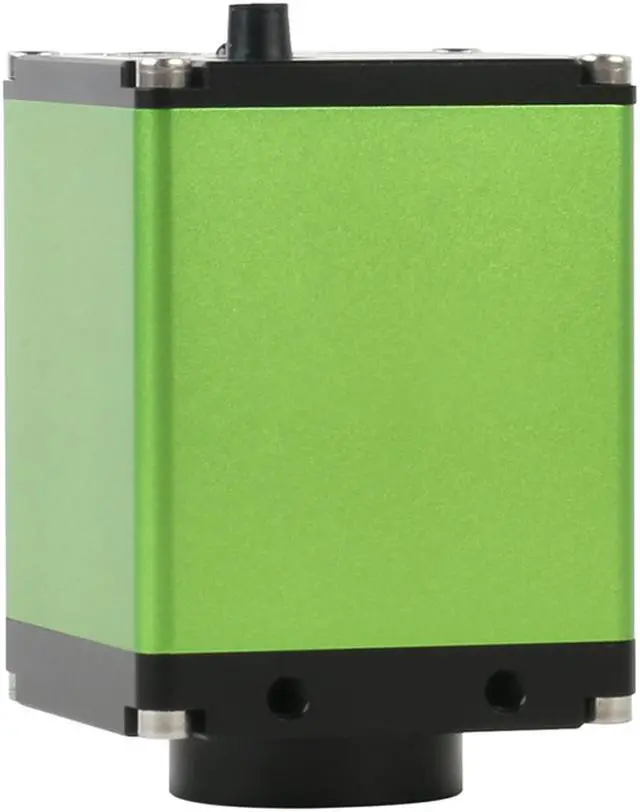
- FunctionCMOS Resolution2 million pixelsResolution1920*1080Pixel Size3.75 mOptical Size1/2"Color Depth12:12:12 RGBFrame Rate60 fpsColor AdjustManual / AutoLuminance AdjustManual / Autoreference line8 (customizable)Grid line:8 horizontal lines, 8 vertical linesThey can be changed six colorsLens jack:C-mountOSD menuHavePower InputDC 12V, 2ADimension70mm x 52mm x 52mmOperation Moisture5%85%Operation Temperature0~60COutput InterfaceHDMI Output

+
+
Overview
Specs
Reviews
500X
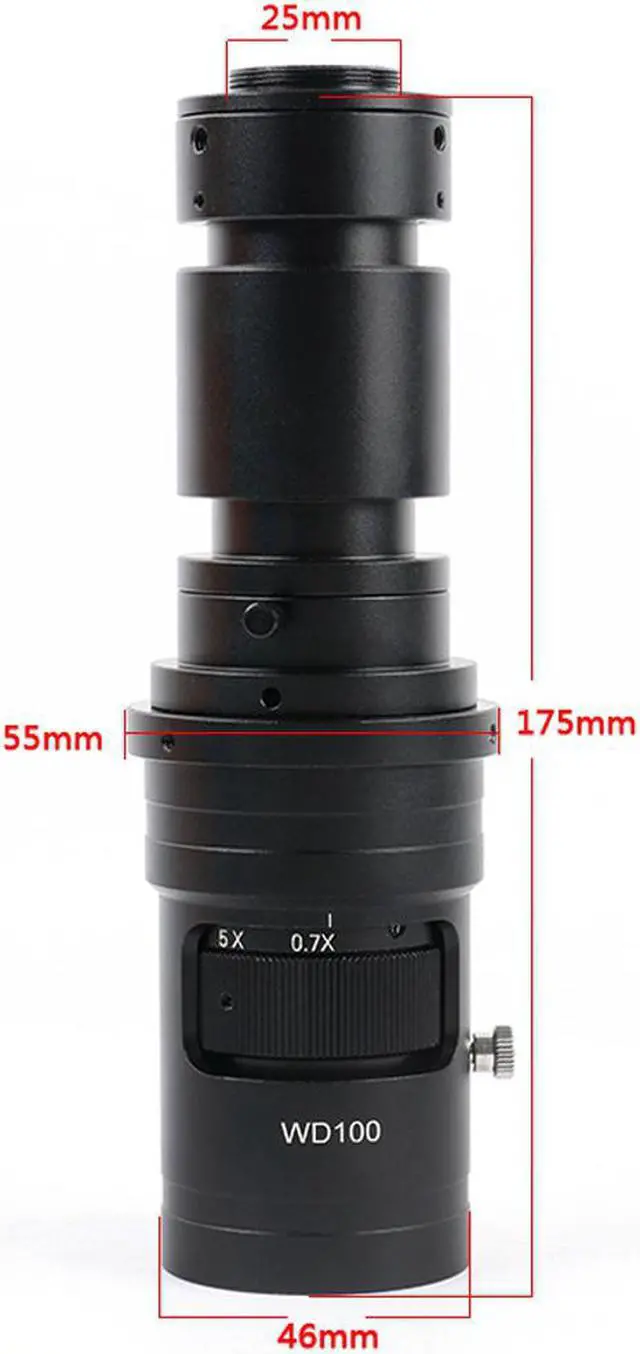
C-MOUNT Lens: Working
distance: 90mm
-120mmConnector: C
mountZoom: continouasly variable zoomObjective
Magnification: 0.7X - 5X(about 70 - 500X)
Eyepiece lens adapter: 1XFixed
position:
50mmLocking: 0.7X - 5X
LockingThread:
42mmSize: 132mm (L) * 55mm (DIA)
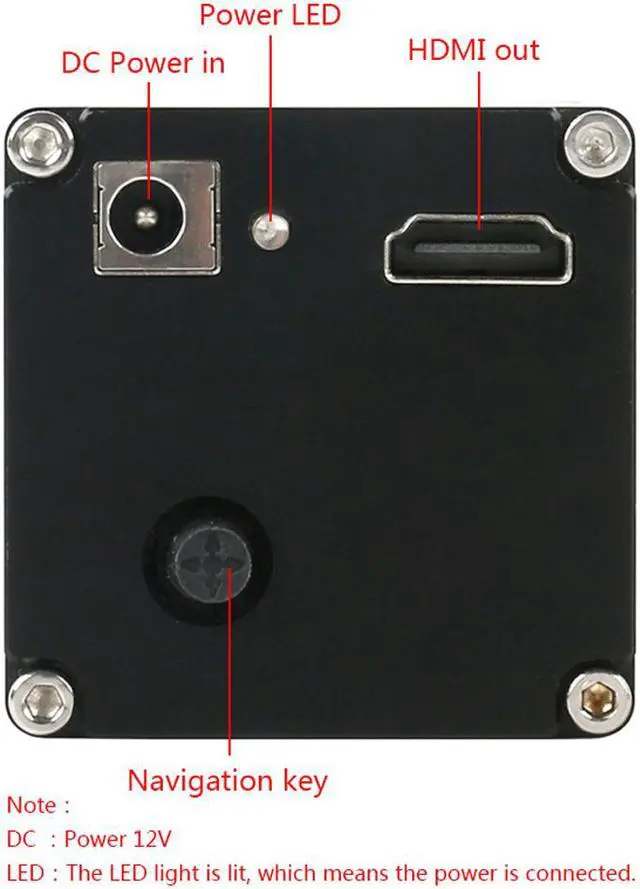
C-mount lens: 520gNavigation key operation definition1. Up and down (or back and forth) push button: the main function menu cursor moves up and down. 2.
Left and right push button: Sub-function switch, sub-function operation.
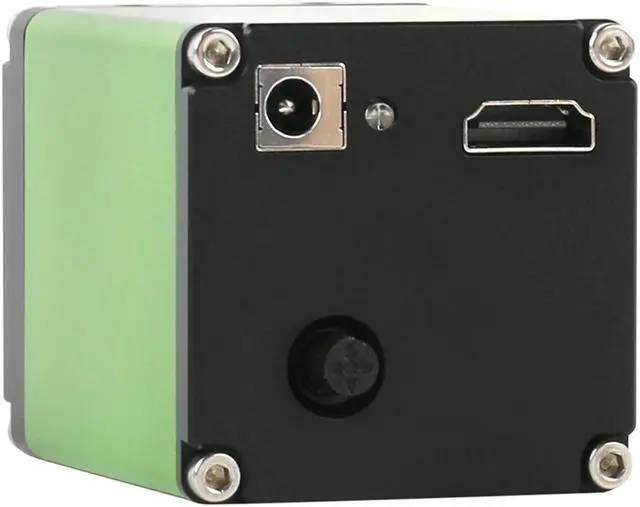
Center push button: Function confirmation, sub-function operation, etc. Connect the camera 1. Connect the camera to the monitor with an HDMI cable. Since the camera video resolution is 1920*1080, it is required that the LCD screen should be more than 22 inches. 2.12V DC power supply. 3.
Color correction (White Balance): Take a blank sheet of white paper and place it in front of the camera. Operate the navigation key to select the menu cursor to the P bar, left push button, WB with white color, the camera start white balance automatically. After the correction, the menu box will automatically revertto the original color.
Note: Be sure this operation must after other parameters to be set; otherwise it may affect the color. 4.
Auto Exposure: Operate the navigation key to select the menu cursor to the P bar, right push button, AE with white color. After the correction, the menu box will automatically revert to the original color.
Note: In order to obtain the best image effect, the brightness or exposure value should generally be below 80; High dynamic contrast, this function is to observe low contrast objects. Generally, it is recommended to be 0 (closed). FunctionCMOS Resolution2 million pixelsResolution1920*1080Pixel Size 3.75 mOptical Size1/2"Color
Depth 12:12: 12 RGB
Frame Rate60 fpsColor AdjustManual / AutoLuminance AdjustManual / Autoreference line8 (customizable)
Grid line: 8 horizontal lines, 8 vertical linesThey can be changed six colorsLens jack: C-mountOSD menuHavePower InputDC 12V, 2ADimension70mm x 52mm x 52mmOperation Moisture5%85%Operation Temperature0~60COutput InterfaceHDMI Output
C-MOUNT Lens: Working
distance: 90mm
-120mmConnector: C
mountZoom: continouasly variable zoomObjective
Magnification: 0.7X - 5X(about 70 - 500X)
Eyepiece lens adapter: 1XFixed
position:
50mmLocking: 0.7X - 5X
LockingThread:
42mmSize: 132mm (L) * 55mm (DIA)
C-mount lens: 520gNavigation key operation definition1. Up and down (or back and forth) push button: the main function menu cursor moves up and down. 2.
Left and right push button: Sub-function switch, sub-function operation.
Center push button: Function confirmation, sub-function operation, etc. Connect the camera 1. Connect the camera to the monitor with an HDMI cable. Since the camera video resolution is 1920*1080, it is required that the LCD screen should be more than 22 inches. 2.12V DC power supply. 3.
Color correction (White Balance): Take a blank sheet of white paper and place it in front of the camera. Operate the navigation key to select the menu cursor to the P bar, left push button, WB with white color, the camera start white balance automatically. After the correction, the menu box will automatically revertto the original color.
Note: Be sure this operation must after other parameters to be set; otherwise it may affect the color. 4.
Auto Exposure: Operate the navigation key to select the menu cursor to the P bar, right push button, AE with white color. After the correction, the menu box will automatically revert to the original color.
Note: In order to obtain the best image effect, the brightness or exposure value should generally be below 80; High dynamic contrast, this function is to observe low contrast objects. Generally, it is recommended to be 0 (closed). FunctionCMOS Resolution2 million pixelsResolution1920*1080Pixel Size 3.75 mOptical Size1/2"Color
Depth 12:12: 12 RGB
Frame Rate60 fpsColor AdjustManual / AutoLuminance AdjustManual / Autoreference line8 (customizable)
Grid line: 8 horizontal lines, 8 vertical linesThey can be changed six colorsLens jack: C-mountOSD menuHavePower InputDC 12V, 2ADimension70mm x 52mm x 52mmOperation Moisture5%85%Operation Temperature0~60COutput InterfaceHDMI Output
Warranty & Returns
Warranty, Returns, And Additional Information
Return Policies*
- Return for refund within: 30 days
- Return for replacement within: non-replaceable
- This item is covered by Byteful Return Policy
- *Subject to applicable law
Warranty Notice:
This product does not include manufacturer warranty when purchased or used outside of its designated sales region. By purchasing internationally, you acknowledge that warranty support from the manufacturer will not be available.
Manufacturer Contact Info
- For a directory of all our manufacturers, please click below.
- Manufacturers Directory
LOADING...