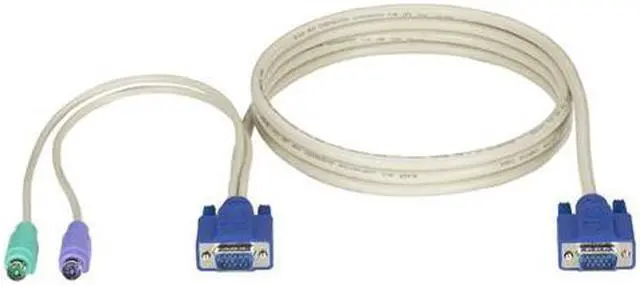
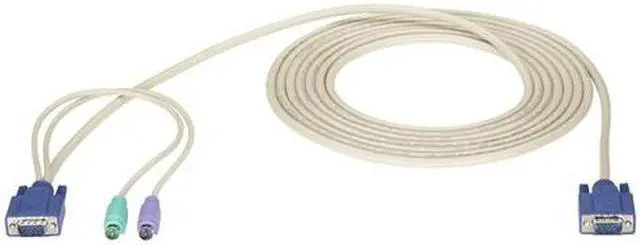
The Black Box KVM CPU cable is a 10-foot cable for connecting a compatible Black Box ServSwitch KVM switch to a computer, with VGA video and two PS/2 connections for keyboard and mouse. It suits users maintaining or configuring legacy VGA/PS/2 KVM setups.
Recommended For
- IT staff connecting a VGA-and-PS/2 server to a compatible Black Box ServSwitch EC or DT Low Profile KVM switch in a fixed setup.
- Administrators adding a PS/2-based computer or server to a KVM setup that uses VGA video and has a compatible CPU-side connection.
- Users who need up to 10 feet of cable between a compatible KVM switch and a legacy VGA/PS/2 computer in a stationary workspace.
Real-World Use Scenarios
- Connect a VGA-and-PS/2 desktop or server to a compatible Black Box ServSwitch KVM; the computer’s video, keyboard, and mouse can then be accessed through the KVM console.
- In a small office or IT area with multiple legacy PCs, connect each compatible computer to a KVM and use one monitor, keyboard, and mouse to work on the selected machine instead of keeping a separate console at every desk.
- When servicing a legacy server, connect it to a compatible PS/2-and-VGA KVM so a technician can switch the shared console to that machine for local setup or troubleshooting.
- For a setup where the computer and KVM are not side by side, route the 10-foot cable between them to keep the legacy PC connected while placing the console where it is convenient to use.
Spec Summary
| Attribute | Value |
|---|
| Best For | KVM setups needing a 10-ft cable for VGA and dual-PS/2 connections |
|---|
| Cable Length | 10 ft |
|---|
| Brand | Black Box |
|---|



 All Categories