MXN$2,835.68
VAT-Inclusive Price
Ships from Hong Kong.
Most customers receive within 10-17 days.
Meet Your Seller
PZL Replacement Remote Control for Bed Tech Bedtech BT2000, for Lucid L300, for Milemont Richmat HJH13D Adjustable Bed, for AMBEE21 CastleBeds (Not BT Version)
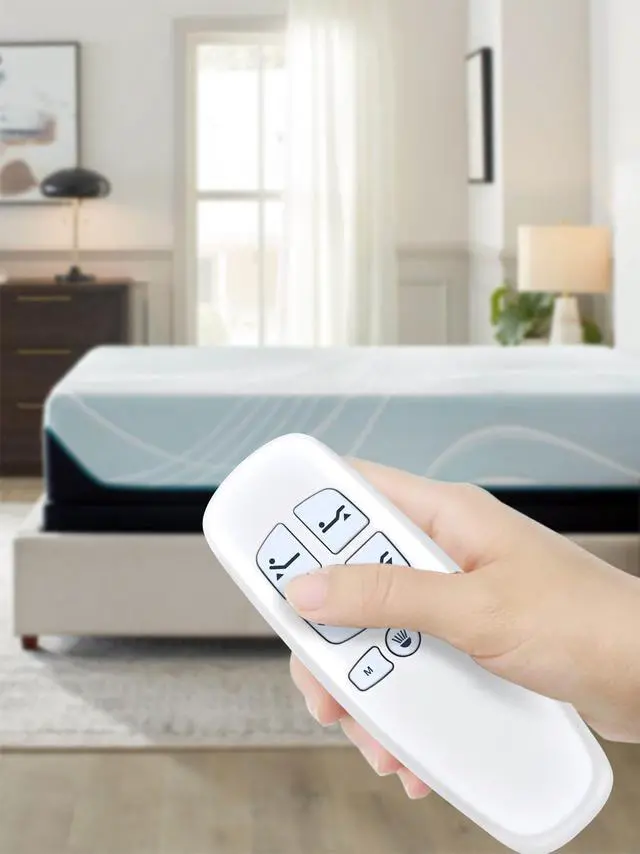
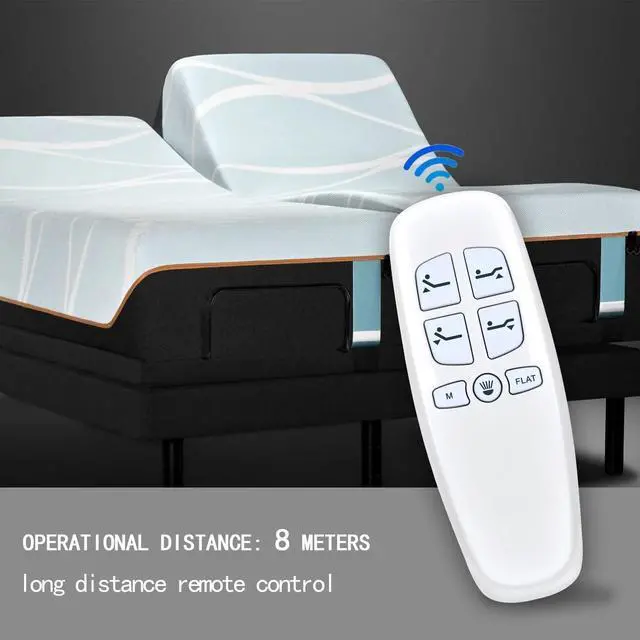
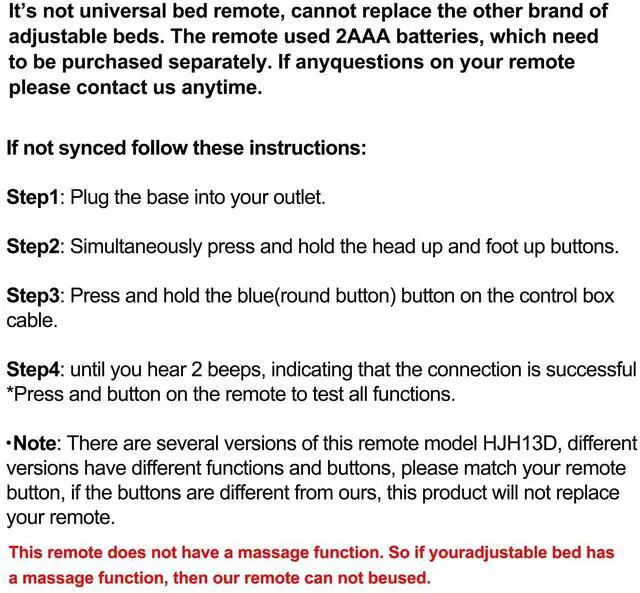
- Note: It requires 2 AAA batteries (not included). If your old remote is not exactly as shown in the picture, or if your old remote has a Bluetooth icon in the lower right corner, it may not work. And this remote doesn't have a massage function. So if your adjustable bed has a massage function, then our remote can not be used.
- Compatible Models: New replacement remote control compatible with Bed Tech Bedtech BT2000, for LUCID L300, for Richmat HJH13D adjustable bed, for AMBEE21 CastleBeds, please pair before use
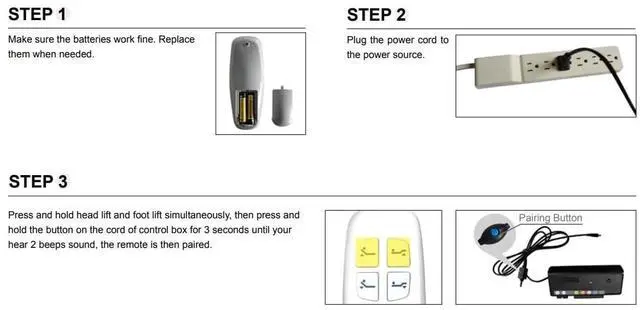
- How To Pair: 1.Make sure the batteries work fine. Replace them when needed. 2.Plug the power cord to the power source. Ensure there is power to the source/outlet. 3.Press and hold [Head Up] and [Foot Up] simultaneously, then press and hold the blue button on the cord of control box for 3 seconds until your hear 2 beeps sound, the remote is then paired
- Package Included: 1 x IR remote control (Batteries and Instructions are Not Included). It can solve the problem when you
+
+
Overview
Specs
Reviews
New Replacement Remote Control Compatible with Bed Tech Bedtech BT2000, for LUCID L300, for Richmat HJH13D Adjustable Bed, for
AMBEE21 CastleBedsPackage Included: 1 x IR Remote Control (Batteries and Instructions are Not Included).
Warranty & Returns
Warranty, Returns, And Additional Information
Return Policies*
- Return for refund within: 30 days
- Return for replacement within: non-replaceable
- This item is covered by Nextrix Return Policy
- *Subject to applicable law
Warranty Notice:
This product does not include manufacturer warranty when purchased or used outside of its designated sales region. By purchasing internationally, you acknowledge that warranty support from the manufacturer will not be available.
Manufacturer Contact Info
- For a directory of all our manufacturers, please click below.
- Manufacturers Directory
LOADING...