


  • MXN$14,328.31
  • VAT-Inclusive Price
  • Free 30-day Returns
  • MXN$1,901.29 Shipping
Add to PC build list 
Ships from United States.
Sold by Newegg

Shipped by Newegg

Shop it at NeweggBusiness.

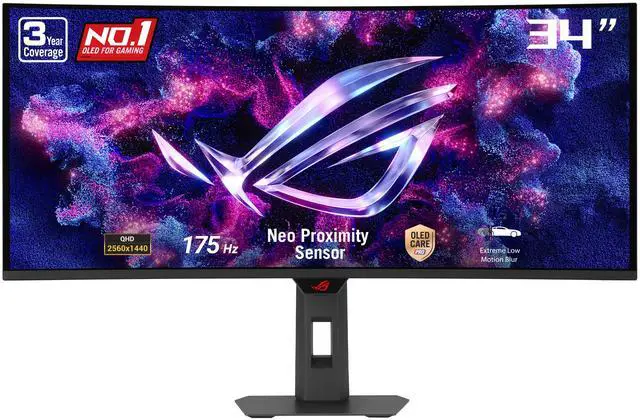
ASUS ROG Strix 34" Ultrawide OLED HDR Gaming Computer Monitor (XG34WCDG) - 3440x1440, 175Hz, 0.03ms, OLED Care Pro, True 10-bit, G-SYNC Compatible, DisplayWidget, Extreme Low Motion Blur

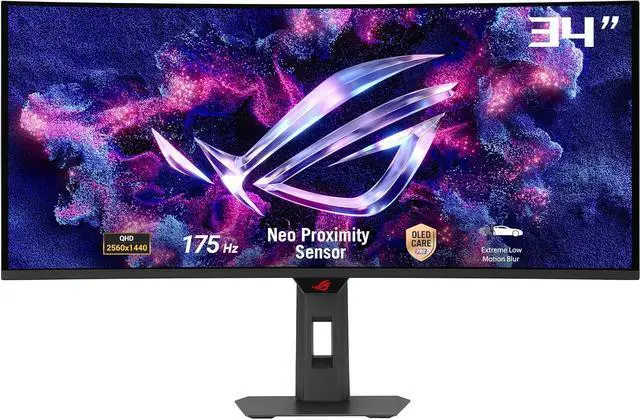
  • 34-inch 3440 x 1440 QD-OLED gaming monitor with 175Hz refresh rate and 0.03ms response time
  • New ASUS OLED Care Pro functions with Neo Proximity Sensor that precisely detects when the user is away, switching to a black screen to reduce the risk of burn-in
  • VESA DisplayHDR 400 True Black compliance, 99.3% DCI-P3 gamut, true 10-bit color, and Delta E < 2 color difference for astonishing HDR performance, making it perfect for photo and video editing
  • Exclusive ASUS DisplayWidget Center application allows users to easily access OLED Care Pro functions and adjust monitor settings using a mouse
  • ROG Gaming A.I technology with AI-powered features to enhance users' gaming experience
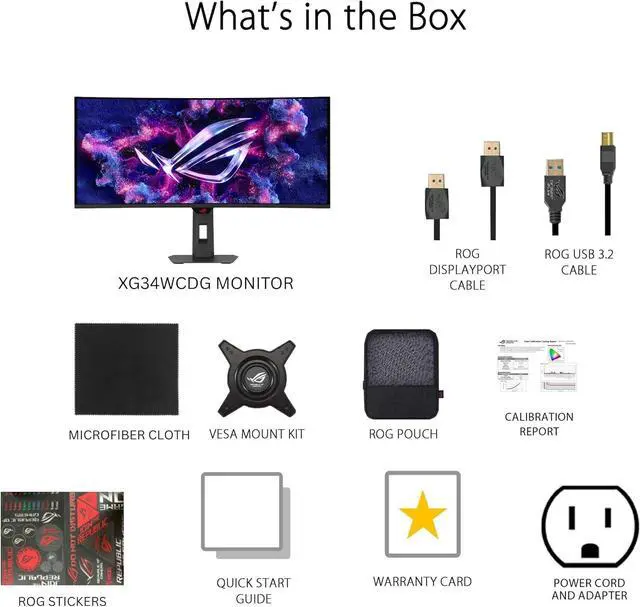
  • What's in the box: DisplayPort cable, USB Type-B to A cable, Power cord, ROG pouch, ROG sticker, Quick start guide, Warranty Card
+
+
Overview
Specs
Reviews (3)
ASUS ROG Strix 34" Ultrawide OLED HDR Gaming Monitor (XG34WCDG)
ASUS ROG Strix 34&quot; Ultrawide OLED HDR Gaming Monitor (XG34WCDG)
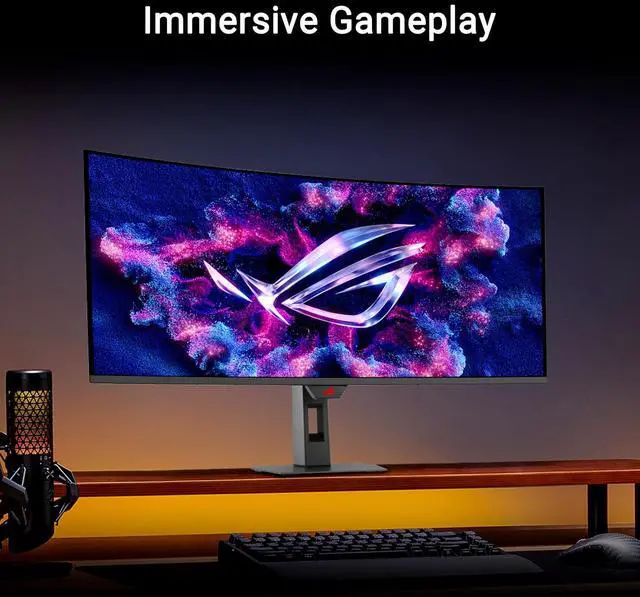
Immersive Gameplay

Designed for discerning gamers and professional creators, it offers a resolution of 3440x1440 and 1800R curvature for smooth and immersive gaming visuals.

ASUS ROG Strix 34&quot; Ultrawide OLED HDR Gaming Monitor (XG34WCDG)
Incredible Motion Clarity

Exclusive ASUS Extreme Low Motion Blur technology reduces ghosting and motion blur.

ASUS ROG Strix 34&quot; Ultrawide OLED HDR Gaming Monitor (XG34WCDG)
OLED Monitor

ROG OLED monitors are engineered to deliver stunning visuals for years to come. An innovative custom heatsink and a unique internal airflow improve cooling and reduce the risk of burn-in.

ASUS ROG Strix 34&quot; Ultrawide OLED HDR Gaming Monitor (XG34WCDG)
Advantages of OLED technology

The latest ASUS OLED panels offer extremely high contrast ratios to deliver the darkest black hues as well as the most vivid colors, helping create immersive visuals for gaming and for creative endeavors. Plus, an astounding 0.03 ms gray-to-gray response time en sures supersmooth, low-latency visuals.

ASUS ROG Strix 34&quot; Ultrawide OLED HDR Gaming Monitor (XG34WCDG)
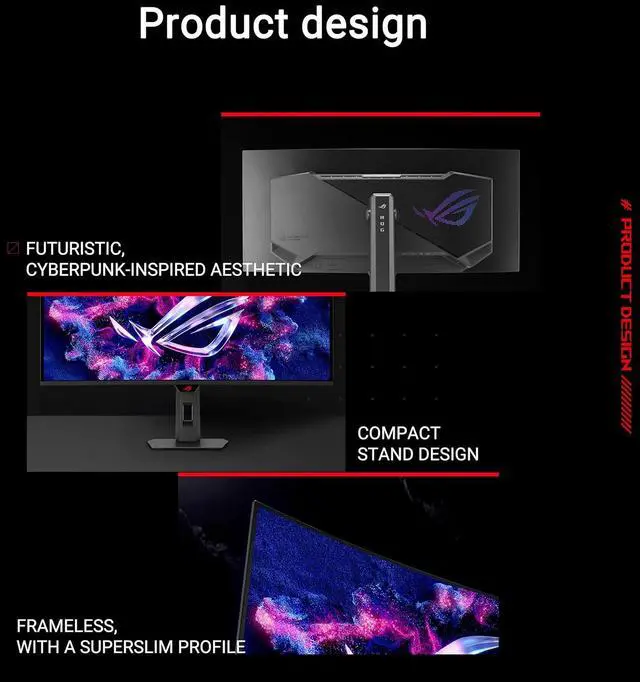
Futuristic, cyberpunk-inspired aesthetic

The clean and elegant aesthetic of the XG34WCDG underlines its premium status. There's even a built-in tripod socket on top of the monitor to accommodate a camera for streaming setups.

ASUS ROG Strix 34&quot; Ultrawide OLED HDR Gaming Monitor (XG34WCDG)
DisplayWidget Center

Take your monitor to the next level with DisplayWidget Center, a powerful monitor management software designed to help you optimize, personalize, and fully utilize your display via a mouse - so there's no need to access the OSD menu. Additionally, DisplayWidget Center notifies you of the latest firmware updates and includes a direct update option. You can also import or export display configurations for sharing.

ASUS ROG Strix 34&quot; Ultrawide OLED HDR Gaming Monitor (XG34WCDG)
Dynamic Crosshair

Automatically changes the crosshair to a color that contrasts with the background, so it stands out for more accurate aim.

ASUS ROG Strix 34&quot; Ultrawide OLED HDR Gaming Monitor (XG34WCDG)
Smooth And Responsive

The XG34WCDG features AMD FreeSync Premium Pro technology and NVIDIA G-SYNC compatibility, ensuring supersmooth, tear-free visuals with low latency.

* In processing, please check the respective official webpage for the latest compatible list.

ASUS ROG Strix 34&quot; Ultrawide OLED HDR Gaming Monitor (XG34WCDG)
GamePlus

The ASUS-exclusive integrated GamePlus hotkey offers in-game enhancements. Co-developed with input from pro gamers, GamePlus enables you to practice and improve gaming skills with the ROG Gaming Al technology-enhanced Dynamic Crosshair.

One for All - ROG Strix OLED XG34WCDGThe ROG Strix OLED XG34WCDG is a 34-inch, 175Hz ultra-wide QD-OLED gaming monitor. With the addition of the Neo Proximity Sensor in the new ROG OLED Care Pro suite, the monitor transitions to a black screen when no user is detected, guarding against burn-in. Immersive GameplayDesigned for discerning gamers and professional creators, it offers a resolution of 3440x1440 and 1800R curvature for smooth and immersive gaming visuals. QD-OLED TechnologyIncredible Motion ClarityExclusive ASUS Extreme Low Motion Blur technology reduces ghosting and motion blur. Advantages of OLED technologyThe latest ASUS OLED panels offer extremely high contrast ratios to deliver the darkest black hues as well as the most vivid colors, helping create immersive visuals for gaming and for creative endeavors.

Plus, an astounding 0.03 ms gray-to-gray response time ensures supersmooth, low-latency visuals. Screen ProtectionASUS OLED Care ProNew ASUS OLED Care Pro technology provides a full set of customizable monitor settings to protect the OLED panel and ensure longevity. Plus, it includes the new Neo Proximity Sensor that detects your distance from the monitor and transitions to a black image when you're away to safeguard the panel from burn-in. All settings can be easily managed via DisplayWidget Center. Neo Proximity SensorThe built-in Neo Proximity Sensor precisely detects your distance from the monitor. When you step away, the monitor transitions to a black image to protect against panel burn-in, and instantly restores onscreen content when you return.

Detection distance can be customized to suit personal preference, ensuring maximum convenience and protection. Pixel cleaningRecalibrates the screen when the monitor has been active for several hours-a process that takes just a few minutes and activates automatically when the monitor is turned off. Screen MovePixel locations are slightly shifted periodically to help prevent burn-in, and users can choose between several movement levels. Boundary detectionDynamically detects the boundary of the black bars and reduces the brightness and also slightly shifts the pixel of the near borders. Screen SaverAutomatically dims the screen after two minutes of inactivity.

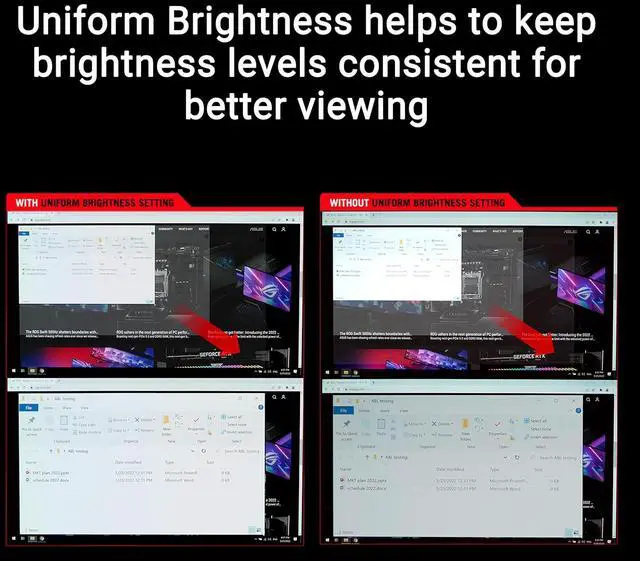
Logo brightness adjustmentAutomatically detects static onscreen logos and reduces their brightness to correct for potential picture-quality issue. Taskbar detectionDynamically detects the taskbar and reduces brightness around it to avoid burn-in. Outer dimming controlAutomatically identifies and adjusts the brightest areas of the screen to reduce the risk of burn-in. Global dimming controlDynamically adjusts the overall brightness of the display to reduce the risk of burn-in. Target modeDims the entire screen, except for a selected pinned window, which maintains its current brightness setting. Built to LastWorry-free OLED MonitorROG OLED monitors are engineered to deliver stunning visuals for years to come.

An innovative custom heatsink and a unique internal airflow improve cooling and reduce the risk of burn-in. Futuristic, cyberpunk-inspired aestheticThe clean and elegant aesthetic of the XG34WCDG underlines its premium status. There's even a built-in tripod socket on top of the monitor to accommodate a camera for streaming setups. Compact stand designThe base has a small footprint to free up space for the keyboard and mouse. Superslim frameless designThe frameless panel and curvature facilitates immersive viewing. DisplayWidget CenterTake your monitor to the next level with DisplayWidget Center, a powerful monitor management software designed to help you optimize, personalize, and fully utilize your display via a mouse - so there's no need to access the OSD menu.

Additionally, DisplayWidget Center notifies you of the latest firmware updates and includes a direct update option. You can also import or export display configurations for sharing

Warranty & Returns

Warranty, Returns, And Additional Information

Return Policies*

  • Return for refund within: 30 days
  • Returns are subject to restocking fees and return shipping fees. Please click here to learn more about restocking fees and return shipping fees.
  • This item is covered by Newegg.com's International Order Return Policy.
  • Read full return policy for details.
  • *Subject to applicable law
  • Warranty Notice:

    This product does not include manufacturer warranty when purchased or used outside of its designated sales region. By purchasing internationally, you acknowledge that warranty support from the manufacturer will not be available.
LOADING...
LOADING...

The ASUS ROG Strix XG34WCDG is a 34-inch curved QD-OLED ultrawide gaming monitor with 3440 × 1440 resolution, 175Hz refresh rate, and 0.03ms response time, suited to players seeking immersive, fast-paced gameplay with vivid contrast and color.

Recommended For

  • PC gamers who mainly play single-player, open-world, racing, or simulation games and want a curved 21:9 view with OLED contrast and smooth motion.
  • People replacing a standard 16:9 gaming display who want extra horizontal space for supported games and occasional side-by-side windows, and are comfortable with some games or video showing side bars.
  • Gamers who want an OLED ultrawide but do not need the very highest refresh rates, and would rather prioritize immersive image quality over a 240Hz-or-faster esports-focused display.
  • Users who want OLED gaming features with an added burn-in precaution: the proximity sensor can blank the display when they step away, though it does not remove the need for normal OLED care.

Spec Summary

AttributeValue
Best ForGaming, photo and video editing, entertainment, and business use, with an ultrawide curved QD-OLED display and high refresh rate
Panel And Resolution34-inch curved QD-OLED panel with a 3440 × 1440 UWQHD resolution, 21:9 aspect ratio, 1800R curvature, and matte screen finish
Refresh Rate And Response175Hz refresh rate and 0.03ms GTG response time, with Adaptive-Sync support
Picture QualityDisplayHDR True Black 400, 1.07 billion display colors, 250 cd/m² typical brightness and 1,000 cd/m² peak HDR brightness, with a 1,500,000:1 contrast ratio and 178° horizontal and vertical viewing angles
Ports And ConnectivityTwo HDMI 2.1 ports, one USB-C port with DisplayPort Alternate Mode, one USB 2.0 Type-A port, and two USB 3.2 Gen 1 Type-A ports
Gaming And Display FeaturesFreeSync Premium Pro and G-Sync Compatible adaptive sync, plus GamePlus, GameVisual, Extreme Low Motion Blur, GameFast Input, Shadow Boost, Aspect Control, KVM switch, and AI Visual, Dynamic Crosshair, and Dynamic Shadow Boost
Eye Care And ControlsOLED Care Pro, blue light filtering, flicker-free operation, and button controls; DisplayWidget Center provides access to monitor settings
Stand And MountingTilt adjustment from −5° to +20°, swivel from −25° to +25°, 0–110mm height adjustment, and 100 × 100mm VESA mounting compatibility
Audio And WebcamNo built-in speakers or webcam
Power100–240 VAC, 50/60Hz power input; less than 36W typical power consumption, less than 0.5W in power-saving mode, and less than 0.3W when off
Dimensions And Weight31.97 × 21.46 × 7.83 inches with stand and 31.97 × 14.96 × 4.25 inches without stand; weighs 18.3 lb with stand and 13.67 lb without stand
Included AccessoriesDisplayPort cable, USB Type-B to Type-A cable, power cord, ROG pouch, ROG sticker, quick start guide, and warranty card
Model IdentifiersASUS ROG Strix XG34WCDG; black cabinet with a three-sided thin-frame bezel