


 All CategoriesAll CategoriesAll Categories
Shipped by Newegg


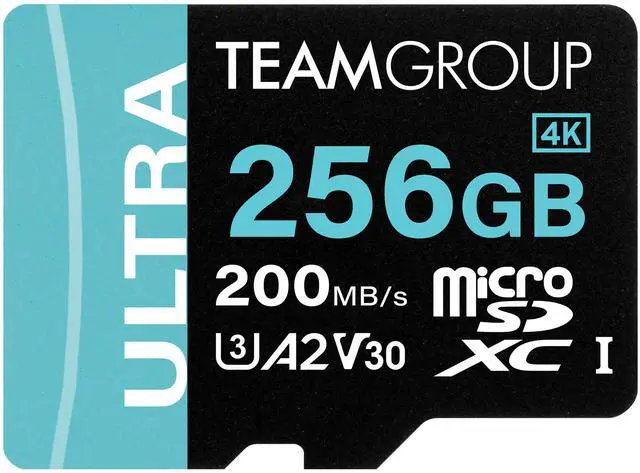
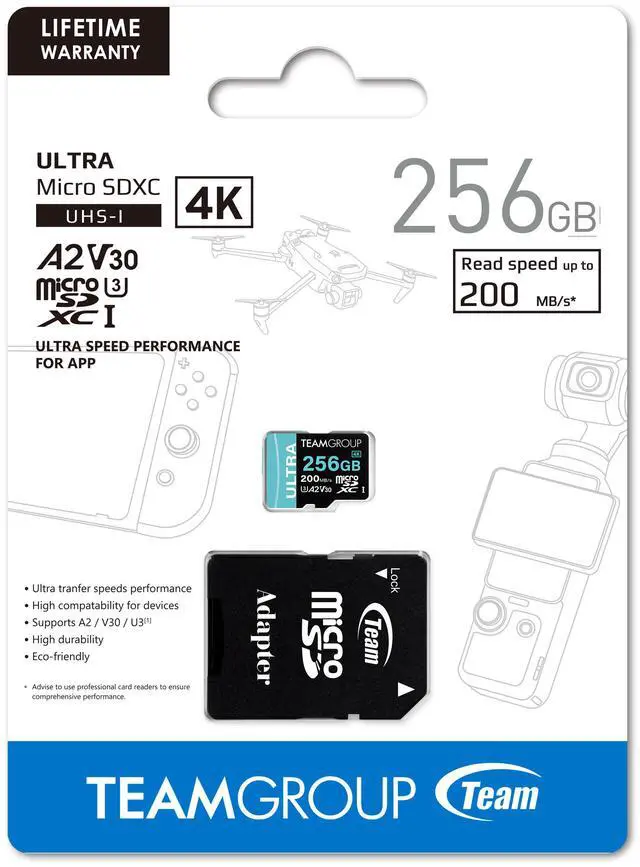


| Brand | Team |
|---|---|
| Card type | MicroSD |
| Model | TULMSDX256GIA2V3022503 |
| Type | microSDXC |
| Capacity | 256GB |
|---|---|
| Speed Class Rating | A2 / U3 / UHS-I / V30 |
| Read Speed | Up to 200MB/s |
| Features | Ultra-Fast 200 MB/s Transfer Speed Massive Storage Space Supports A2 / U3 / V30 Standards High Compatibility for All Your Devices Comprehensive Data Protection Eco-Friendly Ink for a Greener Planet |
|---|
| First Listed on Newegg | June 07, 2025 |
|---|
Warranty Notice:
This product does not include manufacturer warranty when purchased or used outside of its designated sales region. By purchasing internationally, you acknowledge that warranty support from the manufacturer will not be available.The Team 256GB microSDXC UHS-I card is a portable storage upgrade for Nintendo Switch, Steam Deck, and ROG Ally users, with A2, U3, and V30 ratings, read speeds up to 200MB/s, and an included adapter.
| Attribute | Value |
|---|---|
| Best For | Portable gaming consoles, smartphones, and tablets needing 256GB of removable microSDXC storage |
| Capacity | 256GB |
| Card Format And Compatibility | microSDXC card format for devices with a compatible microSDXC slot |
| Speed And Performance | Read speeds up to 200MB/s with A2, U3, UHS-I, V30, and Class 10 ratings |
| Durability | Waterproof |
| Package And Physical Details | Black; one item per package; item weight 0.05 lb and package weight 0.01 kg; package dimensions 4.84 × 3.54 × 0.18 in |
| Model Identifiers | Team / TEAMGROUP Ultra; model TULMSDX256GIA2V3022503 |
Q: Is the TeamGroup 256GB ULTRA or Samsung PRO Plus 256GB faster?
A: By published maximum sequential-speed specifications, the TeamGroup ULTRA 256GB is faster: up to 200MB/s read and 150MB/s write, versus up to 180MB/s read and 130MB/s write for the Samsung PRO Plus 256GB. Choose TeamGroup if its price is comparable and you want the higher stated speeds; choose Samsung if you prefer that model or find it at a better price. Actual speeds depend on the card reader and device, and TeamGroup’s 200MB/s read claim requires a compatible reader.
Q: Can I use this TeamGroup card in a Nintendo Switch 2?
A: Not to expand storage for Switch 2 games. This is a standard microSDXC card, while Nintendo Switch 2 supports microSD Express cards for game storage. It is suitable for the original Nintendo Switch, Switch Lite, and Switch OLED; choose a microSD Express card if you need game storage for Switch 2.
Q: Should I get this 256GB card or a cheaper A1/U1 card for a Steam Deck?
A: Choose the TeamGroup if you want 256GB plus A2, U3, and V30 ratings, or also plan to record video that benefits from V30. A cheaper A1/U1 card may suit basic game storage if capacity matters more, but the Steam Deck’s UHS-I reader means the card’s advertised 200MB/s peak read speed will not translate into that speed in the Deck. Don’t choose based on the 200MB/s figure alone.
Q: Is the TeamGroup 256GB ULTRA or 512GB ULTRA a better buy?
A: Choose 256GB if it holds the games or files you plan to keep installed and you want to spend less on capacity. Choose 512GB if you want more room before deleting or moving files; TeamGroup lists the 512GB model with up to 170MB/s write speed, compared with up to 150MB/s for this 256GB model. Both list up to 200MB/s read speed and A2/U3/V30 ratings.
Q: Will this card work with a Nintendo Switch, Steam Deck, or ROG Ally?
A: The product is listed as a 256GB microSDXC card compatible with Nintendo Switch, Steam Deck, and ROG Ally. Confirm that your device supports microSDXC cards; the included adapter can be used in a device with a full-size SD slot.
Q: Do I need to format the card before using it?
A: You may need to format it in the device before use. For a Steam Deck, Best Buy’s guidance says to format the card through the device’s settings; formatting erases existing data, so back up files first.
Q: Will I have the full 256GB available to store files or games?
A: Not necessarily. A device may report less than 256GB because storage is displayed differently after formatting and some space is used by the file system. The amount available can vary by device and format.
Q: Does the up-to-200MB/s speed mean games will load at that speed?
A: No. Up to 200MB/s is the listed maximum read speed, not a guaranteed game-loading speed. Actual performance depends on the device, game, and usage; the provided specifications do not state a maximum write speed.
Q: Is this TeamGroup card a reasonable choice for Steam Deck storage?
A: Its microSDXC, UHS-I and A2 ratings fit the type of card discussed for Steam Deck expansion. Reddit reports on other TeamGroup microSD cards are mixed: some users describe successful use, while others report failures. Those posts do not test this exact 256GB model, so they are anecdotal rather than a reliability guarantee.
Q: Will the 200MB/s speed make games load faster on Steam Deck?
A: Not necessarily. The 200MB/s figure is an advertised maximum read speed, and a Reddit discussion notes that Steam Deck throughput is lower. The Deck may not use the card’s full rated speed, and actual results can vary.
Q: Is this a risk-free microSD choice for a ROG Ally?
A: No microSD card can remove the device-side risk discussed by ROG Ally users. Reddit reports describe card-reader or card failures, but they do not establish that this specific TeamGroup model is affected. Treat those reports as a caution about using the Ally’s card slot, not proof that this card will fail.