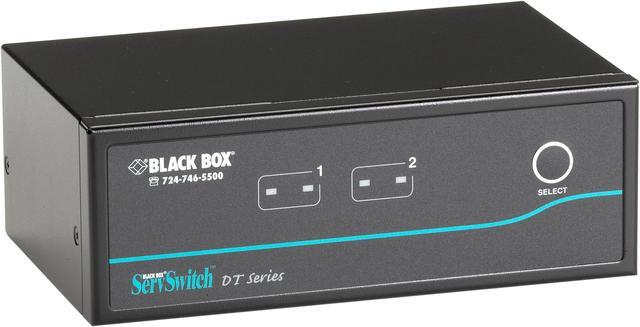
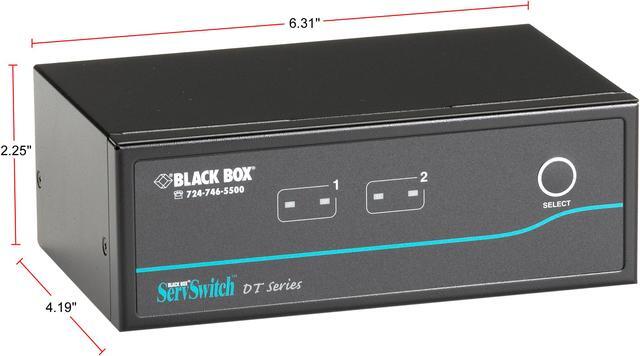
The Black Box ServSwitch KV9622A is a dual-head KVM switch listed by Newegg with support for resolutions up to 2560 × 1600, suited to users who want to manage multiple computers from a dual-monitor workstation.
Recommended For
- Desk-based users switching between two computers who want to keep the same pair of DVI monitors, keyboard, and mouse connected; the KV9622A is a two-computer, dual-display KVM.
- Users with a legacy dual-DVI workstation setup that runs at up to 1920 × 1200 per display and needs a KVM without software configuration.
- People who regularly move between two connected computers at the desk and prefer front-panel buttons or keyboard hotkeys for switching.
- Users who want to share compatible USB peripherals and switch speaker or microphone connections between two computers; audio switching can operate independently of the KVM switch.
Real-World Use Scenarios
- At a desk with two DVI-equipped computers and two monitors, switch the keyboard, mouse, and both displays between computers from one console instead of maintaining duplicate input devices.
- When alternating between a primary computer and a second system used for testing or administration, select the other computer with the front-panel button or a keyboard hotkey while keeping the same dual-monitor workspace.
- In a shared workstation, use one USB keyboard and mouse across the two connected computers; switch other USB devices only when their drivers and usage are compatible with being disconnected and reconnected.
- For a desk that uses speakers or a microphone with both computers, connect the audio paths to the switch and select audio separately from the computer-control switching when needed.
- When both connected computers are on and you want to check them in turn, use AutoScan to cycle through their displays; it is a basic status-checking aid rather than simultaneous viewing.
Spec Summary
| Attribute | Value |
|---|
| Best For | Switching between two multimedia computers in a dual-head setup, with video resolution up to 2560 × 1600 |
|---|
| Video Support | Supports resolutions up to 2560 × 1600 |
|---|
| Switching And Control | Two-position switch with push-button actuation and automatic operation; remote control method listed |
|---|
| Connectivity | USB connectivity |
|---|
| Mounting And Construction | Rack-mountable metal construction; IP54 rating listed |
|---|
| Dimensions And Weight | 9.25 × 7.25 × 3.5 inches; weighs 2.85 pounds |
|---|
| Model Identifiers | Black Box KV9622A KVM switchbox |
|---|



 All Categories