


 All CategoriesAll CategoriesAll Categories




Warranty Notice:
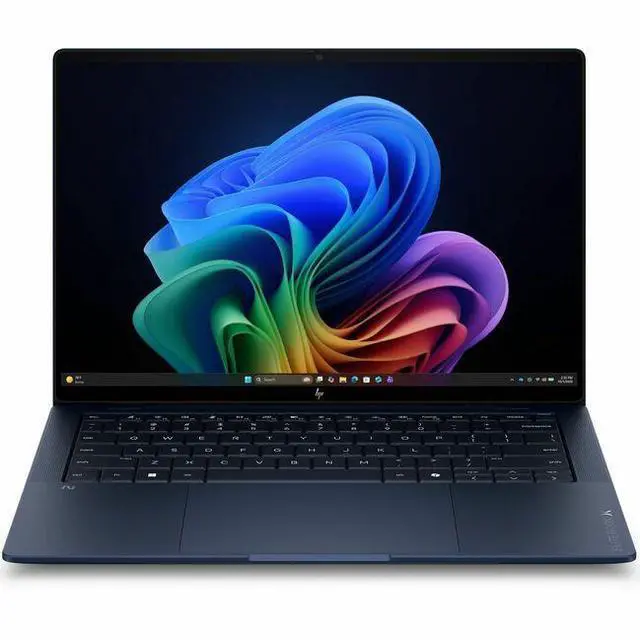
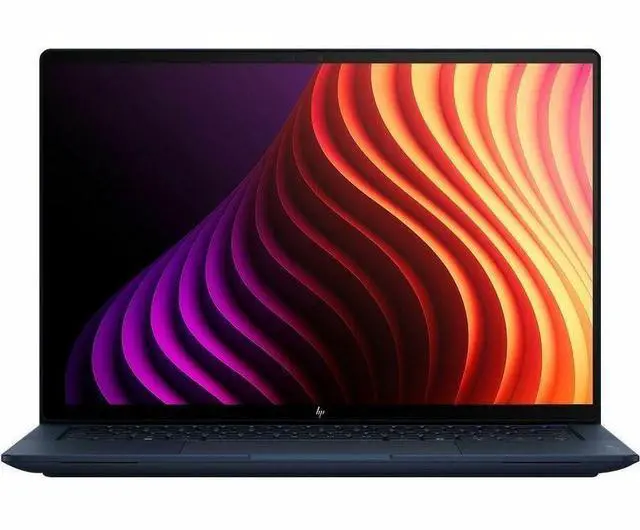
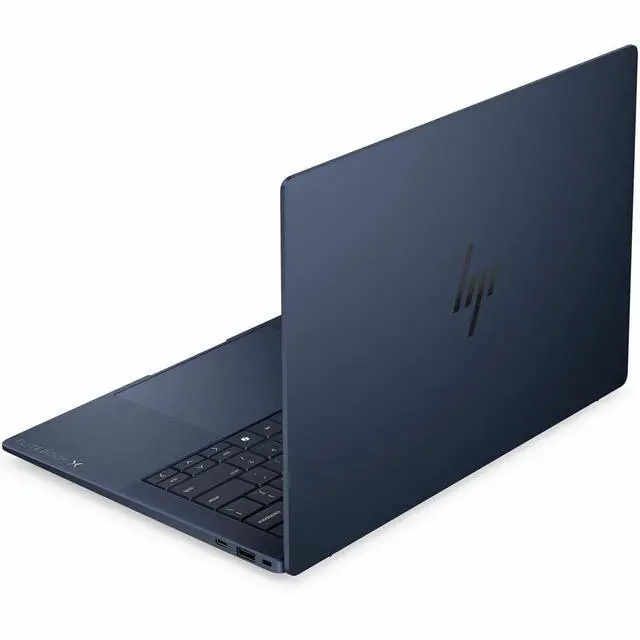
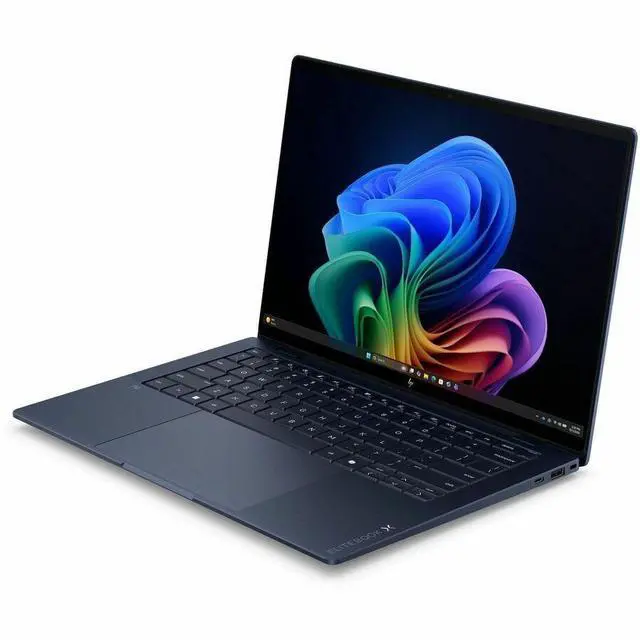
This product does not include manufacturer warranty when purchased or used outside of its designated sales region. By purchasing internationally, you acknowledge that warranty support from the manufacturer will not be available.The HP EliteBook X G2i is a 14-inch Copilot+ business laptop with an Intel Core Ultra 7 366H, 32GB RAM, 512GB SSD, Wi-Fi 7, and 5G, making it a strong fit for professionals who need premium portability, fast connectivity, and AI-assisted everyday productivity.
| Attribute | Value |
|---|---|
| Best For | Business and student users who need a thin, 14" WUXGA laptop with on-device AI (Copilot+), mobile 5G and Wi‑Fi 7 connectivity, and high memory (32 GB) for multitasking on the go |
| Processor And Core Count | Intel Core Ultra 7 366H (Series 3) with up to 4.8 GHz turbo, 16 processor count and an on-chip AI accelerator (AI Boost); 18 MB L3 cache |
| GPU And VRAM | Integrated Intel graphics using shared system memory (integrated GPU) |
| Display Spec | 14.0" WUXGA (1920 x 1200) IPS panel with 800 nit peak brightness, 100% sRGB color gamut and Sure View / low-blue-light/anti-glare features for brighter, color-accurate viewing and optional privacy |
| Memory Configuration | 32 GB LPDDR5X memory (32 GB installed, 32 GB maximum reported) for sustained multitasking |
| Storage And Expansion | 512 GB SSD (M.2 form factor, m.2 interface) |
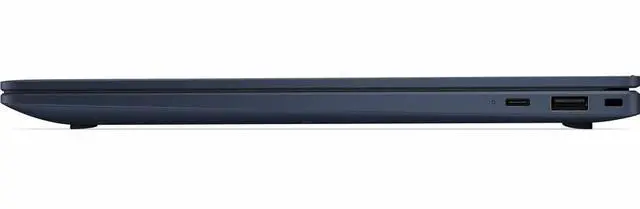
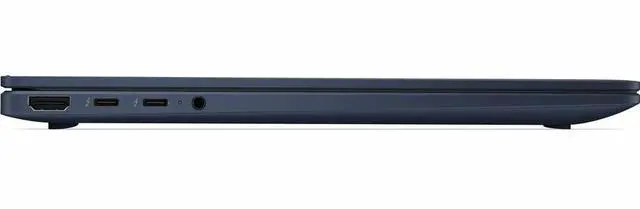
| High Speed I O | USB-C with USB Power Delivery 3.0 and DisplayPort 1.4 (10 Gbps signaling rate), two Thunderbolt ports reported, and one HDMI port; total USB ports reported as 2 |
| Battery And Power | 6‑cell lithium‑ion battery with fast charge (50% in 30 minutes); battery capacity reported as 4000 mAh, battery weight ~300 g and single installed battery |
| Wired And Wireless Networking | Wi‑Fi 7 (802.11be) and Bluetooth plus 5G cellular support for high-bandwidth wireless and mobile connectivity |
| Webcam And Privacy | Front-facing webcam included; display option includes Sure View privacy and eye‑comfort features (low blue light, anti‑glare) |
| External Display And Docking Fit | Supports external display via DisplayPort 1.4 over USB-C and has two Thunderbolt ports plus one HDMI output for docking/multi-monitor setups |
| Dimensions And Weight (Portability) | Thin and light 14" notebook — 12.3" x 8.5" x 0.56" and about 2.18 lb (device weight) for easy mobility |
| Model Identifiers | HP EliteBook X G2i (Part/Model D72P8UT#ABA) — 2026 edition by Hewlett Packard |
Q: Should I buy the HP EliteBook X G2i or Lenovo ThinkPad X1 Carbon Gen 13 for business travel?
A: Choose the HP EliteBook X G2i if you want a very light 14-inch business laptop with optional 5G, Wi‑Fi 7, a bright 800-nit class display configuration, and a 32GB memory setup that is ready for heavier multitasking out of the box. Choose the ThinkPad X1 Carbon Gen 13 if you prefer Lenovo’s ThinkPad ecosystem, dual USB-A plus dual Thunderbolt 4 connectivity, and the familiar X1 Carbon keyboard-and-trackpoint style. In short: the EliteBook X G2i fits buyers prioritizing mobility, connectivity, and higher standard memory; the X1 Carbon fits buyers prioritizing ThinkPad ergonomics and port layout.
Q: Is the HP EliteBook X G2i a better fit than a lower-spec 16GB business laptop?
A: Yes, the EliteBook X G2i makes more sense if you expect long-term office use with many browser tabs, large spreadsheets, video meetings, and AI-assisted workflows. Its 32GB RAM gives it more headroom than common 16GB business configurations, and its optional 5G plus Wi‑Fi 7 positioning also points to a more premium mobile-work setup. A 16GB model is still the better choice if your workload is mainly email, documents, web apps, and cost control matters more than extra multitasking capacity.
Q: Should I choose the HP EliteBook X G2i or move up to a mobile workstation like the HP ZBook X G2i?
A: Choose the EliteBook X G2i if portability, battery-friendly everyday performance, and business travel matter more than workstation-class graphics. Move up to the ZBook X G2i if your workload includes 3D, CAD, GPU-accelerated creative apps, or larger memory and graphics requirements. The EliteBook X G2i is the better fit for premium office productivity; the ZBook X G2i is the better fit for specialized professional workloads.
Q: Is the HP EliteBook X G2i worth choosing over the previous EliteBook X generation?
A: The EliteBook X G2i is the better choice if you want HP’s newer platform generation with updated AI PC positioning, Wi‑Fi 7 support, and current enterprise rollout relevance. It is the more forward-looking option for buyers standardizing on a 2026 business laptop. An earlier EliteBook X generation can still make sense if price is substantially lower and your needs are limited to standard office work rather than newer connectivity or AI-focused platform features.
Q: Is the HP EliteBook X G2i a good travel work laptop?
A: Yes. It is well suited to frequent travel and mobile office work because it is very light at 2.18 lb, has a thin 14-inch chassis, supports fast charging, and includes both Wi-Fi 7 and built-in 5G cellular for working away from reliable Wi-Fi. The main trade-off is ports: with only one USB-C and one HDMI listed, many travelers who use several accessories or multiple displays will likely want a dock or hub.
Q: Is it good for meetings, note-taking, and everyday office work?
A: Yes. This model is a strong fit for meetings and office productivity because it combines a modern Intel Core Ultra 7 processor, 32GB RAM, a 512GB SSD, Windows 11 Pro, and a built-in webcam. Its 14-inch 1920 x 1200 IPS display and 800-nit brightness also make it practical for document work and video calls in mixed lighting. It is a productivity laptop first, not a gaming or workstation-class graphics machine.
Q: Who is this laptop best suited for?
A: It is best suited for business users, remote professionals, consultants, and frequent travelers who prioritize low weight, strong office performance, bright screen visibility, Windows Pro features, and always-connected networking. It is less ideal for buyers who need dedicated graphics for 3D work, heavier gaming, or large local storage out of the box.
Q: Can it handle external monitors and desk setup use?
A: Yes, for a typical business setup. Based on the listed ports, it should handle at least one display directly over HDMI and another through the USB-C port if the USB-C port supports DisplayPort output as listed. The limitation is expansion: because there is only one USB-C port shown, users with dual monitors, wired accessories, Ethernet, and charging needs will usually want a dock. That is a common buying concern on retail Q&A pages for comparable laptops.
Q: Is it a better choice than a similar Wi-Fi-only 14-inch business laptop?
A: It is a better choice if your priority is mobile connectivity and premium portability. The standout advantage here is built-in 5G plus Wi-Fi 7 in a 2.18 lb business laptop. A similar Wi-Fi-only model may offer more ports, lower cost, or easier docking value, but this HP is the better fit for users who work on the move and want internet access without depending on phone tethering or public Wi-Fi.
Q: Is the HP EliteBook X G2i a good fit for frequent travel and hybrid work?
A: Yes, if portability and business features matter more than upgrade flexibility. At 2.18 lb with a 14-inch 1920x1200 IPS display, Wi-Fi 7, 5G cellular, a webcam, and Windows 11 Pro, it is well suited to commuting, travel, video calls, and dock-based office use. The main trade-off is that this class of ultra-light business laptop usually prioritizes mobility over expandability and low price.
Q: Who is the EliteBook X G2i best suited for?
A: It is best suited for professionals who want a premium 14-inch Windows business laptop for office work, meetings, web-heavy multitasking, and travel. The listed configuration is strong for productivity with a Core Ultra 7 366H, 32 GB RAM, and a 512 GB SSD, but it is less appropriate for buyers who mainly want gaming performance, workstation-class graphics, or maximum value per dollar.
Q: Is the HP EliteBook X G2i worth buying at full price?
A: It is worth considering if you specifically want a very light premium business laptop with modern connectivity, enterprise-oriented features, and 32 GB memory in a compact 14-inch design. It is a weaker value choice if your priority is the lowest cost for performance, because community discussion repeatedly treats the EliteBook X G2i as an expensive model and compares it against alternatives that deliver similar core productivity performance for less.
Q: What are the main trade-offs of choosing the EliteBook X G2i over other 14-inch laptops?
A: The main trade-offs are price and limited graphics headroom in exchange for portability and business focus. This configuration gives you a light chassis, bright 800-nit display, 5G, Wi-Fi 7, and 32 GB RAM, but it uses integrated Intel Graphics rather than discrete graphics. That makes it a better fit for productivity, meetings, and travel than for gaming, heavy 3D work, or buyers who want easy upgrades and the best raw performance per dollar.
Q: Can the EliteBook X G2i replace a typical office desktop or older work laptop?
A: Yes for most office and knowledge-work use. A Core Ultra 7 366H, 32 GB RAM, and 512 GB SSD are enough for multitasking across Microsoft Office, browsers with many tabs, video meetings, and AI-assisted productivity tools. It is a sensible replacement for an older work laptop or a basic desktop if you want mobility, but not if your desktop workload depends on dedicated graphics or highly specialized workstation performance.